The Computer Logon solution can be configured to secure access to mapped network drives with multi-factor authentication. See below:
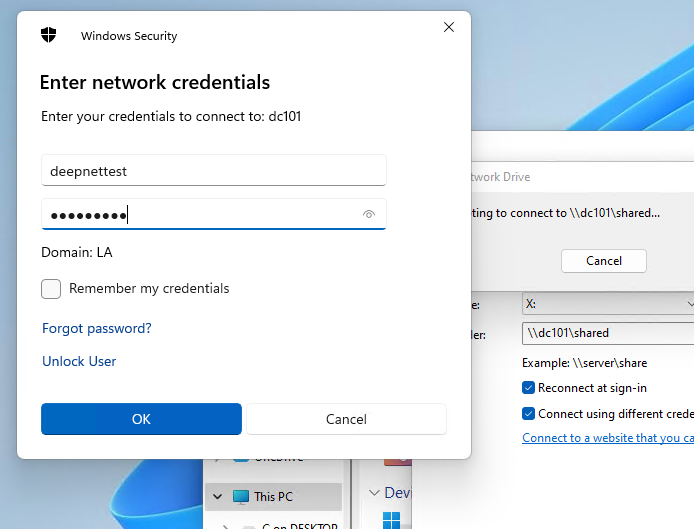
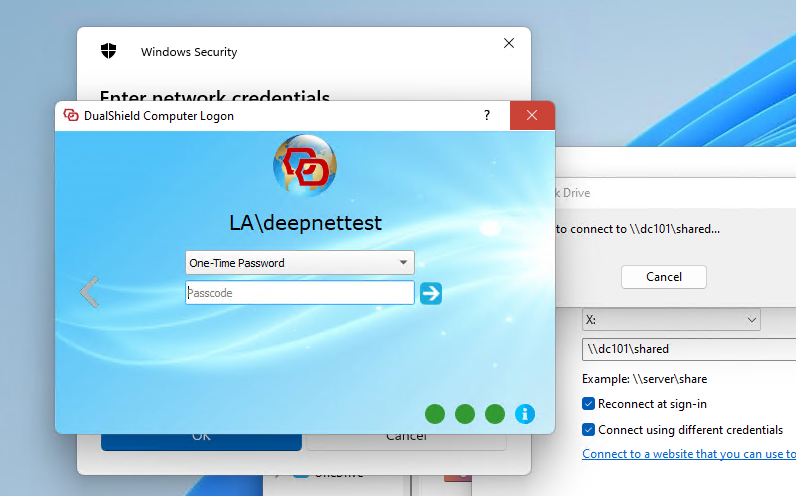
This guide assumes that logon to the end user's computer is already protected by the Computer Logon Client.
Logon to the DualShield Administration Console modify the Computer Logon Client policy:
Navigate to Shortcuts>Check Policies and search for the Compter Logon Client Policies.
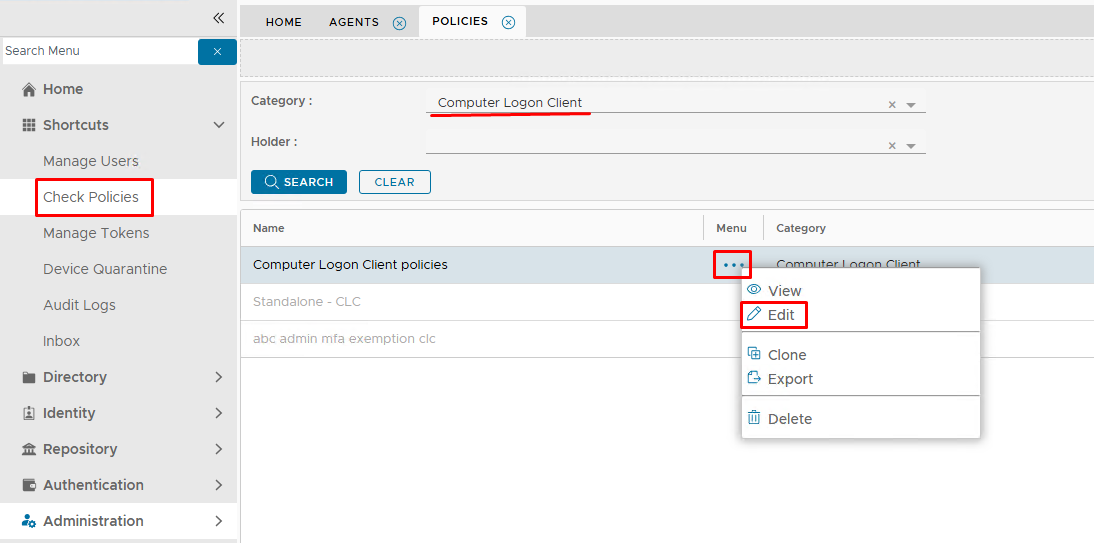
Edit the policy.
Expand the NAC tab and set Authentication to Multi-Factor Authentication..
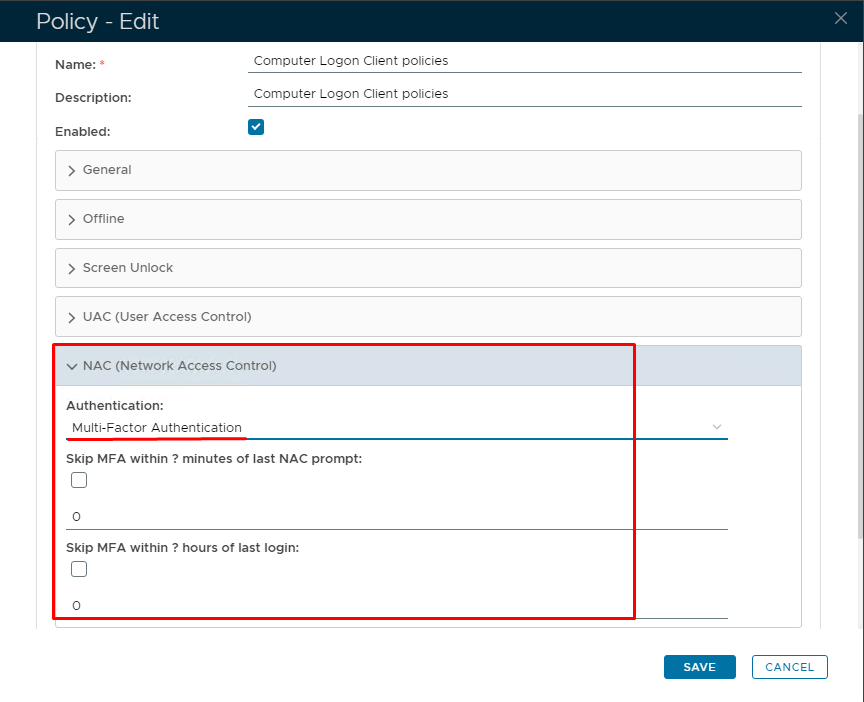
Click Save
Sign out and then sign back in to the client machine, so that the new policy is picked up.