To change the IP address of an authentication agent, first locate the agent then open the context menu of the agent.

Select "Edit" from the contexst menu
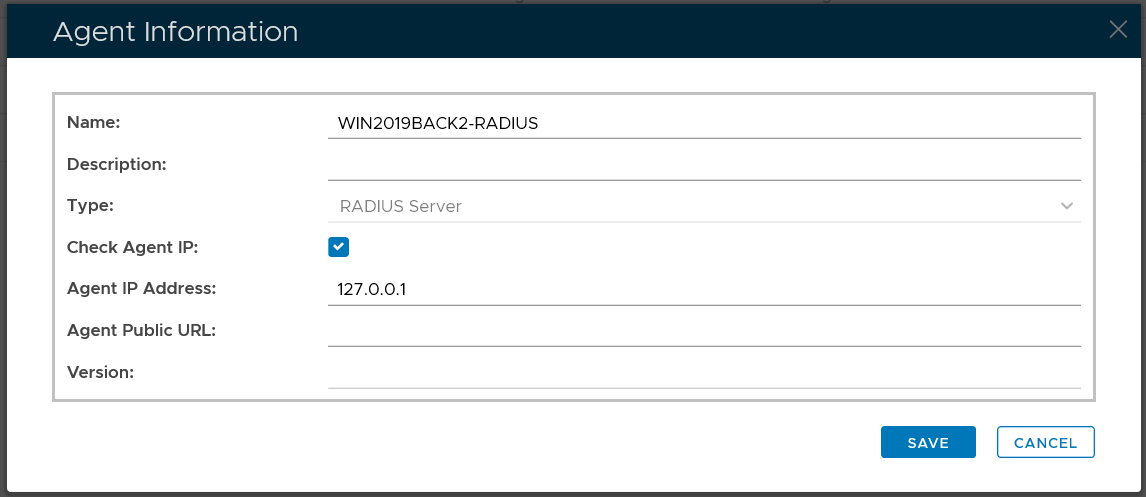
Change the "Agent IP Address"

Click "Save"

To change the IP address of an authentication agent, first locate the agent then open the context menu of the agent.
Select "Edit" from the contexst menu
Change the "Agent IP Address"
Click "Save"