To apply for a new SSL certificate, follow the steps below
Generate a Certificate Signing Request
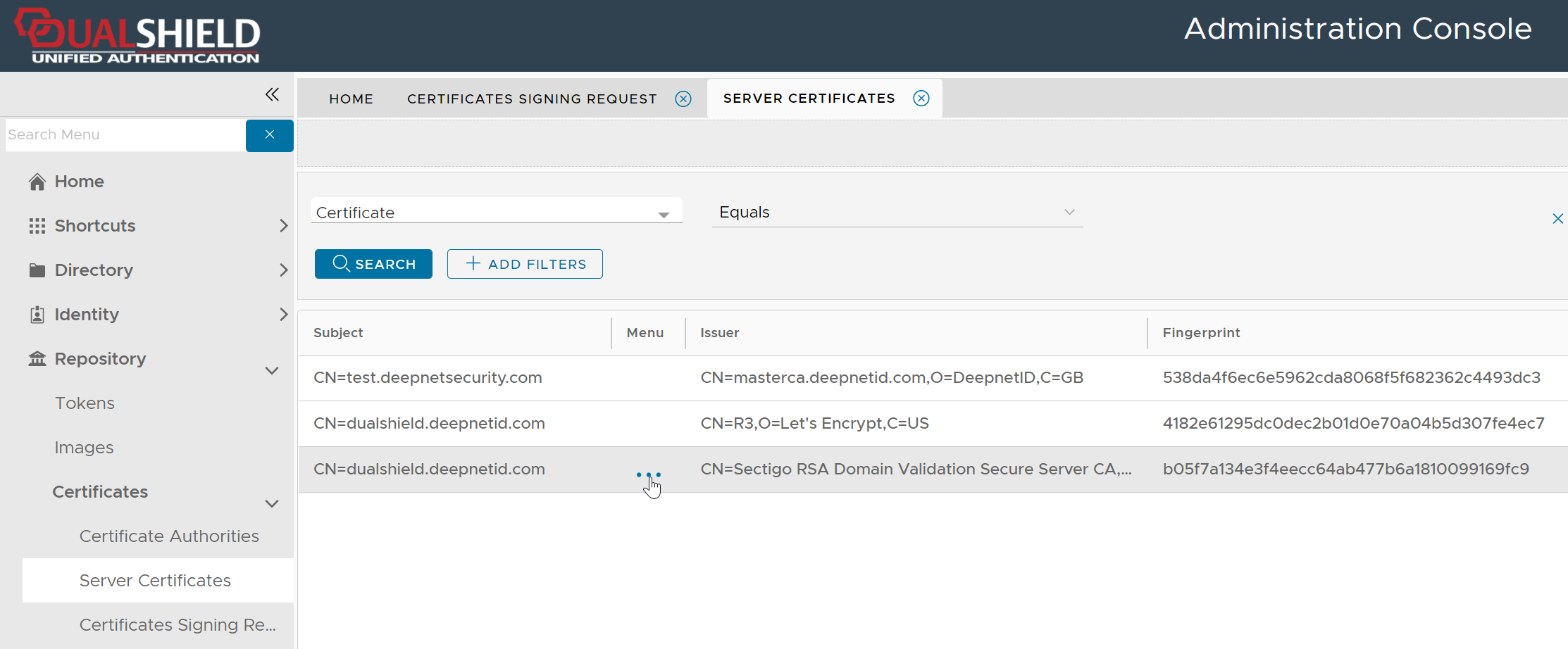
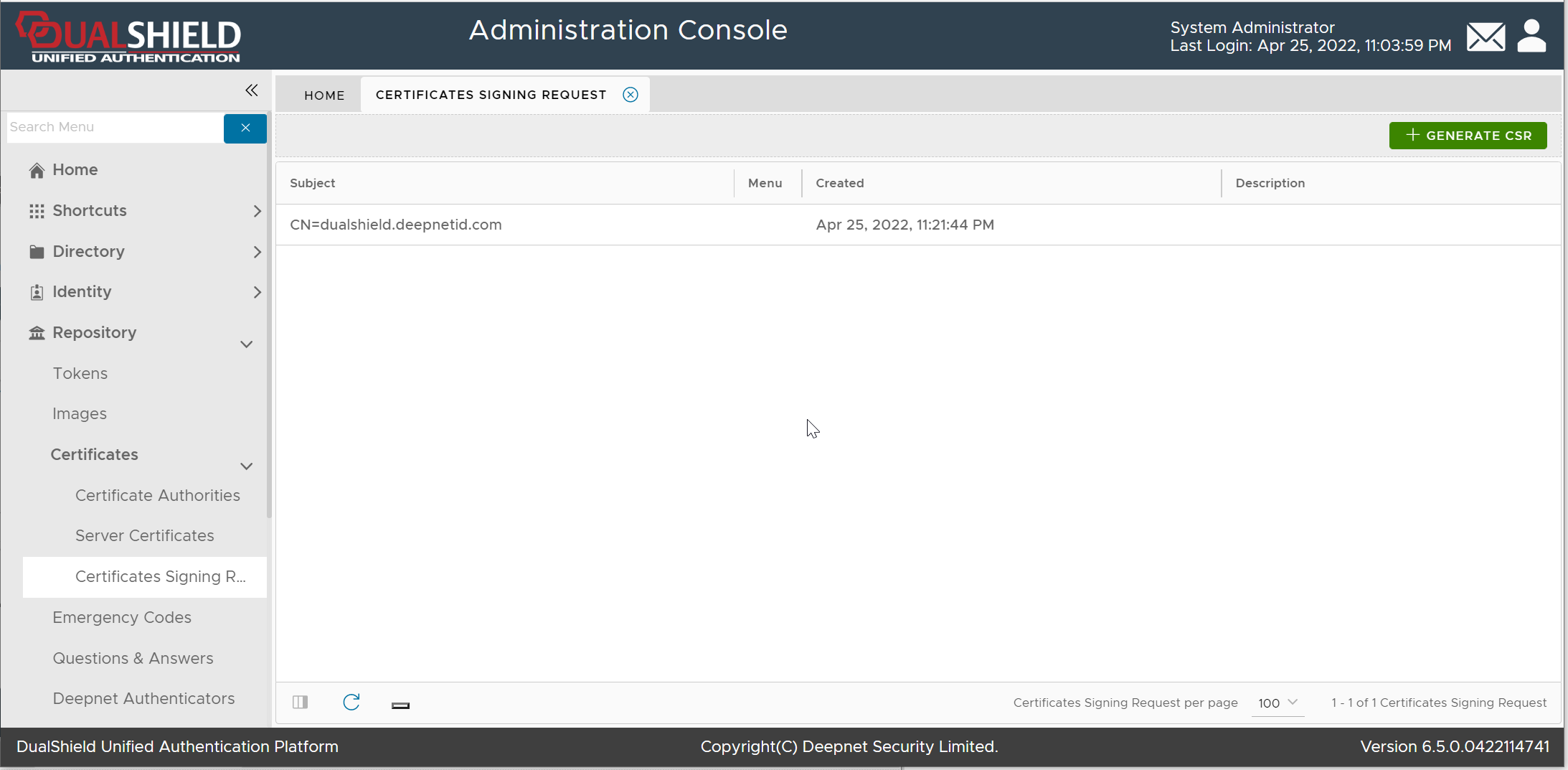
Navigate to Repository | Certificates | Certificate Signing Request"
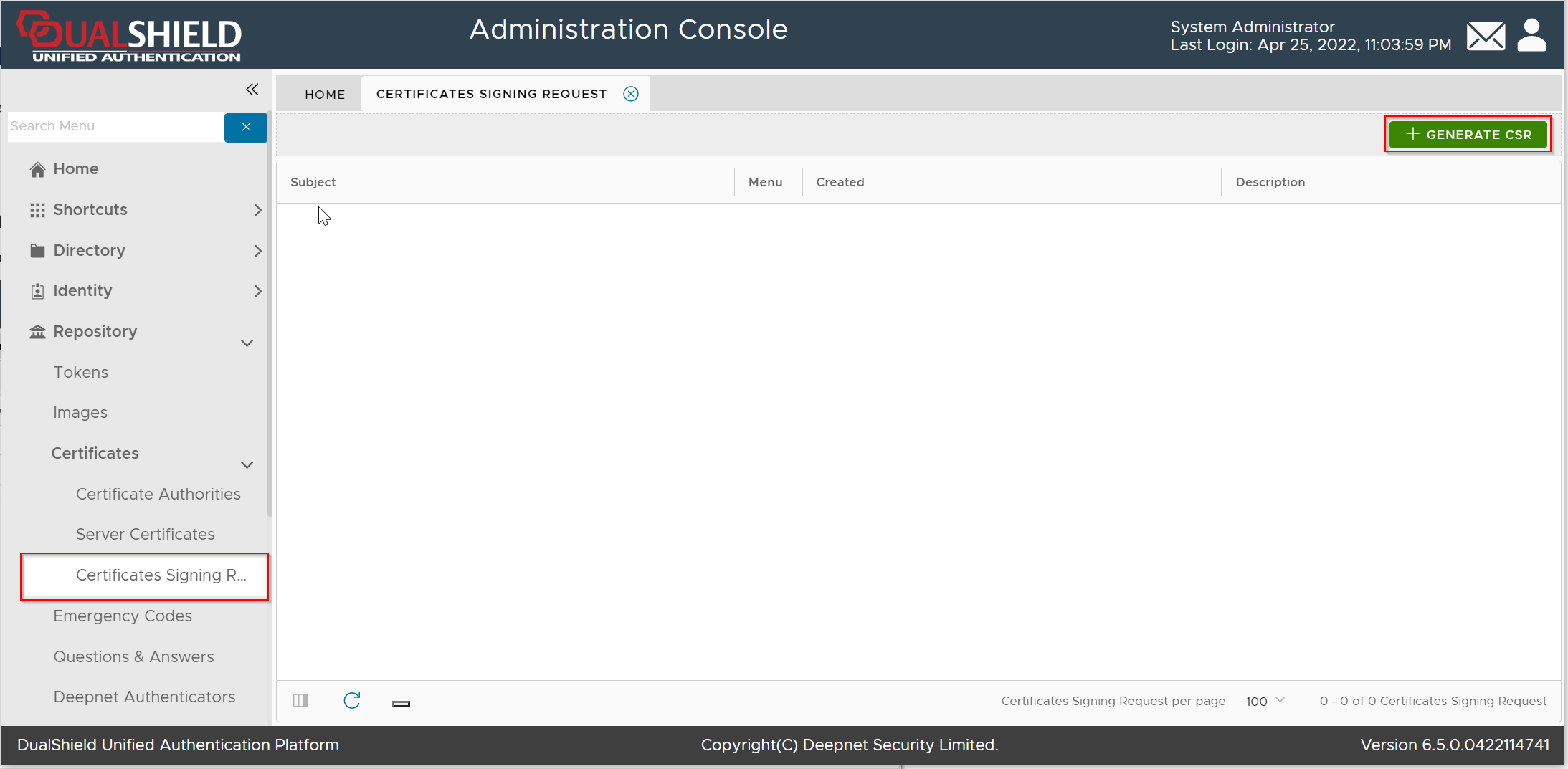
Click the "Generate CSR" button
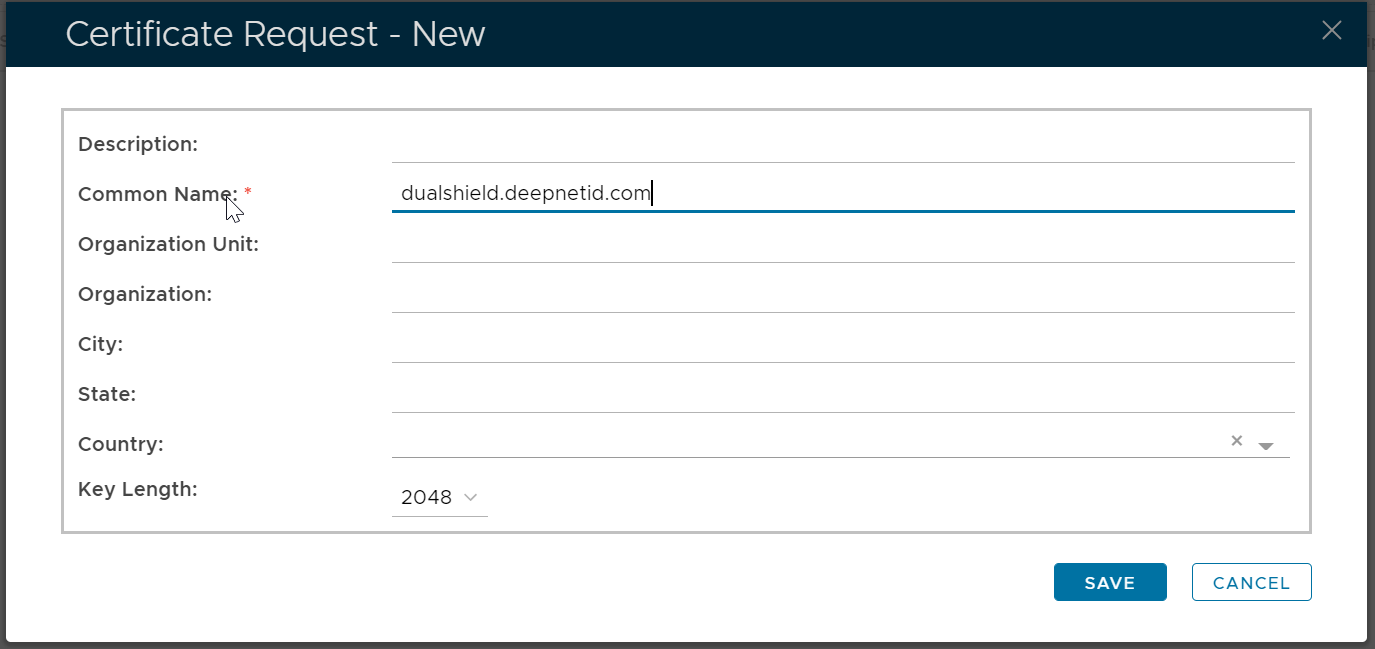
Fil in the CSR form, click Save
Submit the Certificate Signing Request
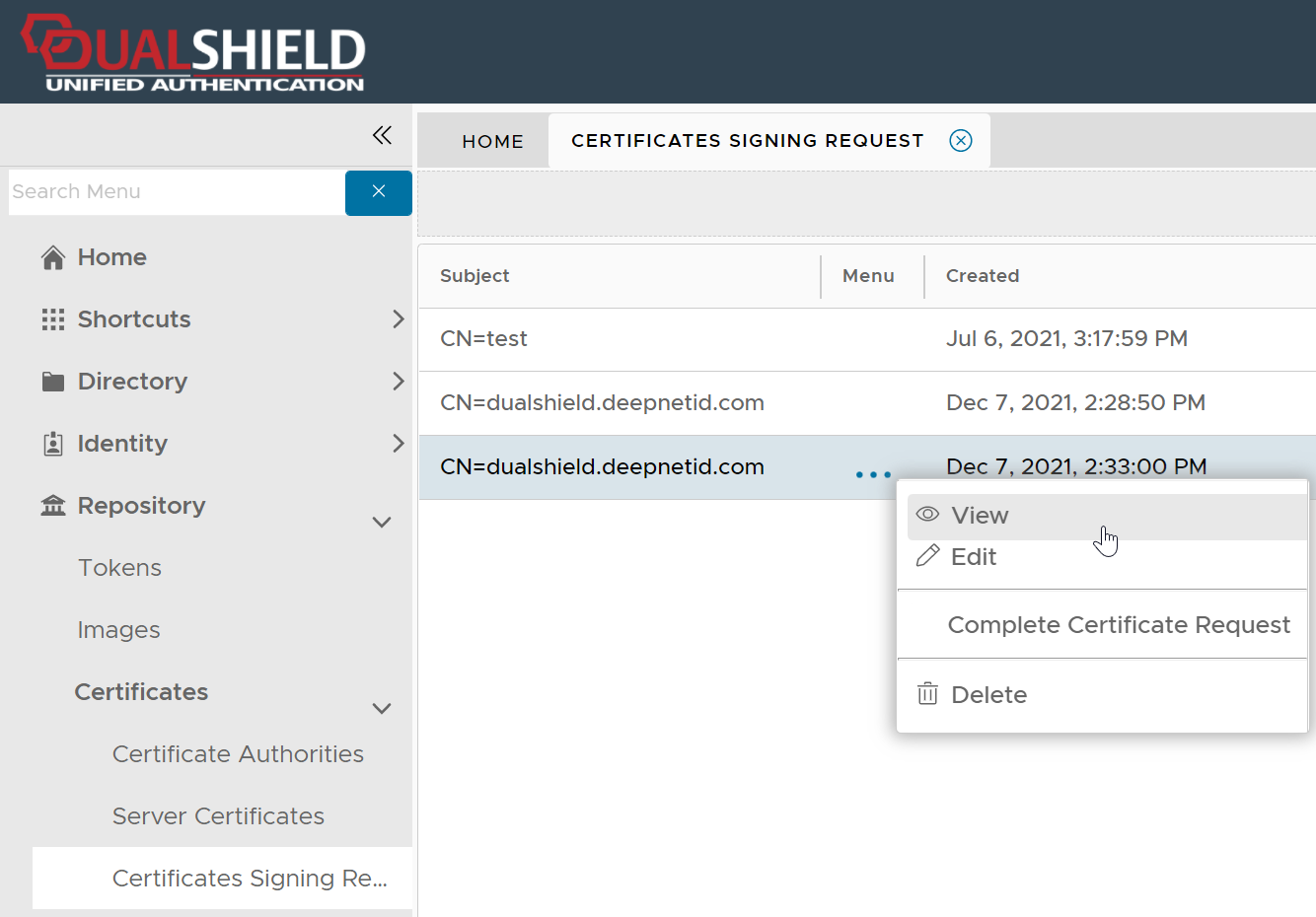
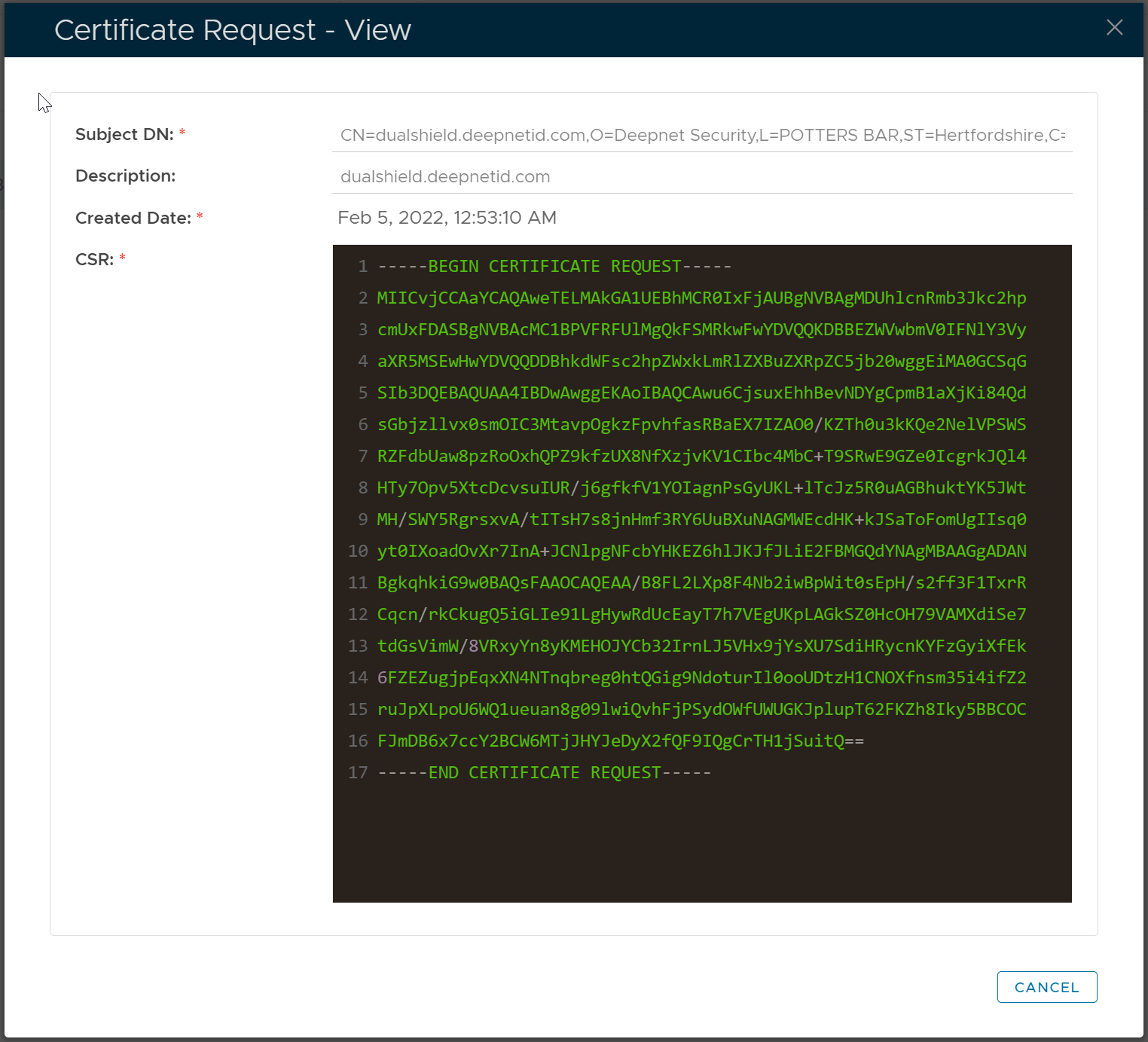
Download the Certificate from CA

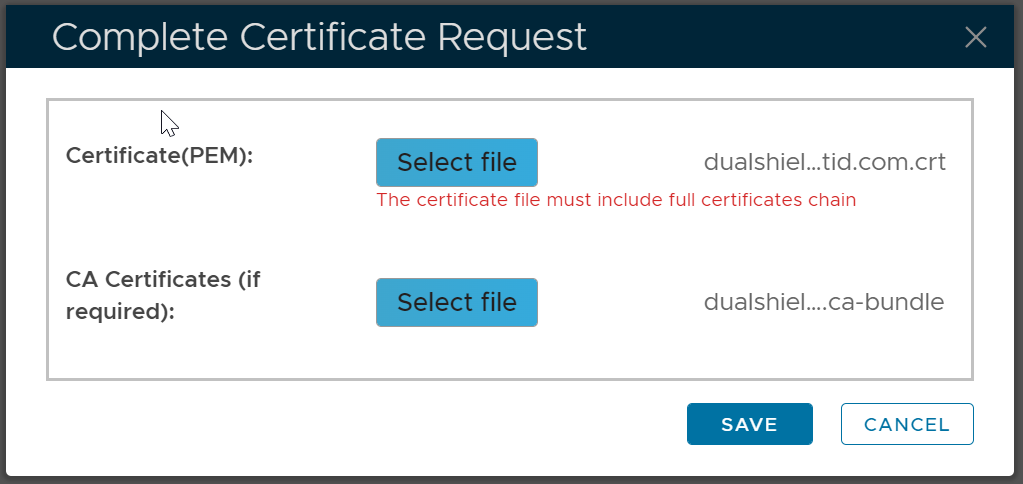
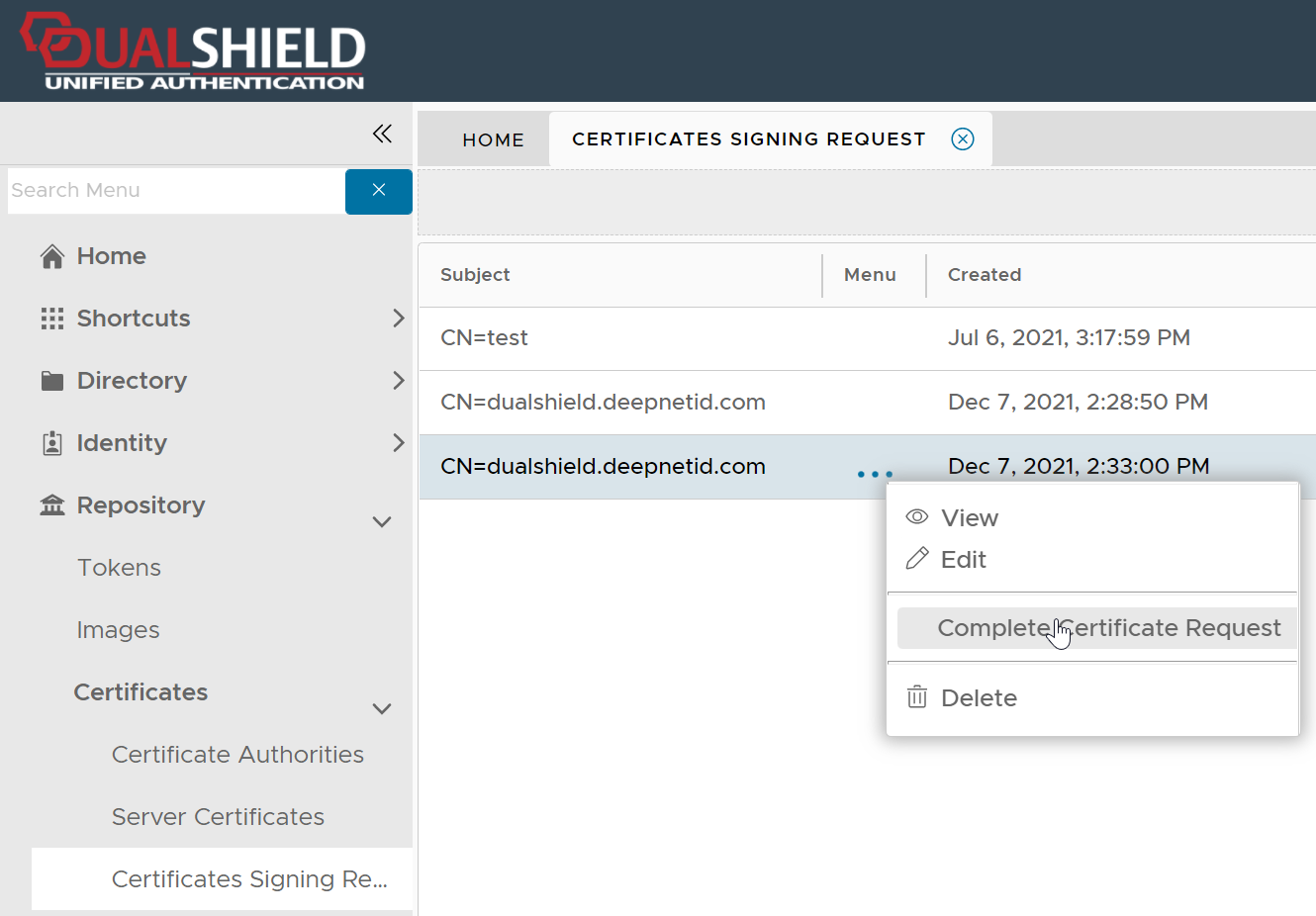
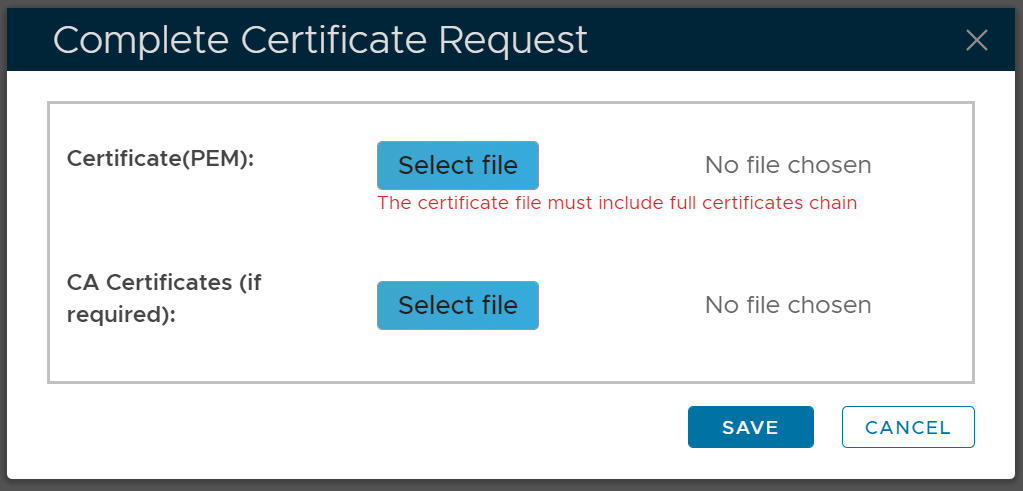
Complete the Certificate Signing Request