Introduction
If you have moved user group(s) in your AD, run this task to synchronise with your DualShield server, and the purpose of this task is to force DualShield to synchronise with any LDAP group changes.
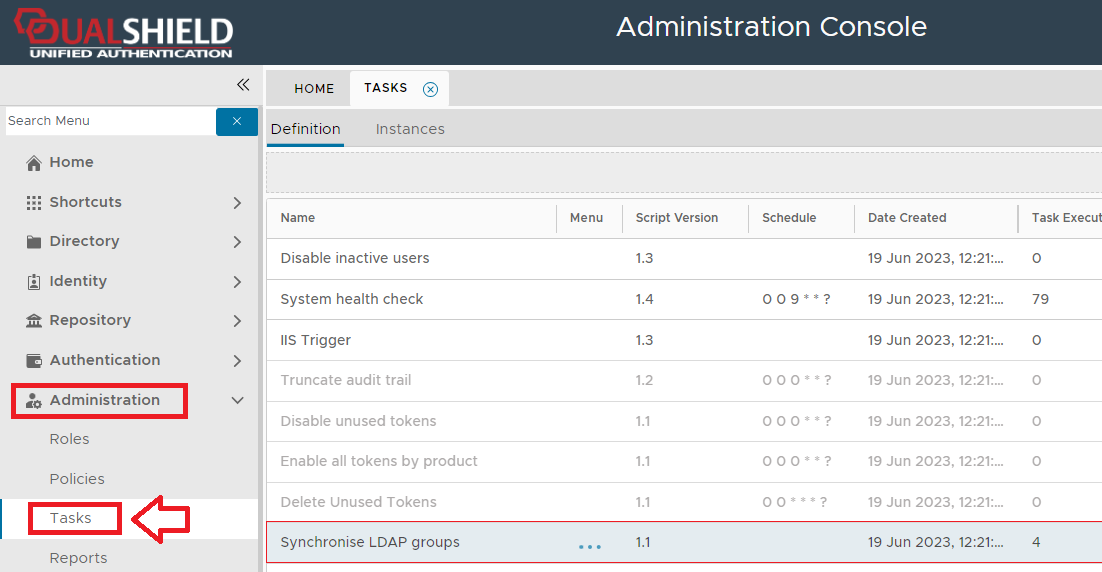
The task can be found by navigating to "Administration | Tasks", then scrolling down to the task "Synchronised LDAP groups";
Task Parameters
This task does not use any task parameter, but task parameters can be added.
Editing and Scheduling the Task
Viewing and Editing the task
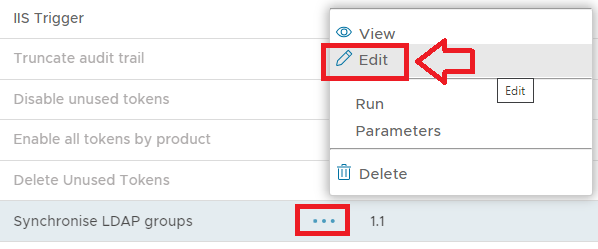
The task can be edited by left clicking on the context menu of the task and selecting "Edit";
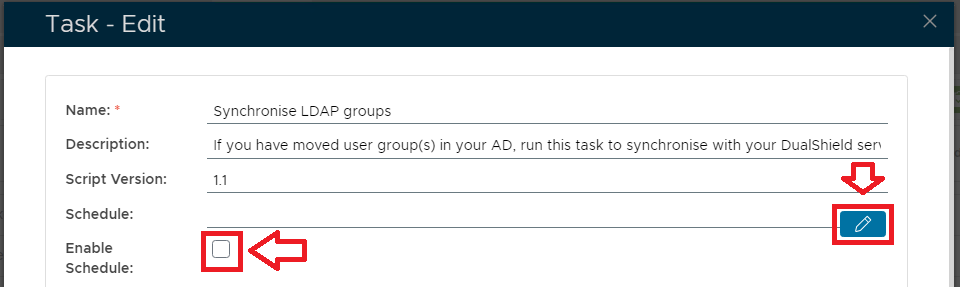
A new window will now open titled "Task - Edit";
Enter the name to be assigned to the task within the management console. |
|
Enter a description of what the task will do. |
|
The version number of the task. |
|
This field is used to specify when the task is scheduled to execute. |
|
This field will determine if the task schedule is enabled (if enabled the task will execute at the scheduled time). |
|
Specifies how many times the task should be repeated after the task is executed. |
|
import com.deepnet.das.usergroup.LdapGroup
import com.deepnet.das.policy.PolicyCache def groups = LdapGroup.list() def isDirty = false
def count = 0 groups.each{ def ret = LdapGroup.searchInLdap(it.domain, [["id", "=", it.uuid]])
if(ret.rows){
def newDn = ret.rows[0].dn
if(newDn != it.dn){
it.dn = newDn
it.name = ret.rows[0].name
it.save(flush:true)
isDirty = true
count++
}
}
} if(isDirty){
PolicyCache.reset()
} setEndMessage(count + " group(s) updated");
|
|
|
|
Scheduling the Task
Select the "Enable Schedule" checkbox to ensure the task schedule is activated, then use the pencil icon (" ") to specify the time and frequency settings for automated task execution.
Manual Task Execution
The task can be run manually from the management console by left click on the context menu of the task, then selecting "Run";
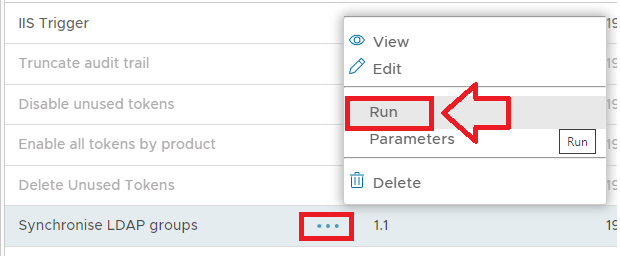
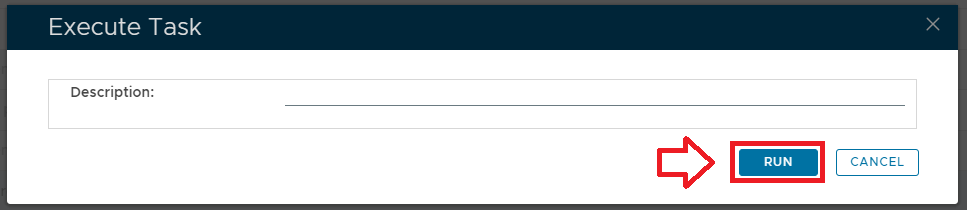
A new window titled "Execute Task" will then open;
Provide a brief description that will be used to describe the purpose of the task in the audit log.
|
|
|
|
To execute the task click the  button.