Introduction
This purpose of this task is to check if the current percentage of licenses consumed exceeds the threshold percentage stored in the task parameter "threshold".
If license consumption has exceeds the threshold percentage, then an audit log entry will be generated with error code "E_LICENCE_APPROACHING_LIMIT" ("License is approaching its limit") will be generated, and may trigger execution of the alert "Alert on License approaching its limit").
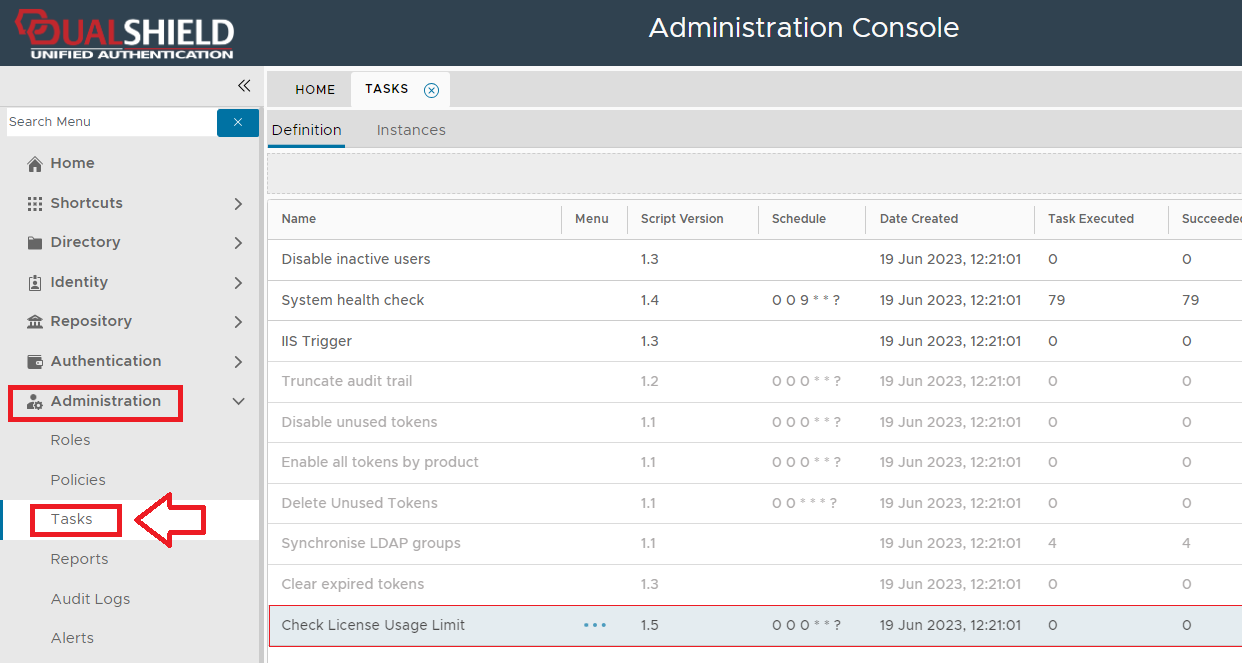
The task can be found by navigating to "Administration | Tasks", then scrolling down to the task "Check License Usage Limit";
Task Parameters
The task parameters are used by the task script to determine which tokens are to be deleted and are edited by left clicking on the context menu of the task and selecting "Parameters";
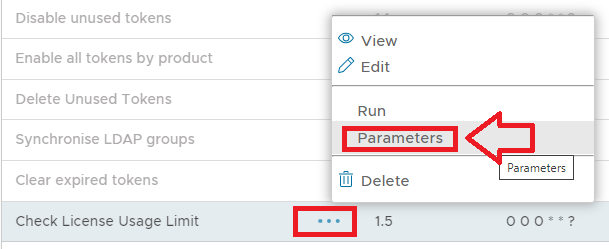
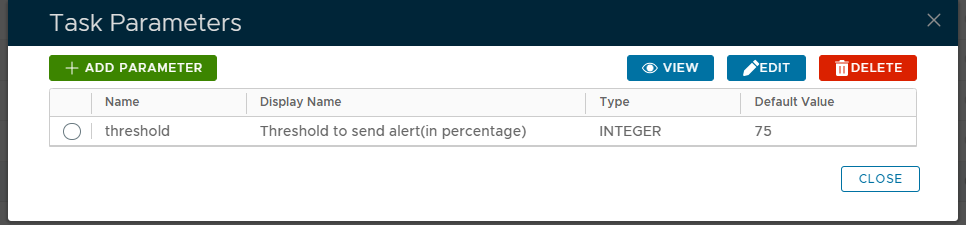
A new window titled "Task Parameters" will now open that lists the parameters making them available for editing, and the default parameters for this task are as follows
The "Check License Usage Limit" task uses the following parameters;
Specify the percentage threshold for licenses (when this threshold has been exceeded. If the current percentage of license consumption exceeds this threshold then an audit log entry with error code "E_LICENCE_EXPIRES_SOON" ("License is approaching its limit") will be generated and the audit log entries may cause the alert "Alert on License approaching its limit" to be triggered. |
|
|
|
The parameters may then be editing by selecting one of the parameters, then clicking on the  button.
Editing and Scheduling the Task
Viewing and Editing the task
The task can be edited by left clicking on the context menu of the task and selecting "Edit";
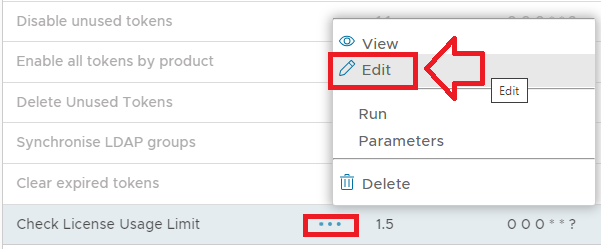
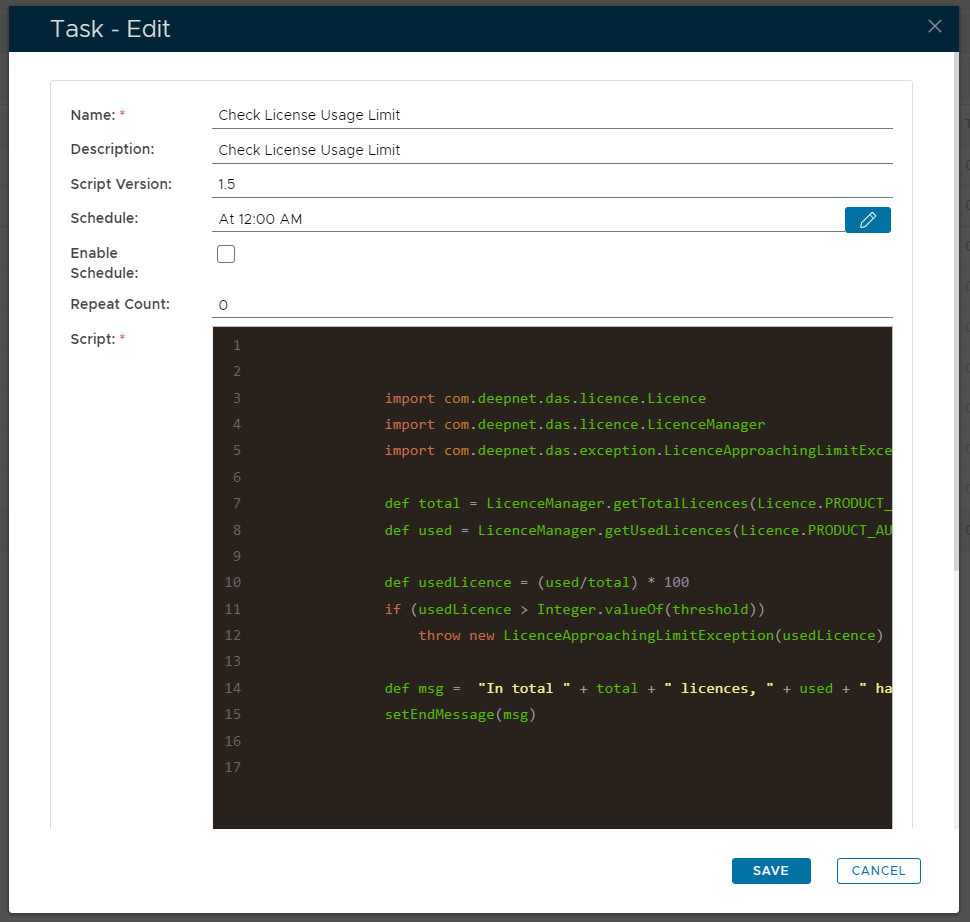
A new window will now open titled "Task - Edit";
Enter the name to be assigned to the task within the management console. |
|
Enter a description of what the task will do. |
|
The version number of the task. |
|
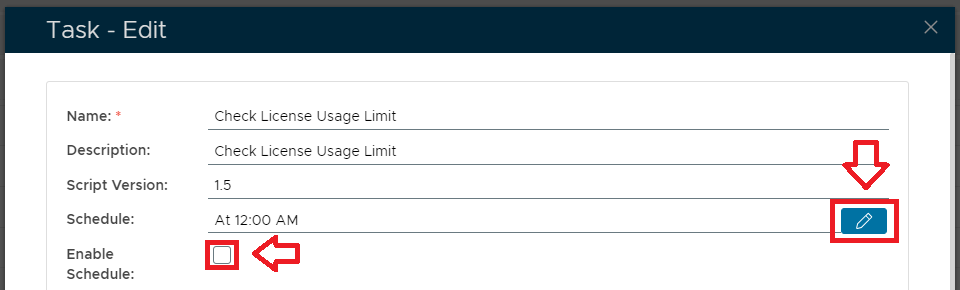
This field is used to specify when the task is scheduled to execute; |
|
This field will determine if the task schedule is enabled (if enabled the task will execute at the scheduled time). |
|
Specifies how many times the task should be repeated after the task is executed. |
|
import com.deepnet.das.licence.Licence
import com.deepnet.das.licence.LicenceManager
import com.deepnet.das.exception.LicenceApproachingLimitException def total = LicenceManager.getTotalLicences(Licence.PRODUCT_AUTH);
def used = LicenceManager.getUsedLicences(Licence.PRODUCT_AUTH); def usedLicence = (used/total) * 100
if (usedLicence > Integer.valueOf(threshold))
throw new LicenceApproachingLimitException(usedLicence) def msg = "In total " + total + " licences, " + used + " has been used."
setEndMessage(msg)
|
|
|
|
Scheduling the Task
Select the "Enable Schedule" checkbox to ensure the task schedule is activated, then use the pencil icon (" ") to specify the time and frequency settings for automated task execution.
Manual Task Execution
The task can be run manually from the management console by left click on the context menu of the task, then selecting "Run";
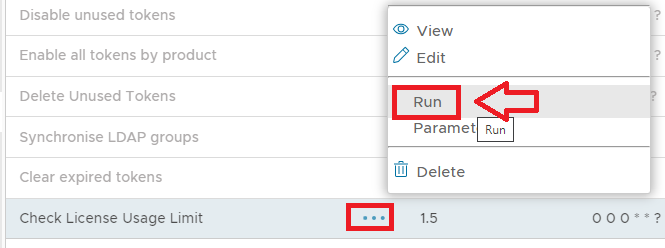
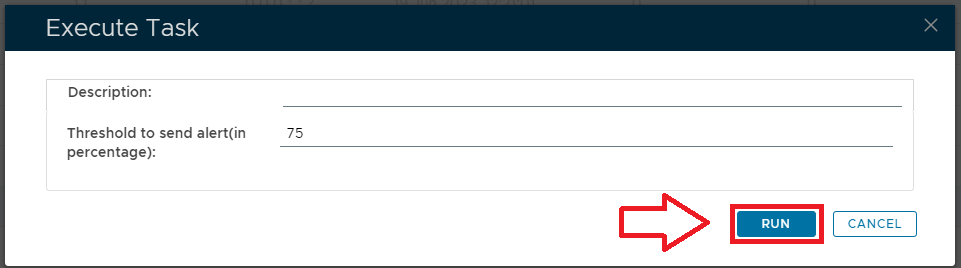
A new window will open titled "Execute Task" will then open (the window will be populated with the default task property values);
Provide a brief description that will be used to describe the purpose of the task in the audit log.
|
|
If user license consumption exceeds this threshold percentage then an audit log entry with error code "E_LICENCE_EXPIRES_SOON" ("License is approaching its limit") will be generated and the audit log entries may cause the alert "Alert on License approaching its limit" to be triggered. |
|
|
|
To execute the task click the  button.
Related Articles