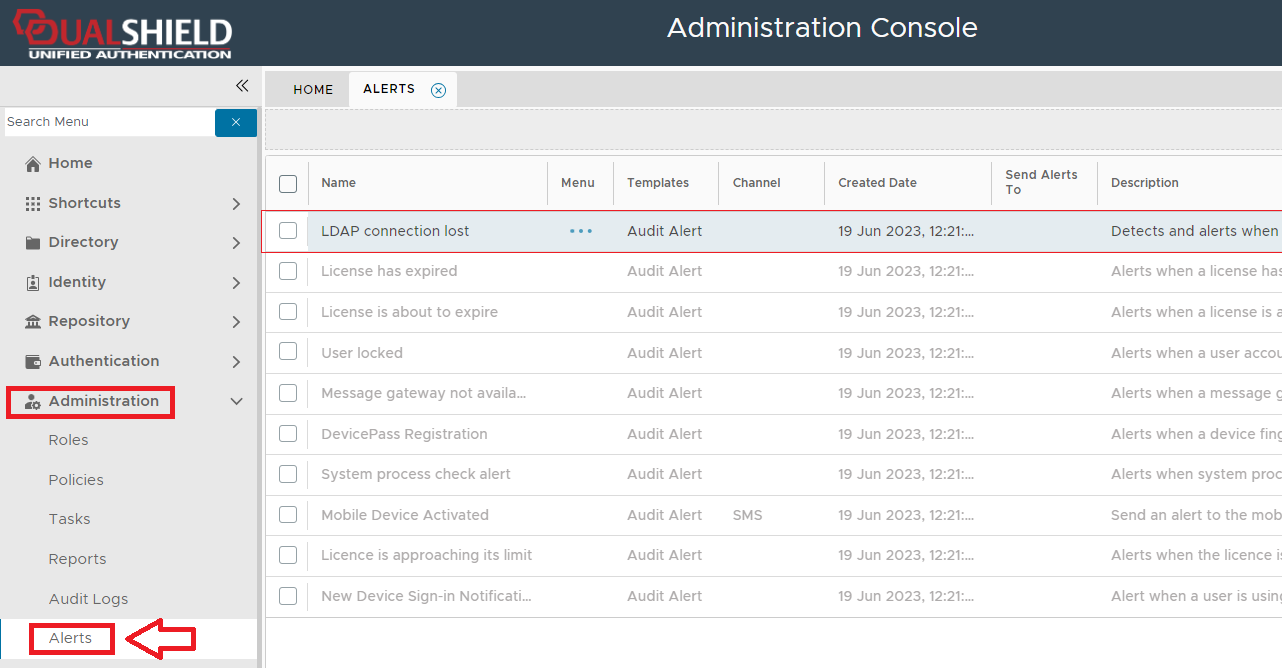
If the alert "LDAP connection lost" is enabled, then the alert will be triggered if the conditions details in the alert parameter "Conditions" are met, and are normally triggered when the system detects a loss of connection between DualShield and the external AD/LDAP server cluster.
Upon detection of the loss of connection the alert may then send notification to specified recipient users and groups.
The alert can be found by navigating to "Administration | Alerts", then scrolling down to the alert "LDAP connection lost";
The alert can be edited by left clicking on the context menu of the alert and selecting "Edit";
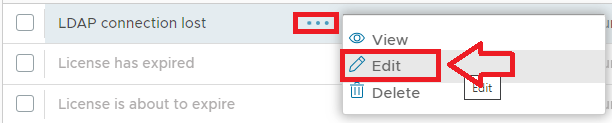
A new window will now open titled "Alert - Edit";
|
The alert is disabled by default, but can be enabled by ticking the checkbox "Enabled";

When the alert is triggered you have the option to send a message to specified recipients using the "Recipient Users" and "Recipient Groups" parameters.
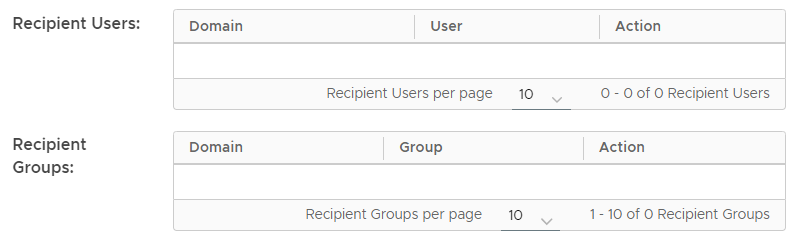
The "LDAP connection lost" alert is triggered whenever LDAP connections are lost, but you might not always want notifications to be sent to your specified users every time this event occurs.
The "Conditions" parameter is to provide a mechanism by which additional restrictions can be checked prior to send the alert notification.
To edit the conditions that determine when the alert is trigged click on the pencil icon ( ) causing a window titled "Condition Builder" to open;

Provided the alert is enabled, the send message is selected, and one or both delivery channels have been enabled, then when a alert is triggered, message notifications will be sent to the selected users (or groups of users)
The default message sent for this alert is as follows;
Hi, administrator, Your DualShield Server ([[serverName]]) has lost its connection to your AD server. Regards, |
After the alert is triggered you have the additional option to cause one of the existing tasks to be run.
To add task execution to the alert you need to first tick the checkbox prompted "Execute Task", then select what task (or tasks) are to be executed using the icon;
icon;


 ") to specify what conditions determine if a carbon copy is sent.