Prerequisites
Install Active Directory Certificate Service in Domain Controller.
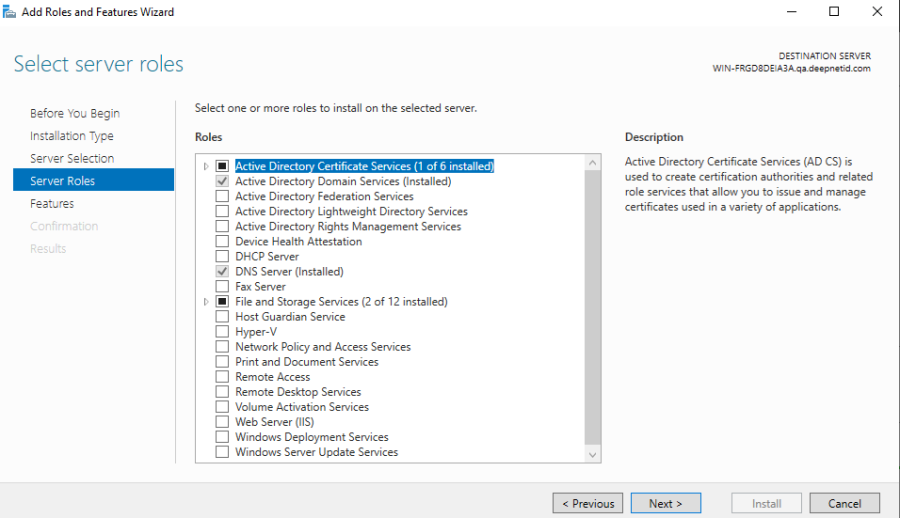
After installation, configure the Certificate Authority accordingly.
After completing the configuration, open the Microsoft Management Console (MMC) and include 'Enterprise PKI' to verify its configuration.
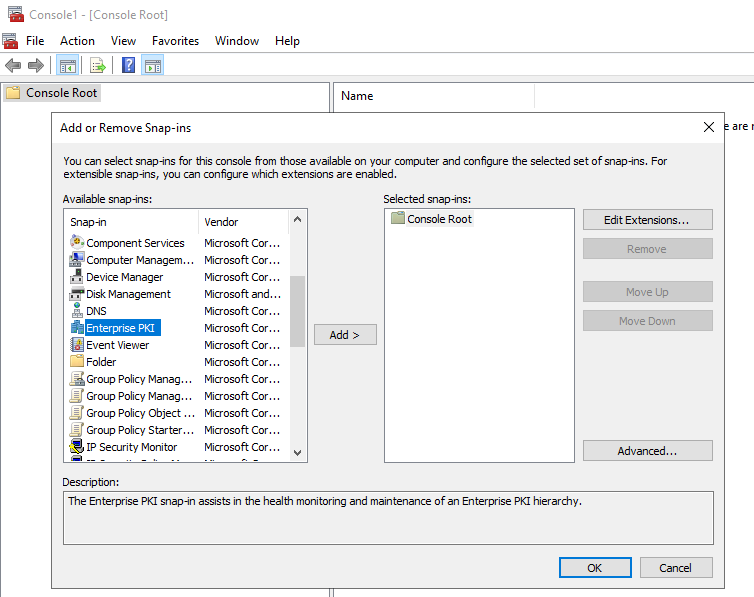

Now, your domain is ready to use DualShield Computer Logon Passwordless feature.
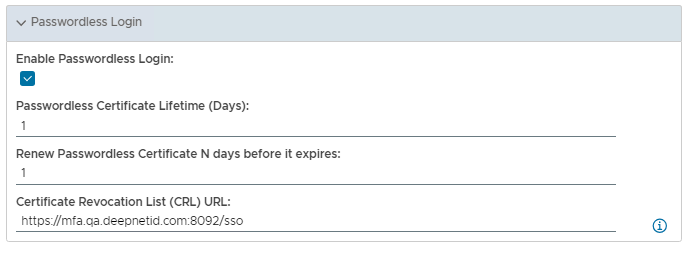
Navigate to DualShield – Computer Logon Client Policy.
- Enable option "Enable Passwordless Login".
- Set "Passwordless Certificate Lifetime".
- Set "Renew Passwordless Certificate N days before it expires"
- Leave 'CRL' empty, it has the default value. (Note: By default, when 'Client Authentication: Device Cert' is enabled, this feature doesn't function as expected. If you wish to accommodate both features, users can manually adjust the settings to utilize a different URL, ie: https://mfa.qa.deepnetid.com:8092/sso)
Now, login windows client, passwordless certificate is created silently at the back. Login and logout, now you will see the 'Passwordless Enable" under the password text field.
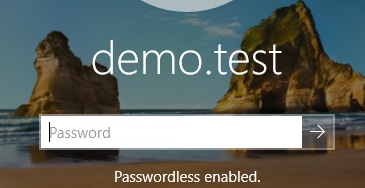
Press Enter to log in directly to Windows, or a second-factor dialog will appear if required.
Note, currently, Computer Logon Passwordless Certificate does not require any activation, it is auto activate.