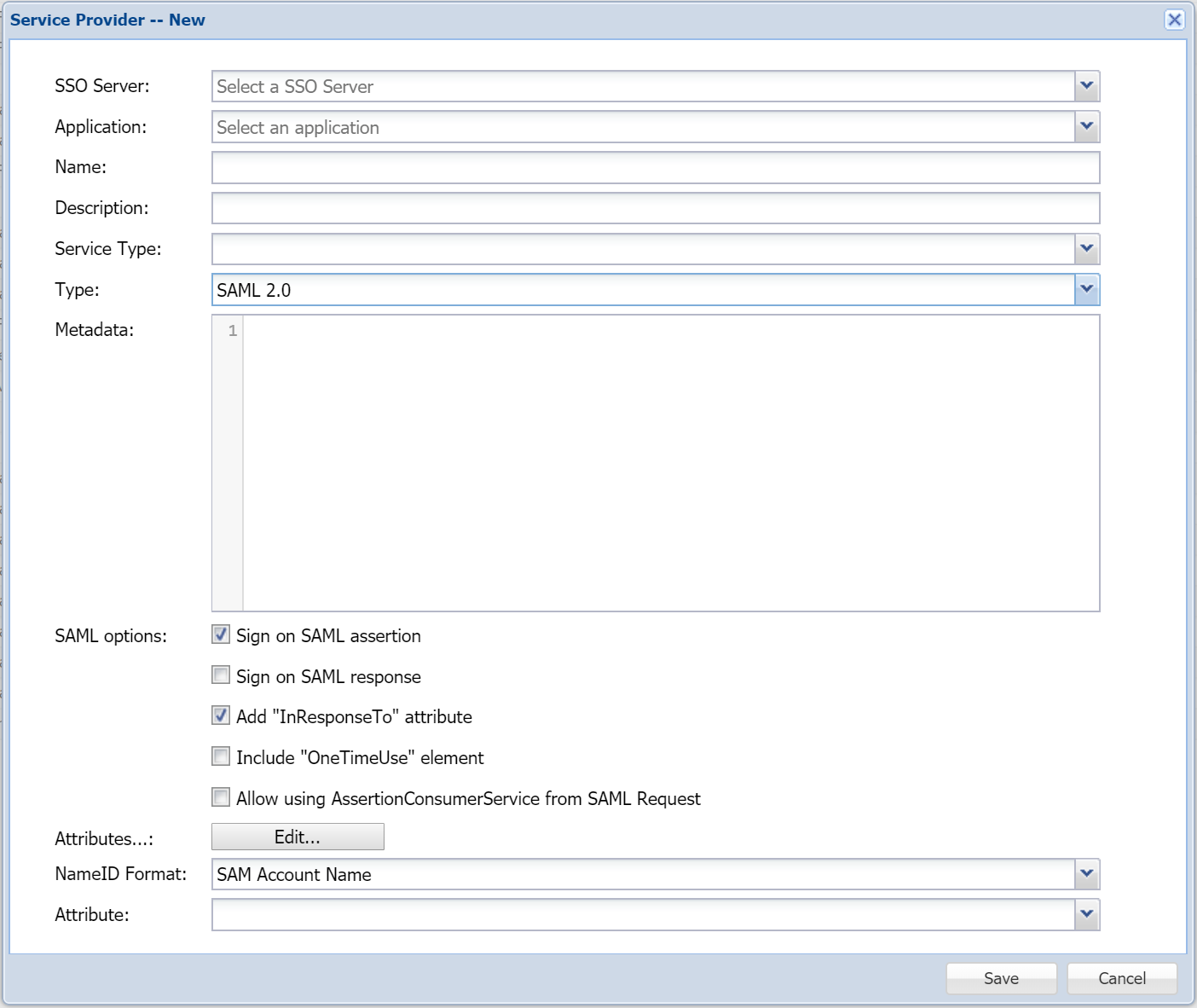
Create a Service Provider
- Login to DualShield Management Console
- Select “SSO | Service Providers”
- Click the “Create”
![DualShield MFA Platform > Service Provider [SF] > image2019-3-8_23-20-38.png](/download/attachments/35946998/image2019-3-8_23-20-38.png?version=1&modificationDate=1587385628000&api=v2)
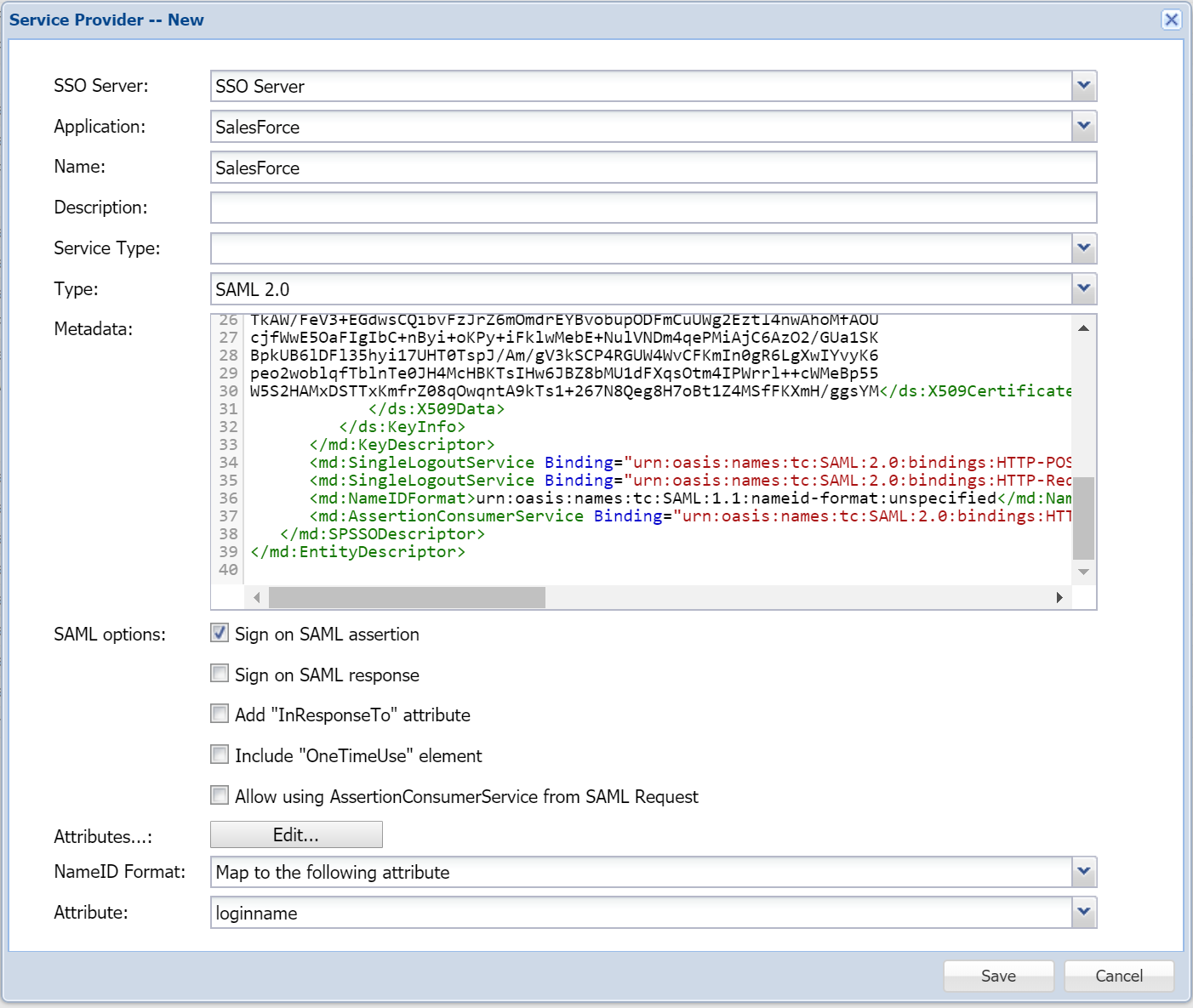
- In "Type", select "SAML 2.0"
![DualShield MFA Platform > Service Provider [SF] > image2019-3-8_23-22-38.png](/download/attachments/35946998/image2019-3-8_23-22-38.png?version=1&modificationDate=1587385628000&api=v2)
- Select "SSO Server" and "Application"
- Enter "Name" and "Description"
- Paste the SalesForce's metadata into the “Metadata” field
- In "SAML options", select "Sign on SAML assertion" on
![DualShield MFA Platform > Service Provider [SF] > image2019-3-8_23-43-14.png](/download/attachments/35946998/image2019-3-8_23-43-14.png?version=1&modificationDate=1587385628000&api=v2)
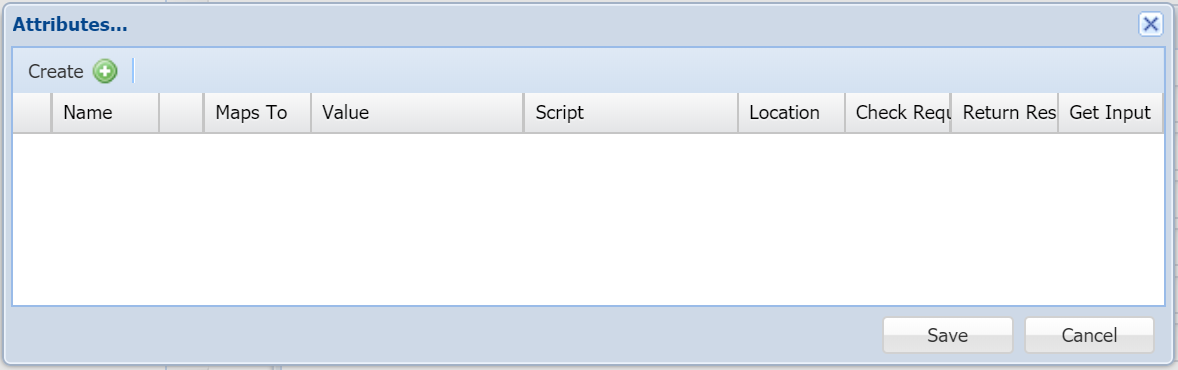
- In "Attributes", click the "Edit" button
![DualShield MFA Platform > Service Provider [SF] > image2019-3-8_23-27-46.png](/download/attachments/35946998/image2019-3-8_23-27-46.png?version=1&modificationDate=1587385628000&api=v2)
- Click the "Create" button on the toolbar
![DualShield MFA Platform > Service Provider [SF] > image2019-3-8_23-32-55.png](/download/attachments/35946998/image2019-3-8_23-32-55.png?version=1&modificationDate=1587385628000&api=v2)
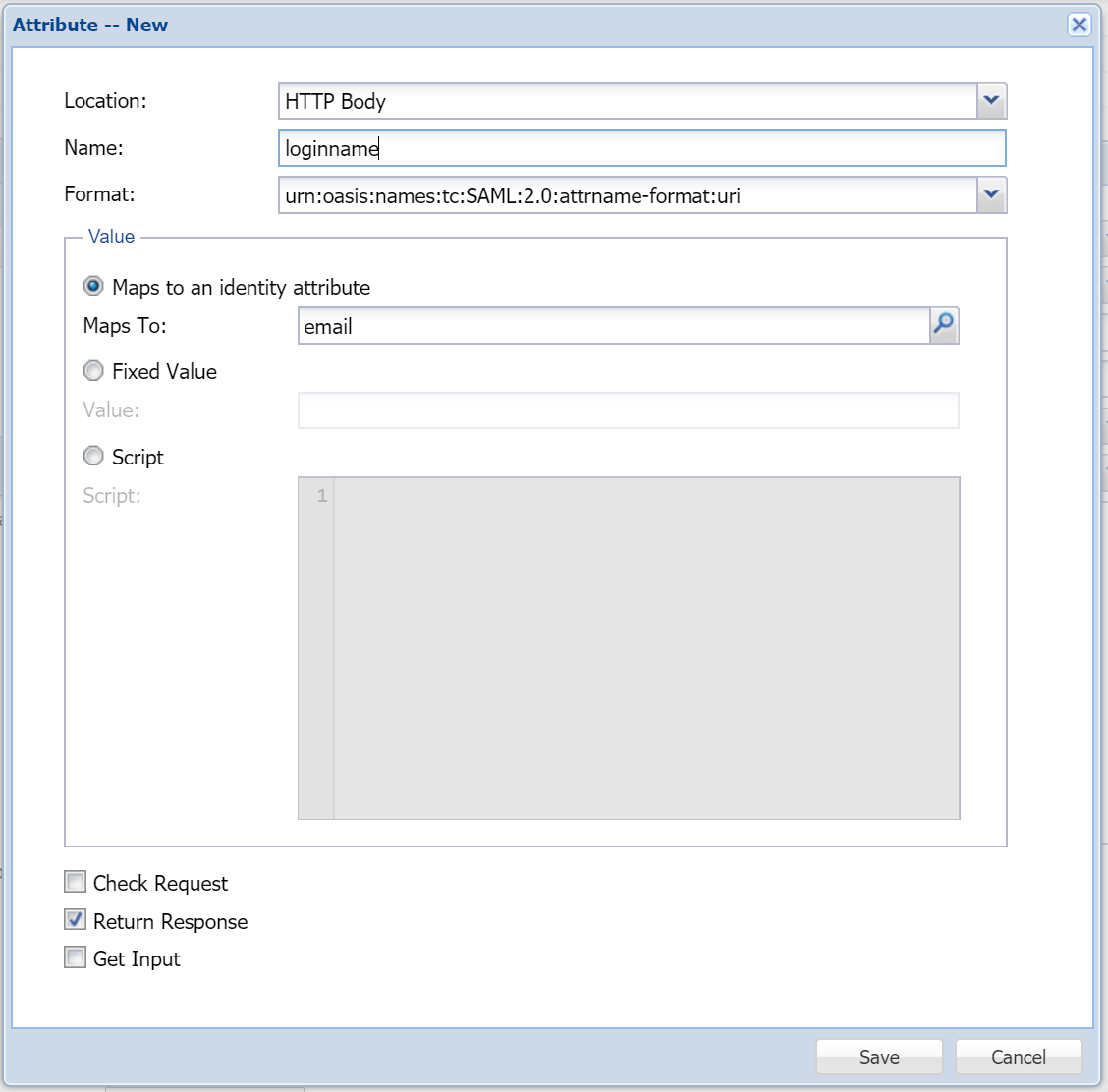
- In "Location", select "HTTP Body"
- In "Name", enter "loginname"
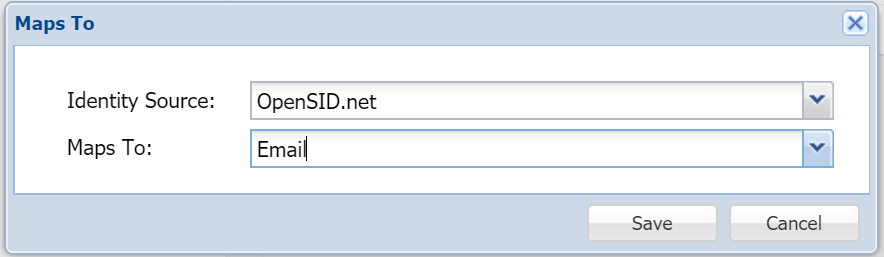
- In "Maps to an identity attribute", click the search icon
![DualShield MFA Platform > Service Provider [SF] > image2019-3-8_23-45-49.png](/download/attachments/35946998/image2019-3-8_23-45-49.png?version=1&modificationDate=1587385628000&api=v2)
- Assuming that your SalesForce loginname is your email address, then map the loginname to email.
- Save the attribute
![DualShield MFA Platform > Service Provider [SF] > image2019-3-8_23-49-3.png](/download/attachments/35946998/image2019-3-8_23-49-3.png?version=1&modificationDate=1587385628000&api=v2)
- In "NameID Format", select "Map to the following attribute"
- In "Attribute" select the newly created attribute, i.e."loginname"
- Click "Save"