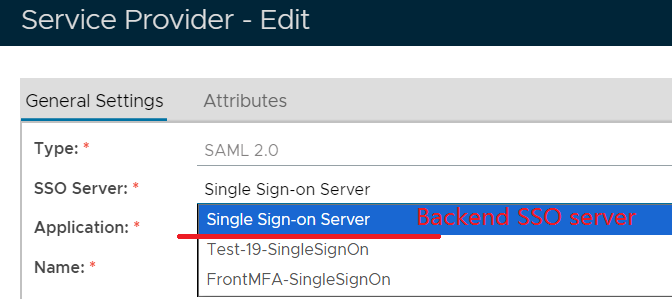
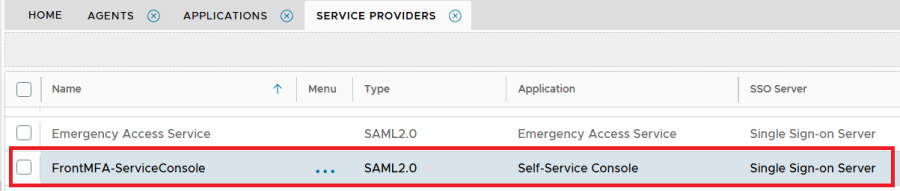
The DualShield Platform includes a self-service console (DSC) and several self-service portals, as listed below:
| Name | Abbreviation | Ports | URL |
|---|---|---|---|
| DualShield Service Console | DSC | 8076 | https://fqdn:8076/dsc |
| DualShield Reset Password Service Portal | DRP | 8076 | https://fqdn:8076/drp |
| DualShield Unlock Account Service Portal | DUA | 8076 | https://fqdn:8076/dua |
| DualShield Emergency Access Service Portal | DEA | 8076 | https://fqdn:8076/dea |
By default, all those self-service consoles and portals operate on HTTP port 8076.
The DualShield Platform also includes a Single Sign-On (SSO) portal. By default, the SSO portal operates on port 8074.
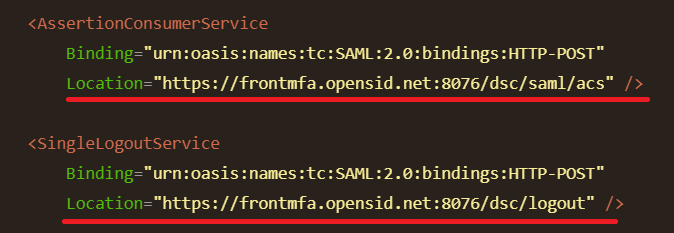
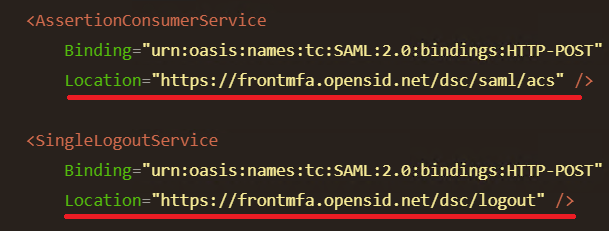
If you want to make both the SSO portal and the service console operate on port 443, then you will have to install 2 DualShield servers. On one server, you can change the SSO port from 8074 to 443, and on the other server you can change the port 8076 to 443.
Normally, customers install the self-service console on a DualShield Frontend Server.
Please follow the guide below to install a DualShield Frontend Server
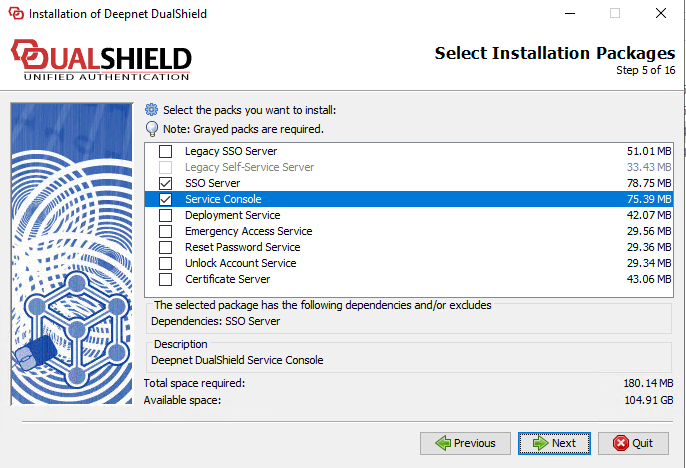
In this case, you only need the "Service Console" in the frontend server. Unfortunately, the installer was designed so that you must select the "SSO Server" as well.
After the installation of the frontend server, you need to change the port 8076 to 443 by editing the server.xml file.
Navigate to the folder "C:\Program Files\Deepnet DualShield\tomcat\conf", and edit the Server.xml file..
Search for '<Service name="DSS">', locate 'port=8076'
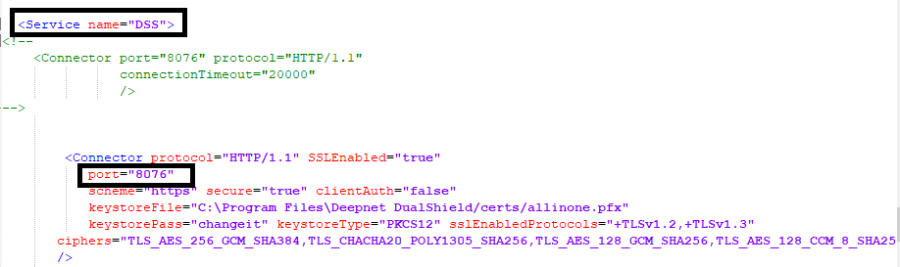
Change 'port=8076' to 'port=443'
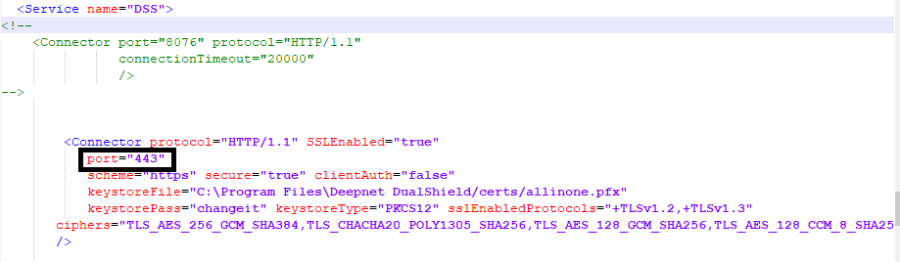
Save the server.xml file, and restart the Dualshield Service.
Step 3: Link the Frontend Server Agent to the