 button;.
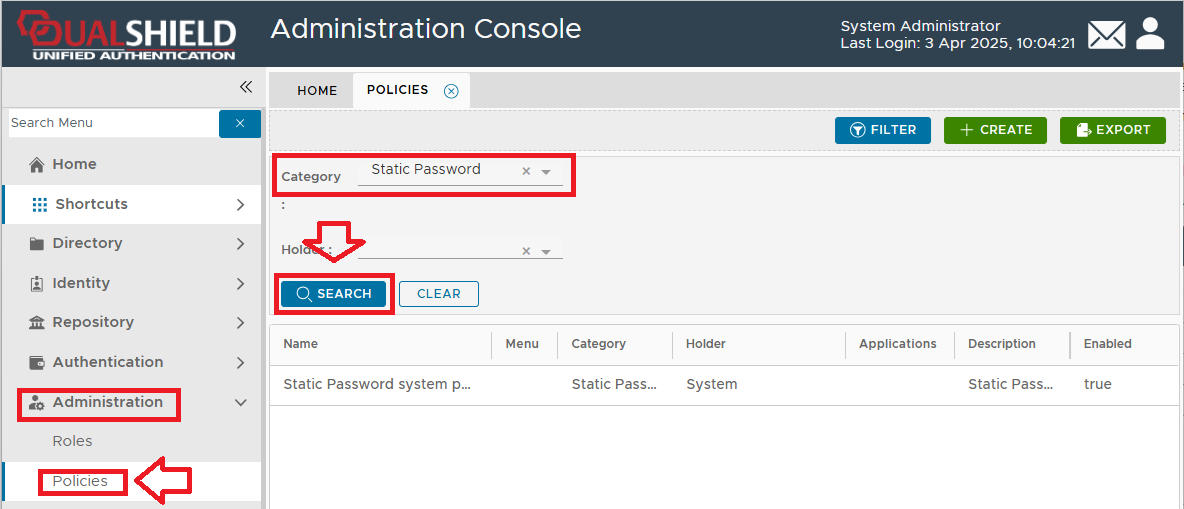
From the Home page of the Management Console, left click on the menu item "Administration", select "Policies", then in the new tab "POLICIES", select the category "Static Password", then click the button;.
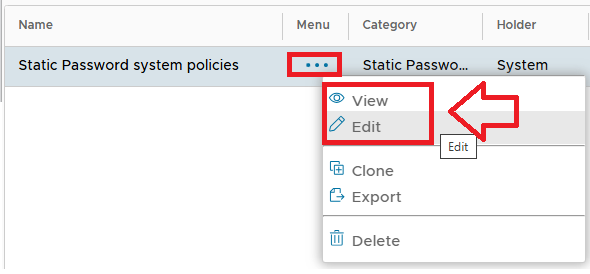
The Static Password policy settings can now be viewed (or edited) by left clicking on the context menu of the Static Password policy, then selecting either "View" or "Edit";