Computer Logon for Entra ID supports many MFA scenarios, including
For each scenario, it provides a separate set of options that allow you to control whether or not MFA is required, and the frequency of MFA requirement etc.
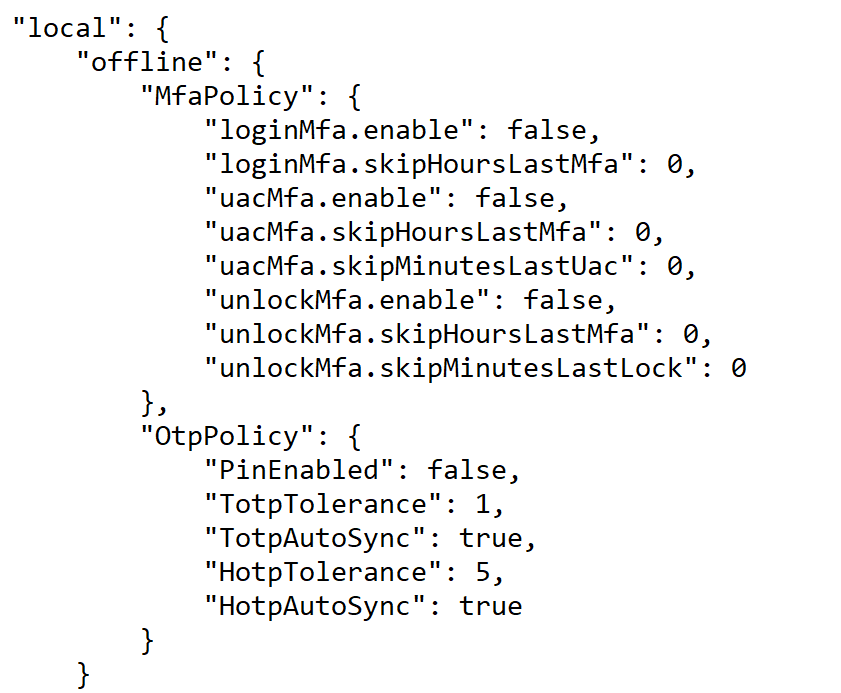
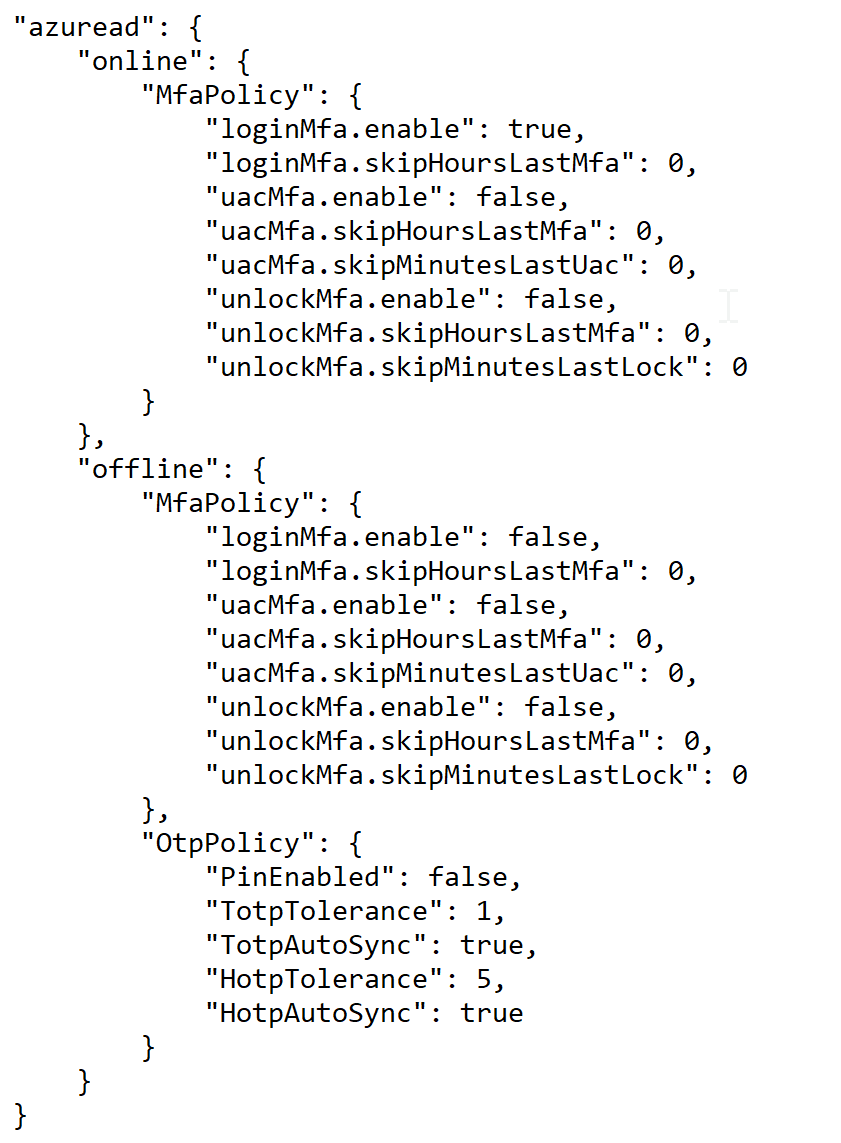
Those options are in the "domain_policy.json" file.
|
Options for Local Users
| online | offline | |
|---|---|---|
| bootup login | local\offline\MfaPolicy\loginMfa | |
| screen unlock | local\offline\MfaPolicy\unlockMfa | |
| elevated access | local\offline\MfaPolicy\uacMfa |
Options for Domain Users
| online | offline | |
|---|---|---|
| bootup login | azuread\online\MfaPolicy\loginMfa | azuread\offline\MfaPolicy\loginMfa |
| screen unlock | azuread\online\MfaPolicy\unlockMfa | azuread\offline\MfaPolicy\unlockMfa |
| elevated access | azuread\online\MfaPolicy\uacMfa | azuread\offline\MfaPolicy\uacMfa |
If you wish to customise some of those options, then you need to edit the "domain_policy.json" file in a text editor and change the corresponding options.
For instances