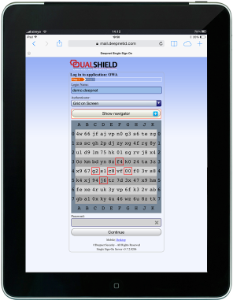
GridGo is an on-demand, on-screen security grid that is delivered to the user’s logon screen in real time.

This policy provides options that control GridGo Authentication (an on-demand, on-screen security grid that is delivered to the user’s logon screen in real time).

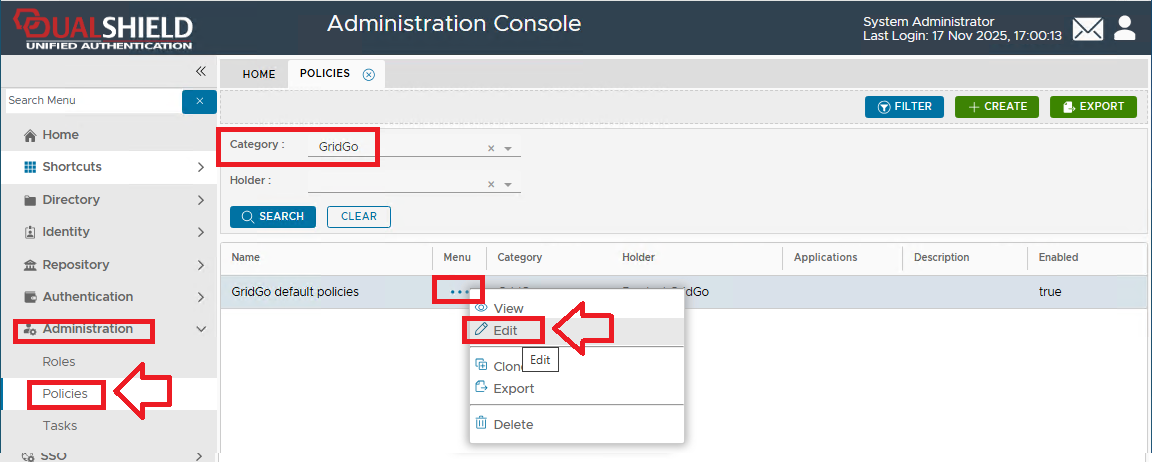
The following system policy settings are for the policy "GridGo default policies", in the category "GridGo";


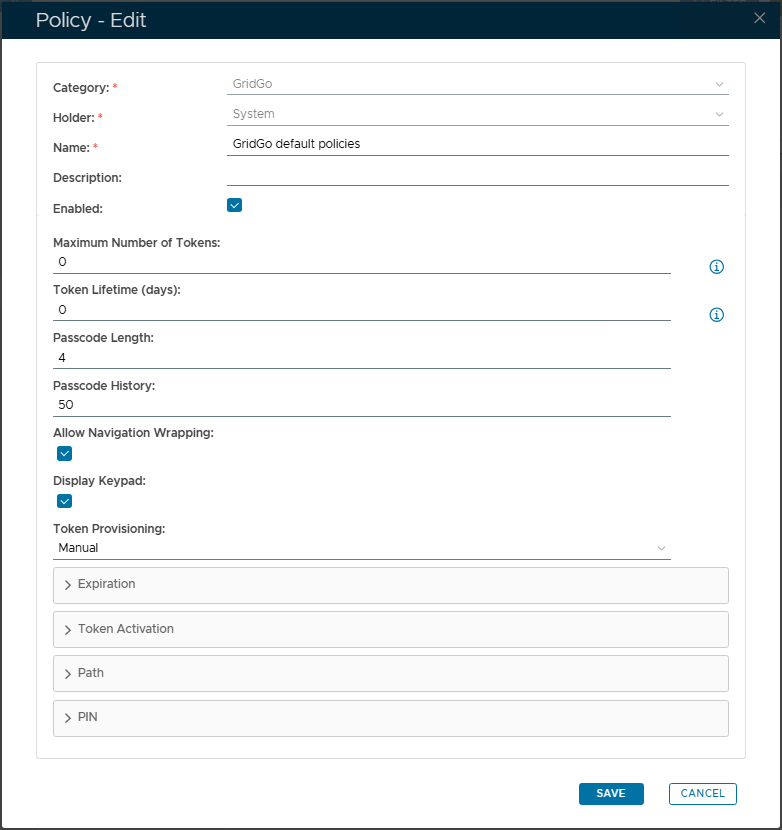
After editing the policy a new window will open titled "Policy - Edit";


The category for this policy is "GridGo" (this property cannot be edited).


The holder of this policy is "System" (this property cannot be edited).


The name assigned to identify the GridGo default policy by the System Administrator.


The System Administrator may use this field to annotate this policy.


This option allows the System Administrator to enable or disable this policy.


The maximum number of GridGo tokens allowed in a user account (enter "0" if there is no limit).


This value indicates how many days the token will be active (enter "0" if there is no limit).


This value specifies the number of characters in a  passcodes.


This value specifies the maximum number of passcodes that can be kept in the History List (this list is used to avoid repeat usage of recent passcodes).


This option specifies if navigation wrapping is allow in passcodes (navigation wrapping is where the path passes from on side of the grid to the other).


This option determines if a keypad is displayed.


The default Provisioning setting for GridGo is "Manual".


Expandable Policy Sections


The expandable sections can be broken down as follows;


EXPIRATION


TOKEN ACTIVATION


 PATH


PIN