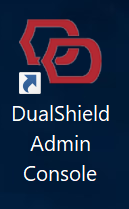
The installer created a shortcut named “DualShield Admin Console” and placed it on the desktop of the server machine.
Double click the icon to launch the DualShield Admin Console (DAC).
If you selected to install the legacy DualShield Management Console (DMC), and want to use DMC instead, click the link below to get started: |
If you want to access the DualShield Admin Console from other PCs in your network, then you need to make following changes in your DNS and firewall:
To access your DualShield's admin console from other PCs in your network, open a browser* and enter the URL below:
https://your-dualshield-fqdn:8073/dac
*Please note that DAC is not supported on Internet Explorer. We recommend using Edge, Chrome or Firefox.