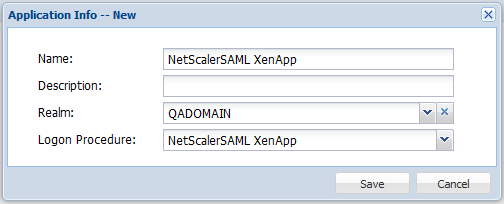
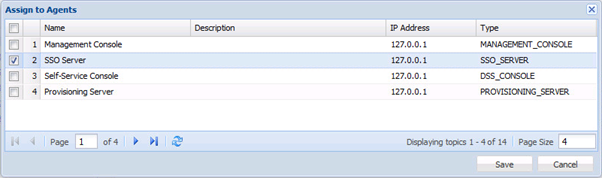
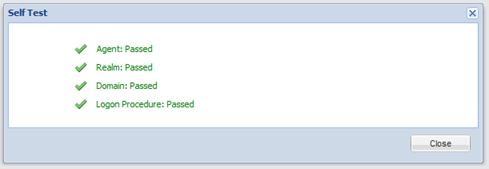
![DualShield MFA Platform > DualShield Configuration [CTX-XA] > image2014-4-27 10:13:7.png](/download/attachments/35946908/image2014-4-27%2010%3A13%3A7.png?version=1&modificationDate=1587385533000&api=v2)
![DualShield MFA Platform > DualShield Configuration [CTX-XA] > image2015-6-29 13:46:40.png](/download/attachments/35946908/image2015-6-29%2013%3A46%3A40.png?version=1&modificationDate=1587385533000&api=v2)
![DualShield MFA Platform > DualShield Configuration [CTX-XA] > image2014-4-27 10:15:55.png](/download/attachments/35946908/image2014-4-27%2010%3A15%3A55.png?version=1&modificationDate=1587385533000&api=v2)
![DualShield MFA Platform > DualShield Configuration [CTX-SAML-AGEE] > image2014-4-11 15:13:40.png](/download/attachments/35946859/image2014-4-11%2015%3A13%3A40.png?version=1&modificationDate=1587385533000&api=v2)
![DualShield MFA Platform > DualShield Configuration [CTX-XA] > image2014-4-7 12_8_25.png](/download/attachments/35946908/image2014-4-7%2012_8_25.png?version=1&modificationDate=1735923230907&api=v2)
In the "Metadata" box, enter the metadata of the service provider to be created. Use the template below to create the metadata. Change the value of the "entityID" and "Location" attributes (highlighted in red) to the FQDN of your NetScaler Gateway Virtual Server.
<?xml version="1.0" encoding="UTF-8" ?> <EntityDescriptor xmlns="urn:oasis:names:tc:SAML:2.0:metadata" xmlns:saml="urn:oasis:names:tc:SAML:2.0:assertion" xmlns:ds="http://www.w3.org/2000/09/xmldsig#" entityID="https://storefront.qadomain.com"> <SPSSODescriptor WantAssertionsSigned="true" protocolSupportEnumeration="urn:oasis:names:tc:SAML:2.0:protocol"> <NameIDFormat>urn:oasis:names:tc:SAML:1.1:nameid-format:unspecified</NameIDFormat> <AssertionConsumerService Binding="urn:oasis:names:tc:SAML:2.0:bindings:HTTP-POST" Location="https://storefront.qadomain.com/cgi/samlauth" index="0" isDefault="true"> </AssertionConsumerService> </SPSSODescriptor> </EntityDescriptor> |
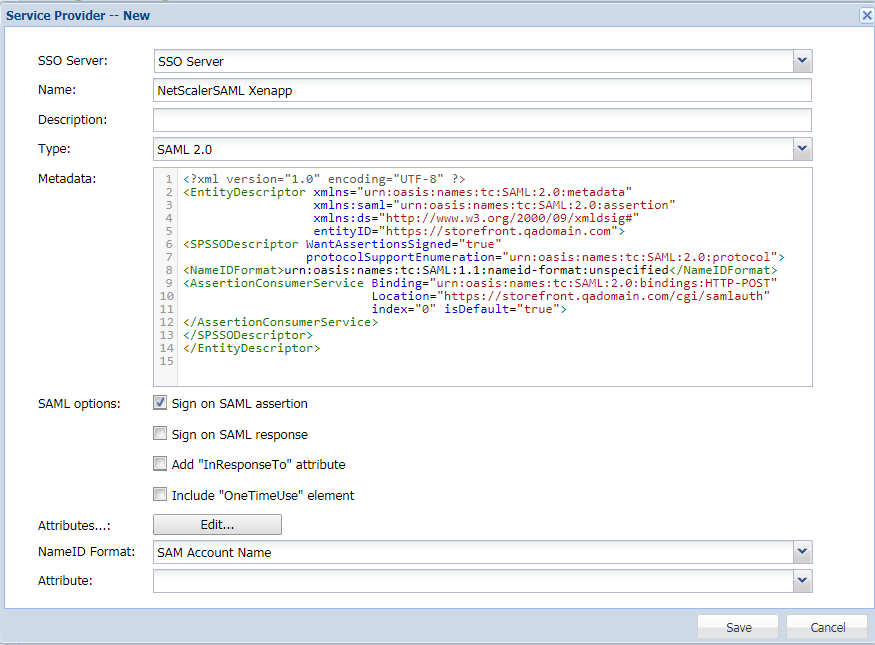
![DualShield MFA Platform > DualShield Configuration [CTX-XA] > SP.Xenapp.png](/download/attachments/35946908/SP.Xenapp.png?version=1&modificationDate=1587385533000&api=v2)
![DualShield MFA Platform > DualShield Configuration [CTX-XA] > image2014-4-27 10:28:48.png](/download/attachments/35946908/image2014-4-27%2010%3A28%3A48.png?version=1&modificationDate=1587385533000&api=v2)
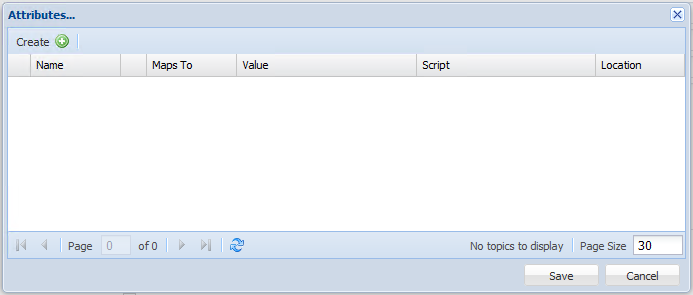
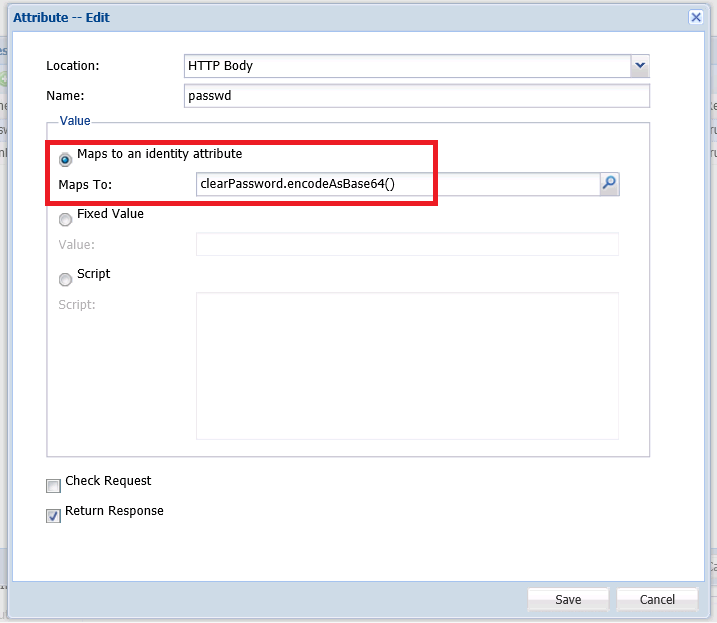
Click "Create", enter the "Name" (e.g. loginName), map to the "Login Name"
The Identity Source must be the same as the Realm's Identity Source. |
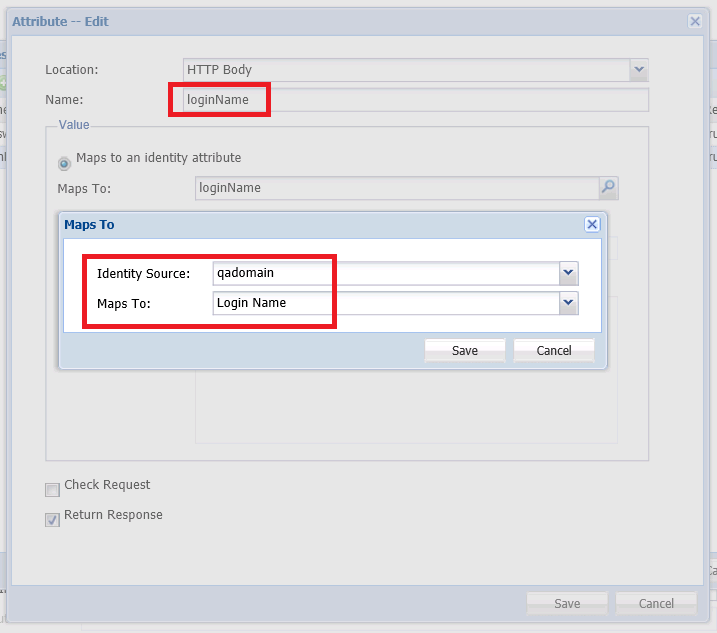
![DualShield MFA Platform > DualShield Configuration [CTX-XA] > image2015-10-25 0:53:3.png](/download/attachments/35946908/image2015-10-25%200%3A53%3A3.png?version=1&modificationDate=1587385533000&api=v2)
Click "Save"
![DualShield MFA Platform > DualShield Configuration [CTX-XA] > image2015-10-25 0:59:39.png](/download/attachments/35946908/image2015-10-25%200%3A59%3A39.png?version=1&modificationDate=1587385533000&api=v2)
![DualShield MFA Platform > DualShield Configuration [CTX-XA] > image2015-10-25 1:11:21.png](/download/attachments/35946908/image2015-10-25%201%3A11%3A21.png?version=1&modificationDate=1587385533000&api=v2)