- Login into your Google Apps Control panel. Typically, the URL is: https://www.google.com/a/xxx.xxx, where xxx.xxx is your Google Apps domain name, e.g. deepnetid.com
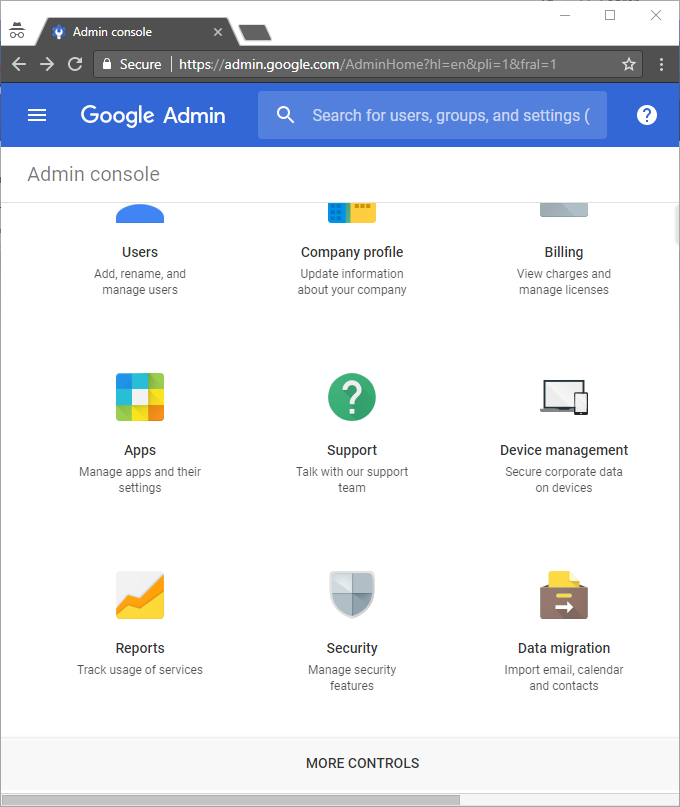
- Click the "Security" icon
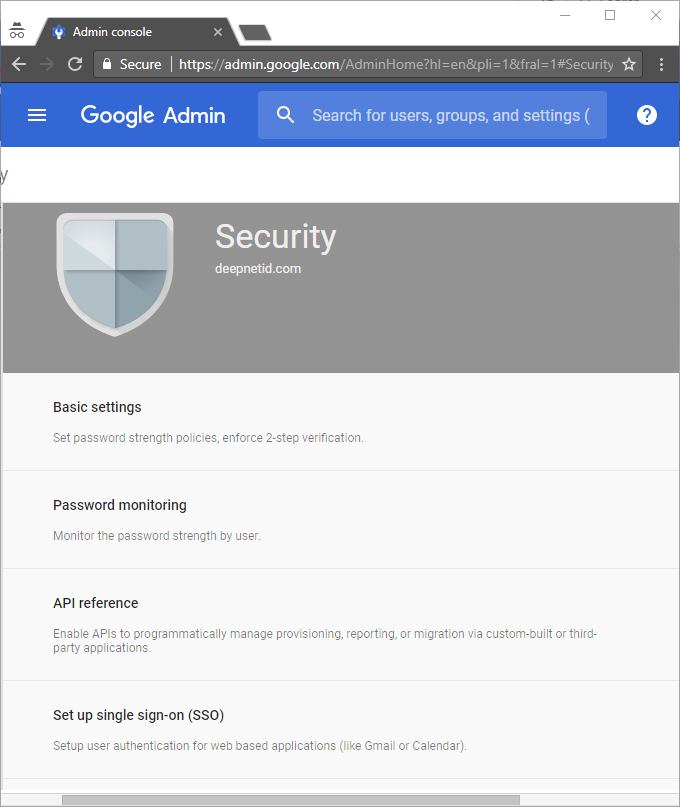
- Click "Set up single sign-on (SSO)"
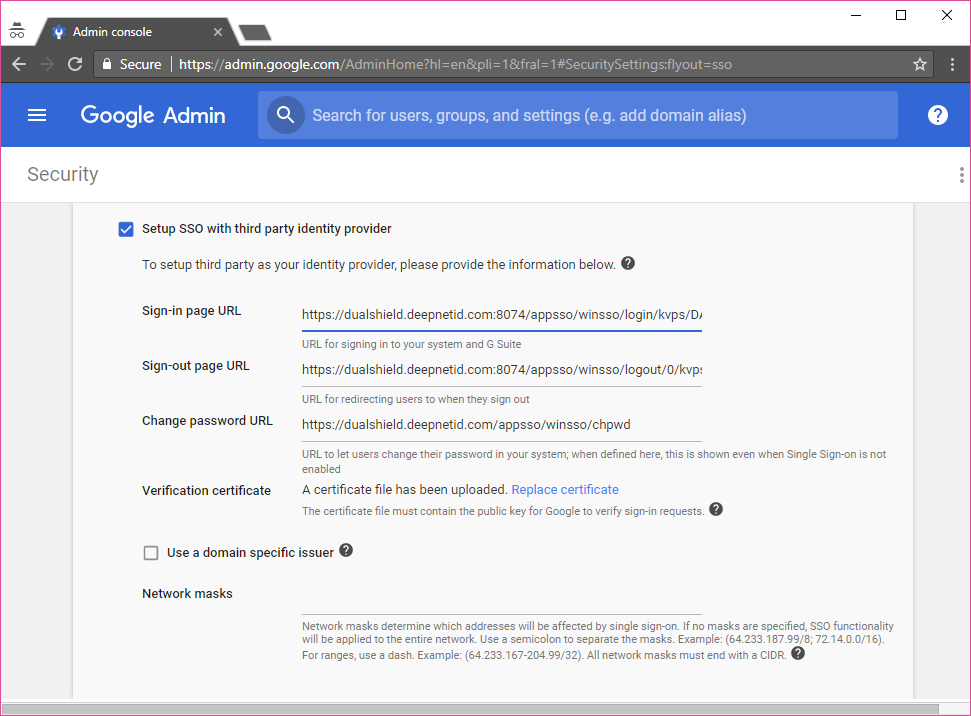
- Enable "Setup SSO with third party identity provider", then enter details below:
Sign-in page URL
https://dualshield.deepnetid.com:8074/appsso/winsso/login/kvps/DASApplicationName/GoogleApp
Sign-out page URL
https://dualshield.deepnetid.com:8074/appsso/winsso/logout/0/kvps/DASApplicationName/GoogleApp
Change password URL
https://dualshield.deepnetid.com/appsso/winsso/chpwd
In the above URLs, replace "dualshield.deepnetid.com" with the URL of your DualShield SSO server. Also, replace "GoogleApp" with the application name of Google Apps in your DualShield server.
- Click the "Replace certificate" link

Choose the DualShield IdP certificate file saved earlier and upload it.
- Enable the "Use a domain specific issuer" option (VERY IMPORTANT!)
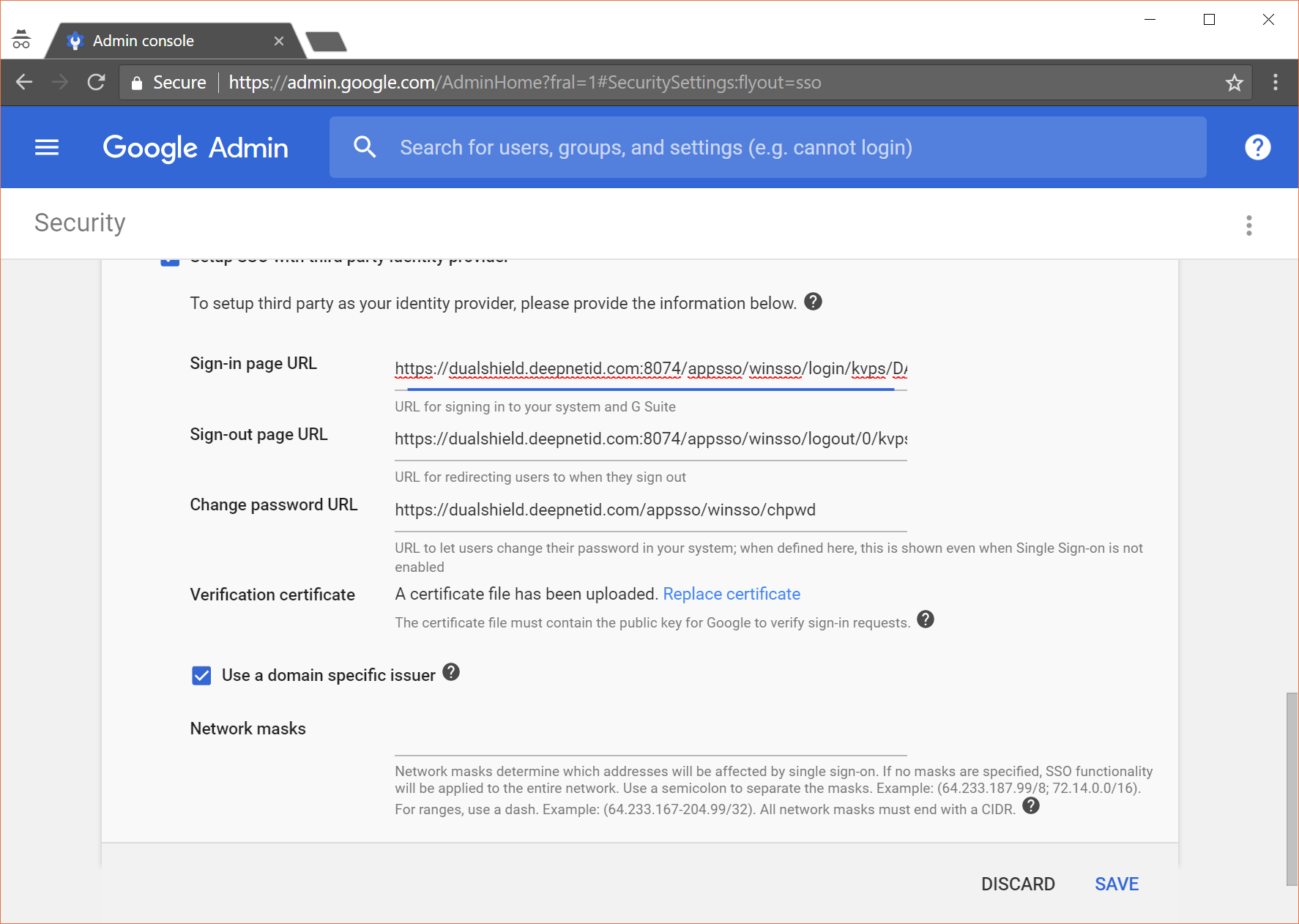
- Finally, click "Save" to save changes.
Your Google Apps is now integrated with the DualShield SSO, and its logon is protected by DualShield's multi-factor authentication.