Assuming that you have created a user account in DualShield for a user named John Smith, and the user account has a GridID for the 2-factor authentication. The GridID is set in the mode of Challenge and Response.
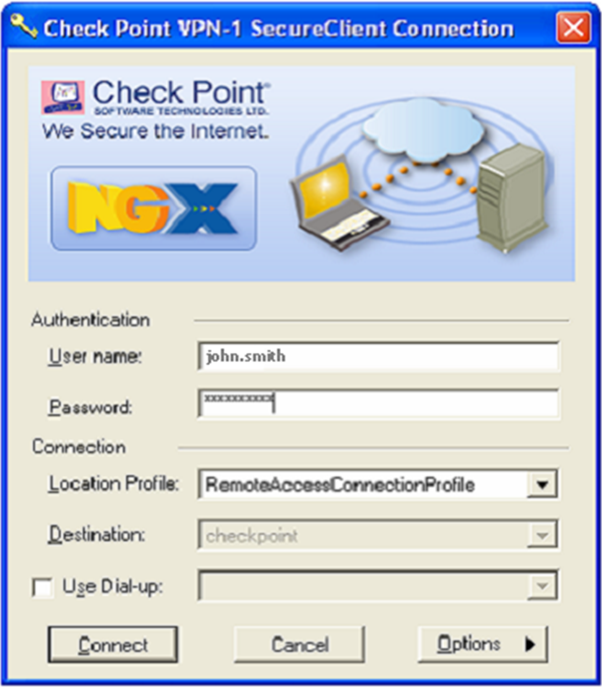
- Start the Check Point VPN-1 SecureClient. Enter the user name "john.smith" and user's AD password. Click "Connect".
![DualShield MFA Platform > Test Check Point SecureClient [CKP] > image2014-7-3 14:23:44.png](/download/attachments/35947378/image2014-7-3%2014%3A23%3A44.png?version=1&modificationDate=1587386002000&api=v2)
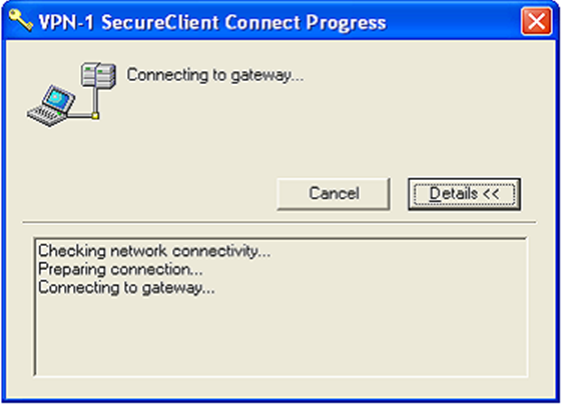
- SecureClient displays the progress of the connection.
![DualShield MFA Platform > Test Check Point SecureClient [CKP] > image2014-7-3 14:27:12.png](/download/attachments/35947378/image2014-7-3%2014%3A27%3A12.png?version=1&modificationDate=1587386002000&api=v2)
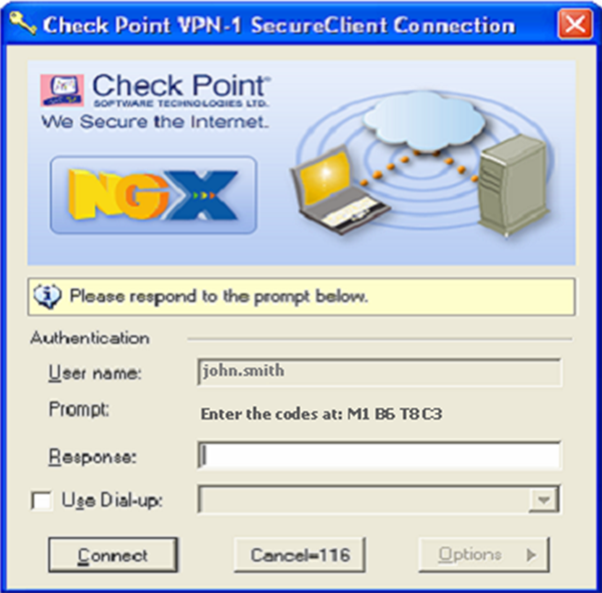
- The user is prompted for the GridID coordinates. Enter the corresponding values to the GridID coordinates displayed into the Response field. Click the Connect button to submit these to DualShield for validation.
![DualShield MFA Platform > Test Check Point SecureClient [CKP] > image2014-7-3 14:29:13.png](/download/attachments/35947378/image2014-7-3%2014%3A29%3A13.png?version=1&modificationDate=1587386002000&api=v2)
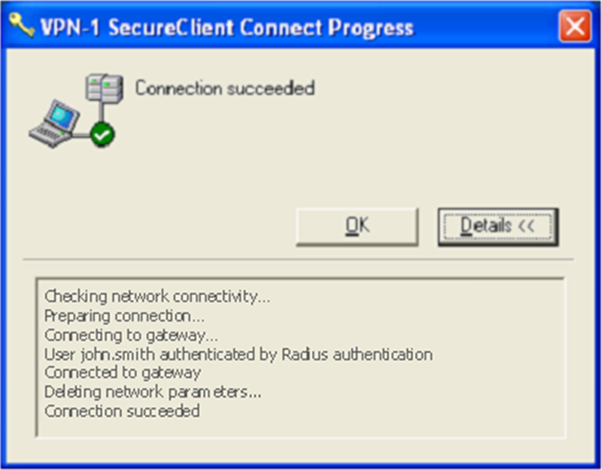
- The following dialog box is displayed indicating that the user authentication was successful using Deepnet GridID. Click OK to continue.
![DualShield MFA Platform > Test Check Point SecureClient [CKP] > image2014-7-3 14:30:14.png](/download/attachments/35947378/image2014-7-3%2014%3A30%3A14.png?version=1&modificationDate=1587386002000&api=v2)