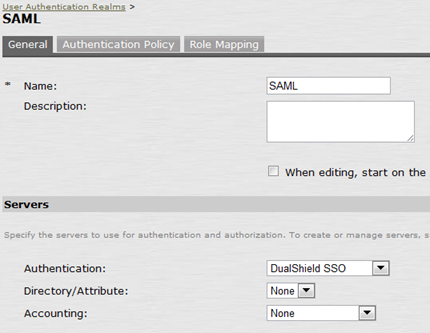
To test the SAML authentication, you can create a new User Realm in the Juniper SA or change an existing realm, and use the DualShield SSO as its authentication server:
![DualShield MFA Platform > Test Authentication [JNP-SAML] > image2014-4-15 9:49:29.png](/download/attachments/35947540/image2014-4-15%209%3A49%3A29.png?version=1&modificationDate=1587386106000&api=v2)
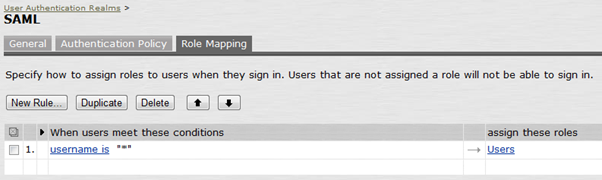
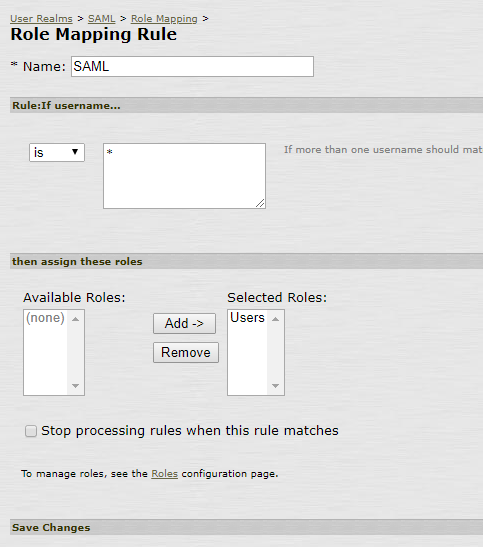
You will also need to define its Role Mapping, e.g.
![DualShield MFA Platform > Test Authentication [JNP-SAML] > image2019-12-5_18-53-57.png](/download/attachments/35947540/image2019-12-5_18-53-57.png?version=1&modificationDate=1587386106000&api=v2)
![DualShield MFA Platform > Test Authentication [JNP-SAML] > image2014-4-15 10:1:47.png](/download/attachments/35947540/image2014-4-15%2010%3A1%3A47.png?version=1&modificationDate=1587386106000&api=v2)
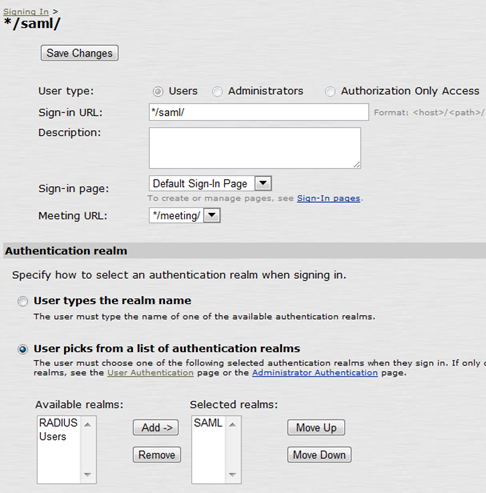
And create a new Signing URL:
![DualShield MFA Platform > Test Authentication [JNP-SAML] > image2014-4-15 10:6:9.png](/download/attachments/35947540/image2014-4-15%2010%3A6%3A9.png?version=1&modificationDate=1587386106000&api=v2)
Launch your web browser and navigate to the URL, e.g.
https://juniper.deepnettest32.com/saml
You'll immediately redirected to the DualShield SSO logon server:
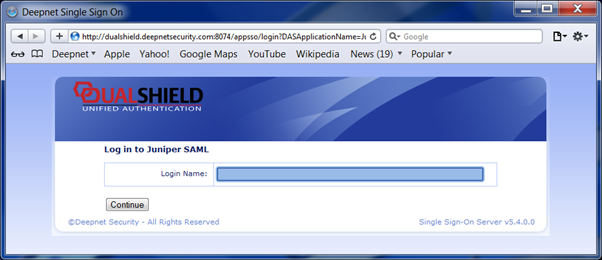
![DualShield MFA Platform > Test Authentication [JNP-SAML] > image2014-4-15 10:8:12.png](/download/attachments/35947540/image2014-4-15%2010%3A8%3A12.png?version=1&modificationDate=1587386106000&api=v2)
Once you have been successfully authenticatd by the DualShield SSO Server, you'll be redirected back to the Juniper SA:
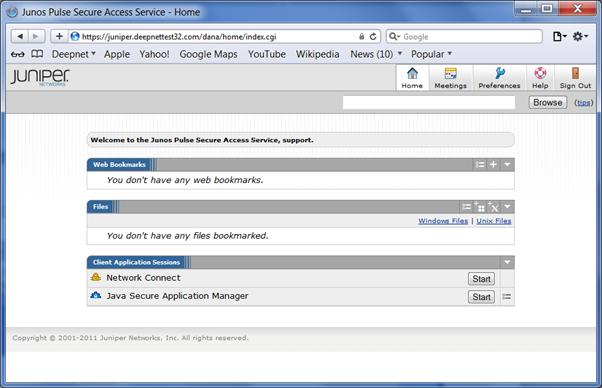
![DualShield MFA Platform > Test Authentication [JNP-SAML] > image2014-4-15 10:8:58.png](/download/attachments/35947540/image2014-4-15%2010%3A8%3A58.png?version=1&modificationDate=1587386106000&api=v2)