- Log into the VMware Identity Manager Administrator Console
- Navigate to "Identity & Access Management | Directories", and click "Add Directory"

![DualShield MFA Platform > Create Identity Provider [vIDM] > image2017-2-9 13:57:35.png](/download/attachments/35947831/image2017-2-9%2013%3A57%3A35.png?version=1&modificationDate=1587386377000&api=v2)
- Enter the "Directory Name" and "Bind User Details"
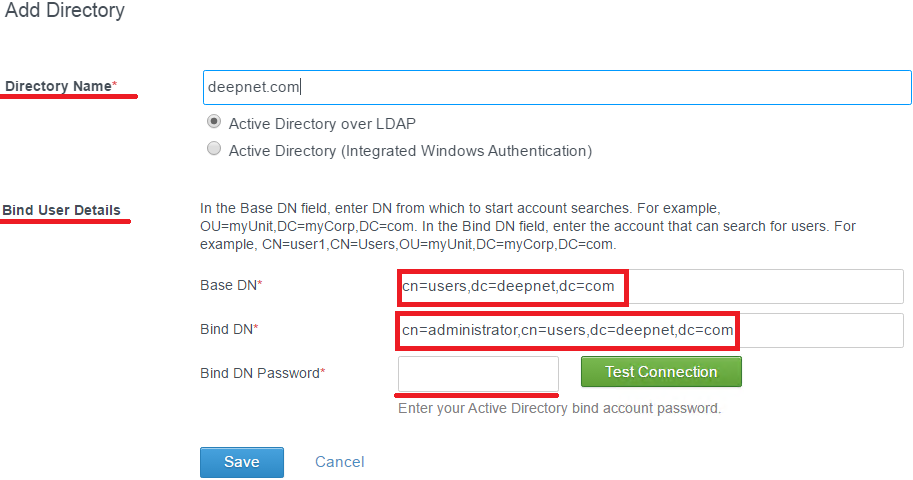
![DualShield MFA Platform > Create Identity Provider [vIDM] > image2017-2-9 15:49:55.png](/download/attachments/35947831/image2017-2-9%2015%3A49%3A55.png?version=1&modificationDate=1587386377000&api=v2)
- Click "Test Connection" to verify the Connection
- Click "Save"