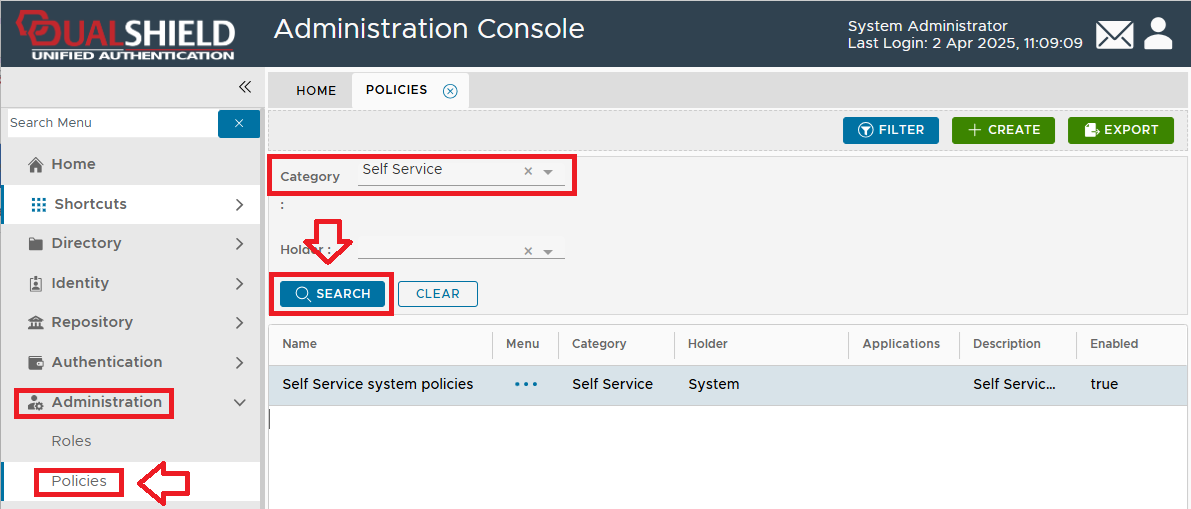
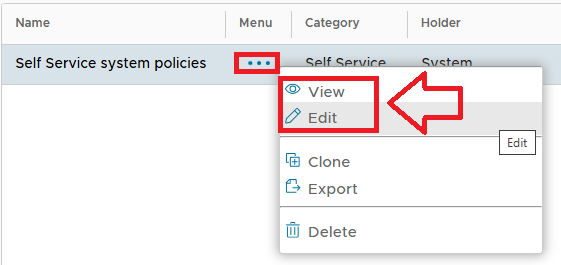
|
This policy allows the system administrator to configure settings for the Self Service Console, the Password Reset Module, the Emergency Access Module and the Provisioning Service Portal.
|
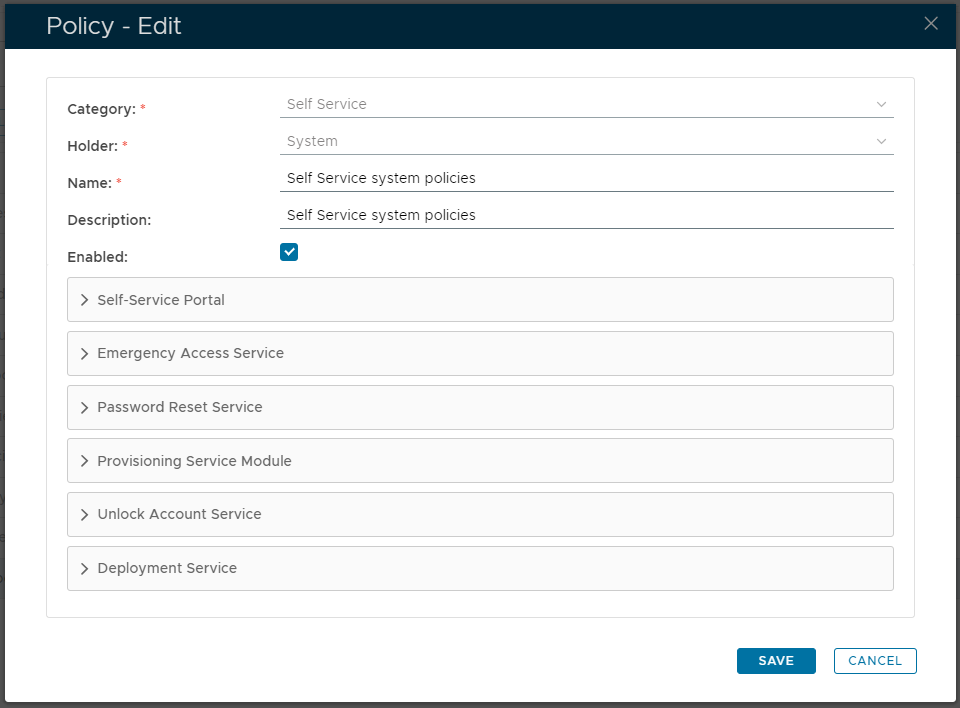
Once the self service policy has been edited, a new window will open titled "Policy - Edit" (that can be used to edit the policy settings for this policy);
|
In addition to the settings in the main section, the Self-Service policy also includes the following expandable sections;
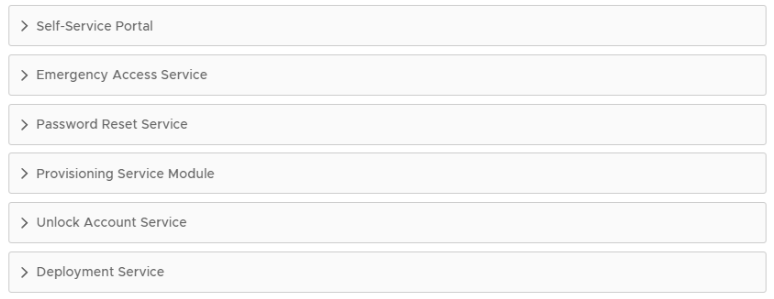
These sections can be expanded out to provide additional settings related to specific features of the self service console.
DualShield Service Console (DSC ) is a web portal that allows users to manage their own accounts and credentials.
DualShield Emergency Access Console (DEA) is a web portal that allows users to request emergency codes.
DualShield Reset Password (DRP) is a web portal that allows users to reset their forgotten AD password.
This option was provided for a legacy obsolete feature that is no longer used in versions 6 onwards.
DualShield Unlock Account Service (DUA) is a web portal that allows users to unlock their own user accounts.
DualShield Deployment Service (DDS) is a web portal that allows users to download some types of tokens (such as MobileID) and activate some types of tokens (such as DeviceID etc).
 button;.