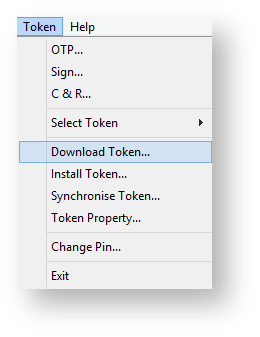
From the main menu select "Token" then "Download Token ..."
A new window will open that prompts for entry of the Service URL, the User Name and a Password;
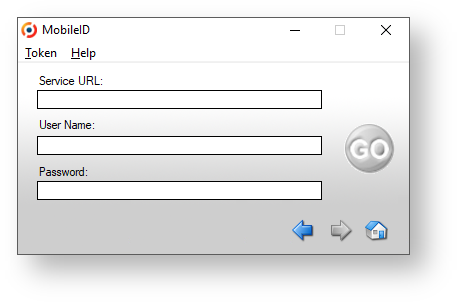
At this point you will need to provide a Service URL, User Name and a Password for downloading the application.
The Service URL or Download URL is the URL of your provisioning server in the following format:
https://your_provisioning_server_address:port/dps/m/your_domain_name?sn=serial_number
in which,
"your_provisioning_server_address: port" is the public internet address and port of your provisioning server.
"your_domain_name" is the DNS name of your domain
"serial_number" is the serial number of your mobile token
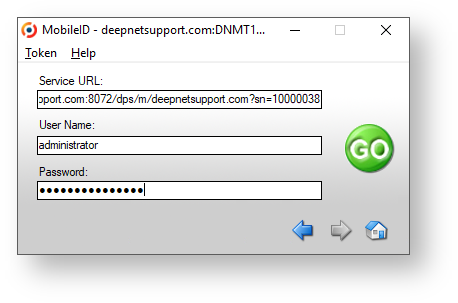
Enter the requested parameters then click on "GO".
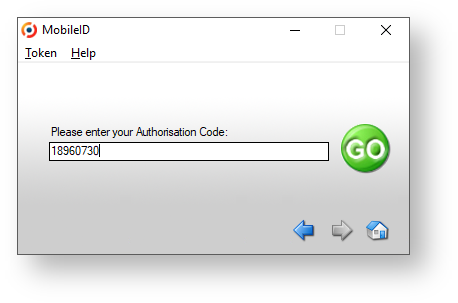
Before the token is downloaded, the user might be asked to enter an Authorisation Code (depending on the "Token Download" Policy settings).
Token Download Policy
If requested, enter your Authorisation code then click on "GO".
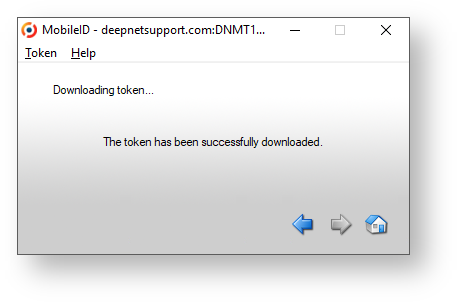
The token will now be downloaded, and you will be notified of if the download has succeeded.