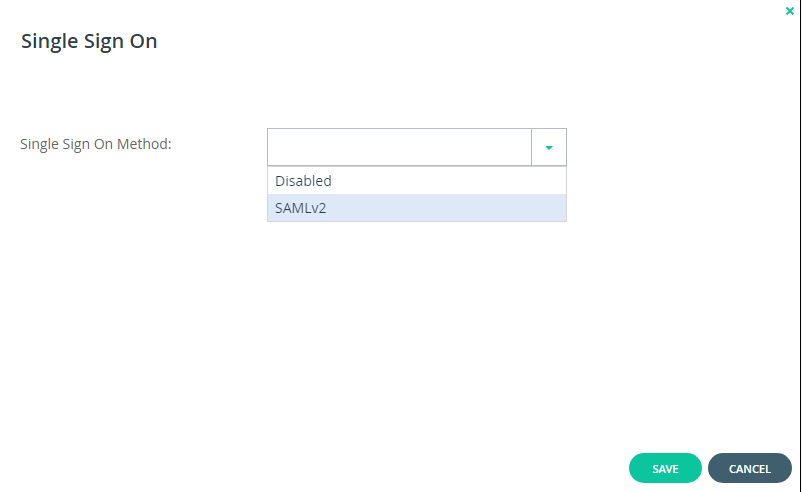
To configure SAML single sign-on:


Select Settings in the navigation pane.

Select SSO under USERS in the Control Panel page.

Select SAMLv2 from the dropdown box in the Single Sign-On page


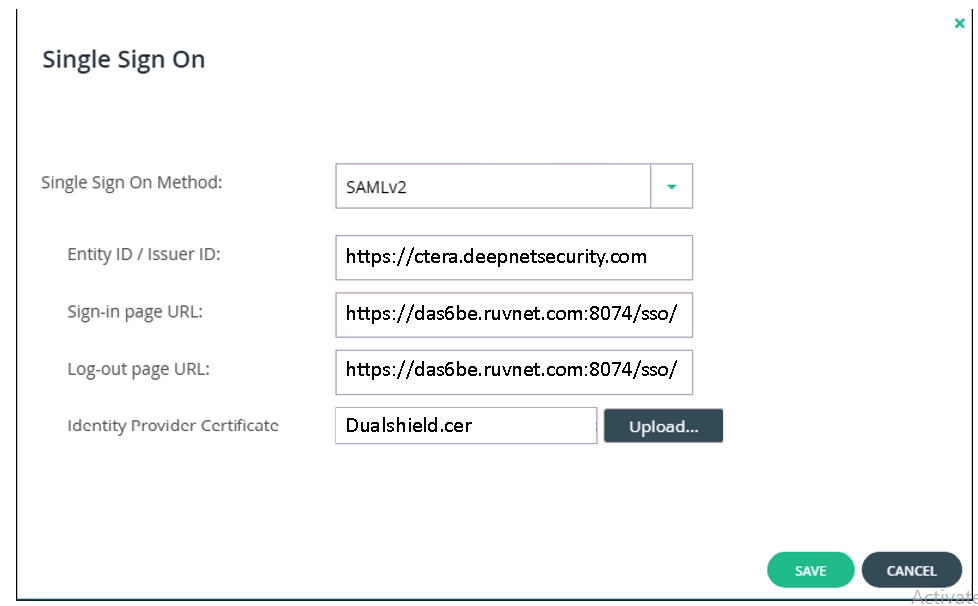
Enter the details of the SAML identity provider:


The Entitity ID/ Issuer ID will match the Entity ID you specified in the DualShield Service Provider.

There are two parts for specifying the Sign-In and Log-Out Page URLs

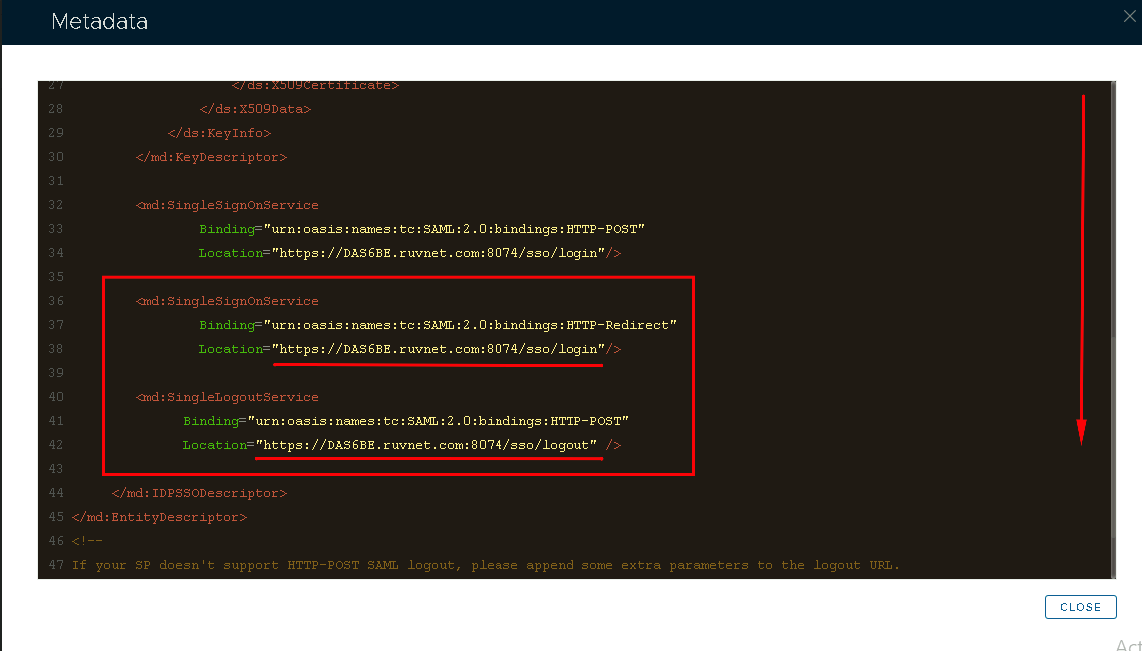
The first part is that that you will use the SingleSignOnService and SingleLogoutService URLs you copied from the DualShield SSO Server Metadata (see previous section) respectively.

The second part is that you will append these URLs with some extra information.

e.g.

Sign-in page URL

https://dualshield.yourdomain.com:8074/sso/Login/kvps/DASApplicationName/Ctera

Log-out page URL

https://dualshield.yourdomain.com/sso/logout?DASApplicationName=ctera


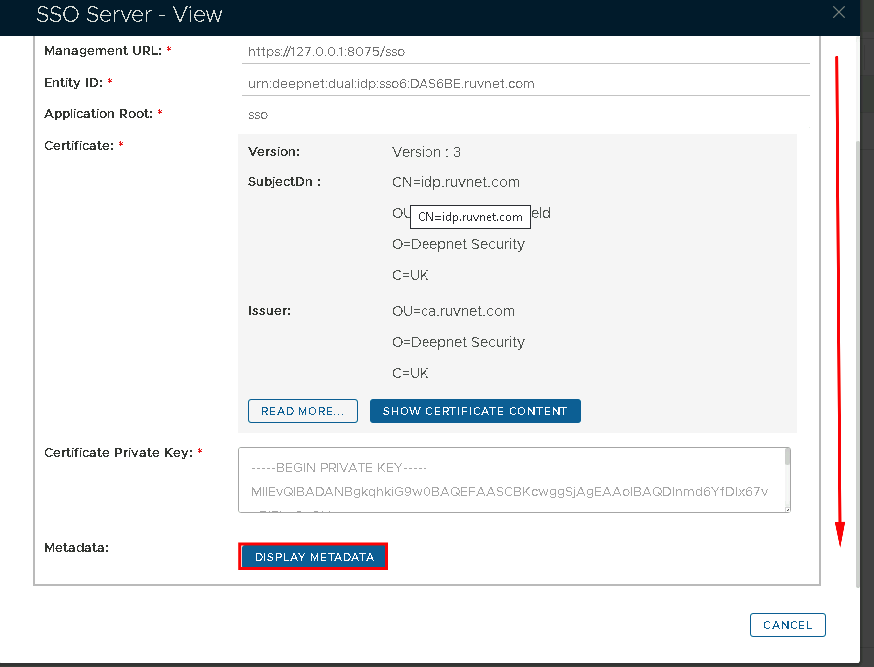
In the view screen scroll down and click on Display Metadata


Scoll down to where you can see the SingleSignOnService and  SingleLogoutService URL.  You may want to copy and past this somewhere, ready for the next section.


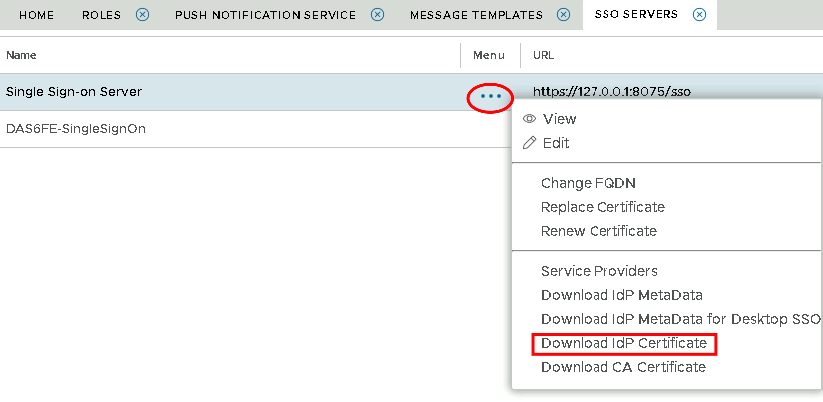
You will also need to download the IdP Certificate


Select the drop down menu corresponding to the SSO server you will be using and click on Download IdP Certificate