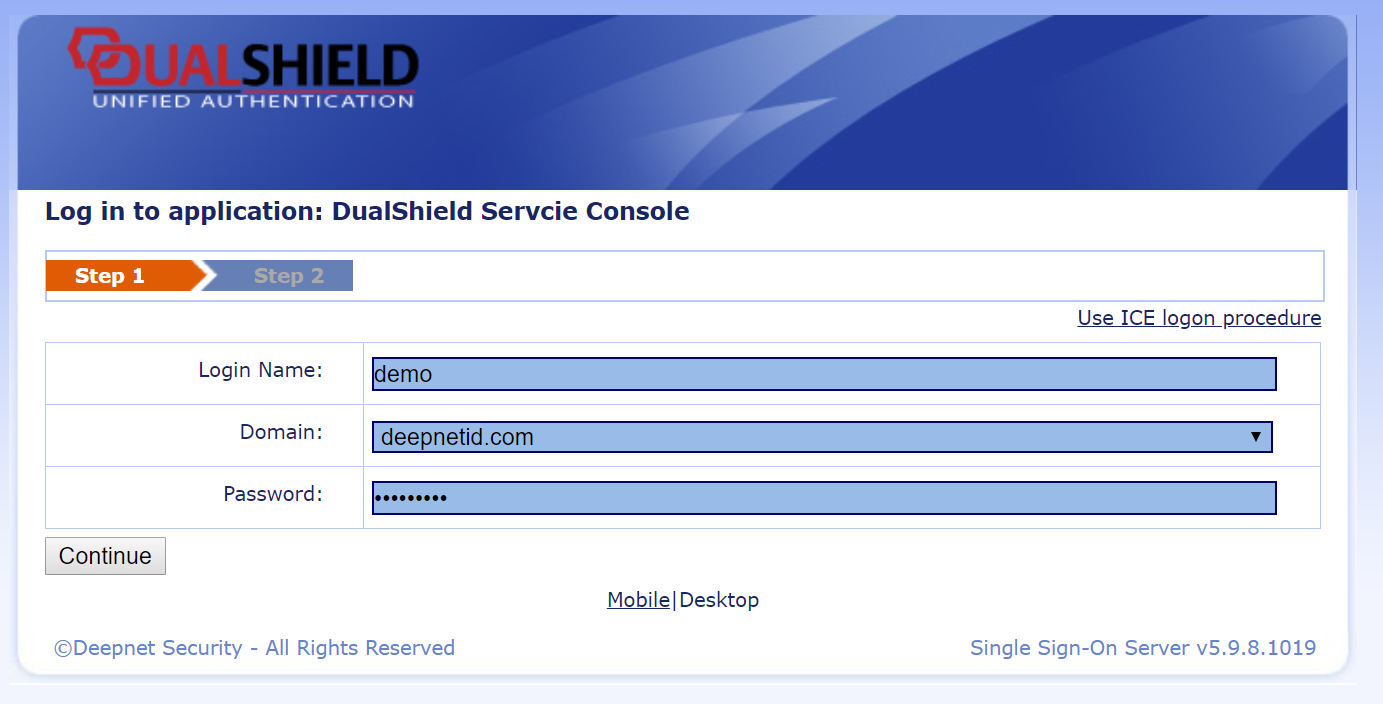
In this example, the Application's Logon Procedure has 2 Steps. The First Step requires the User's Static Password (which represents their AD account password):
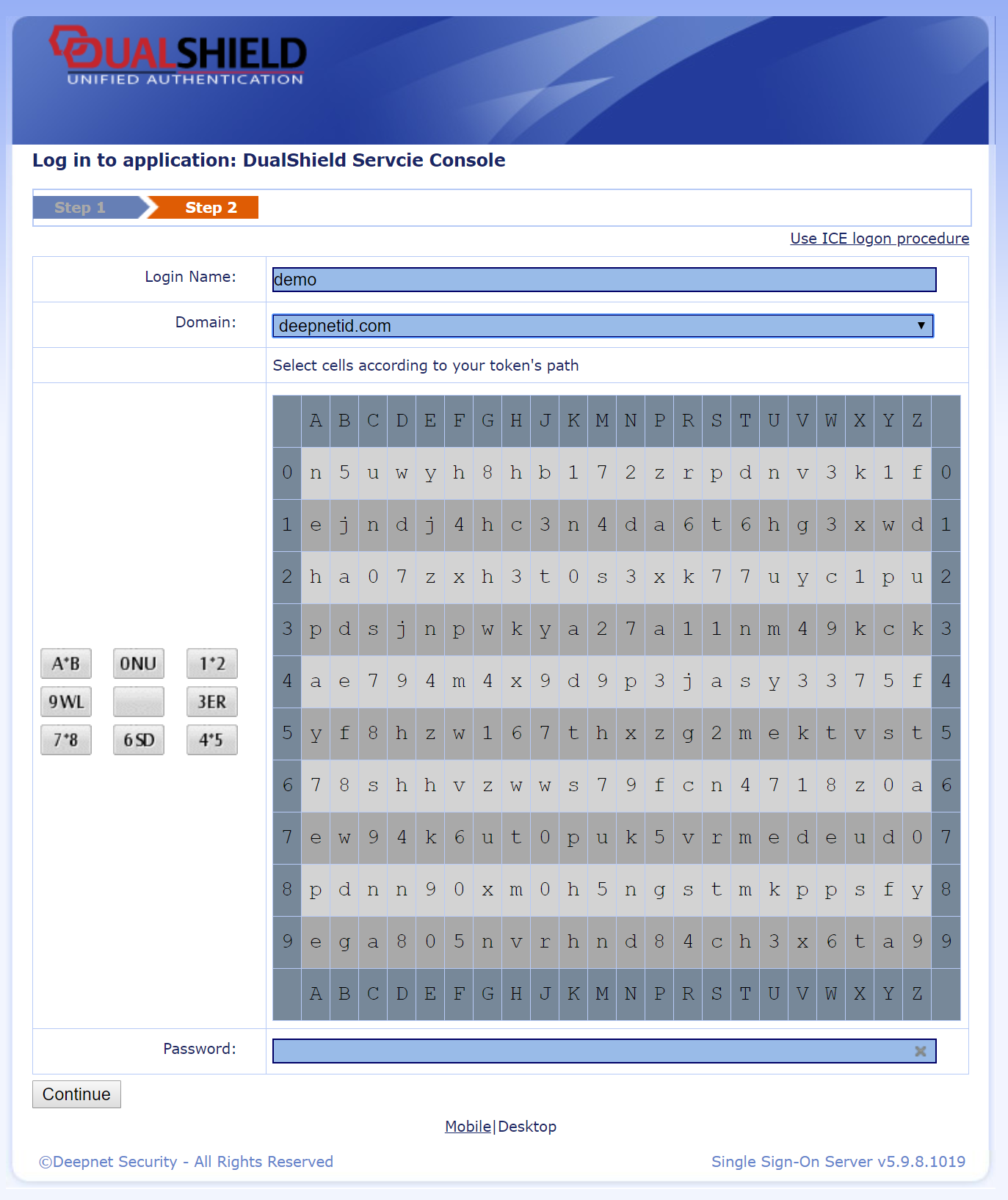
Once the User has entered the correct password, the User is challenged with "Grid on Screen", as per the Second Logon Step:
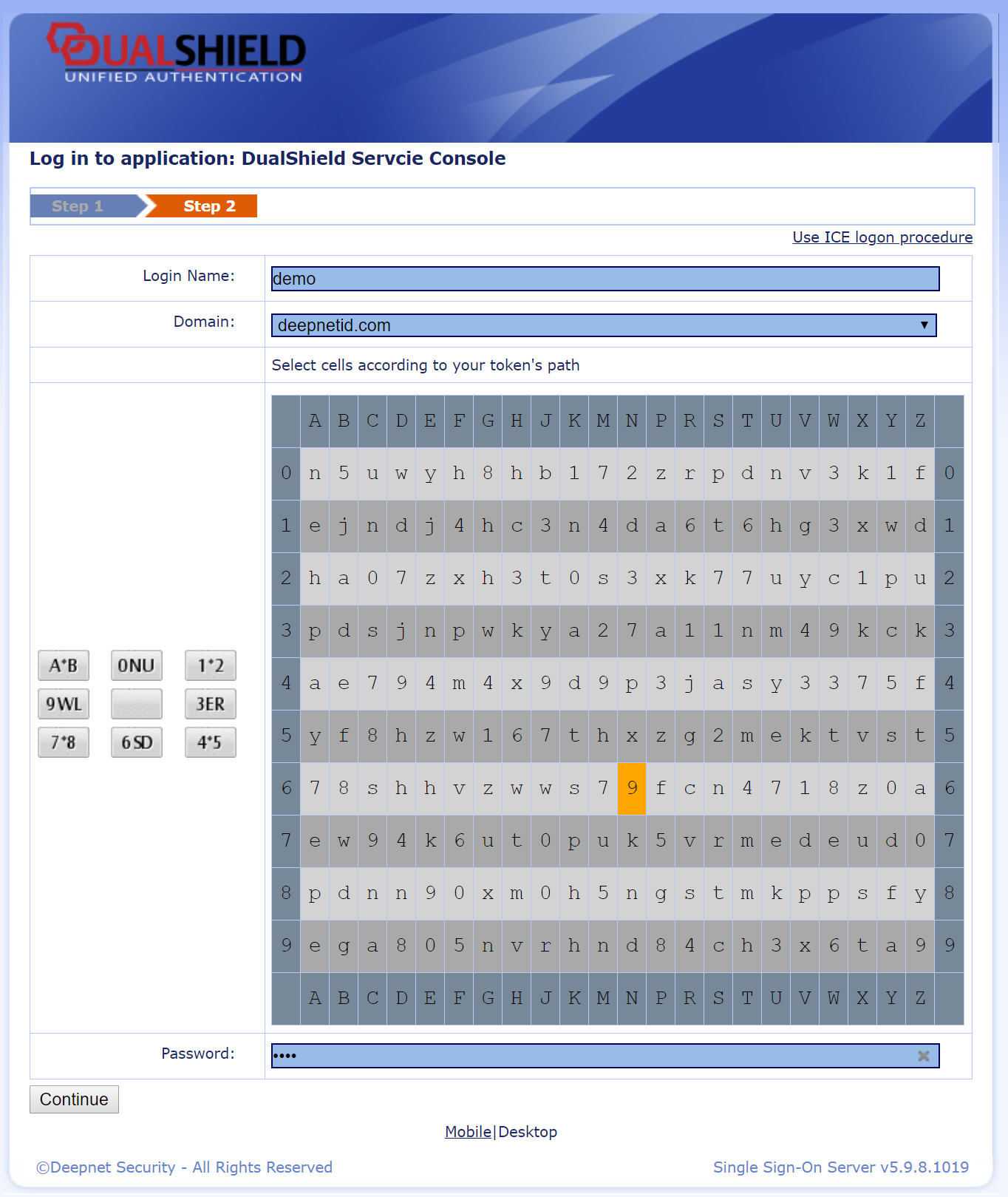
The User would click anywhere in the grid, e.g. N6
Then, the user would navigate in the Grid following his or her secret path, e.g: down → right → up-right → right → down-right.
This combination would appear as per the image below:
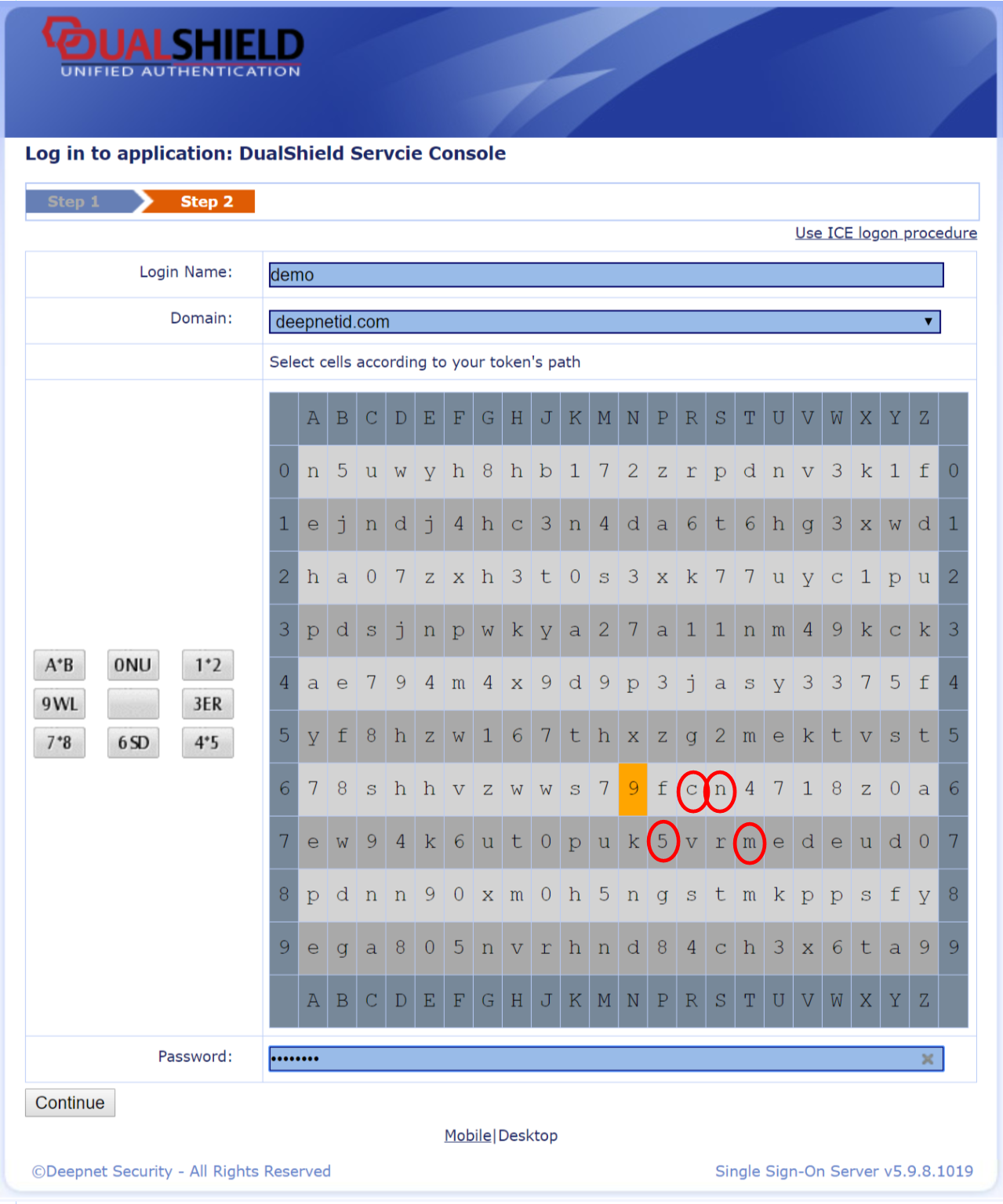
Therefore, the passcode generated would be: 5cnm