Log in to the DualShield Administration Console, Navigate to "SSO | SSO Servers".
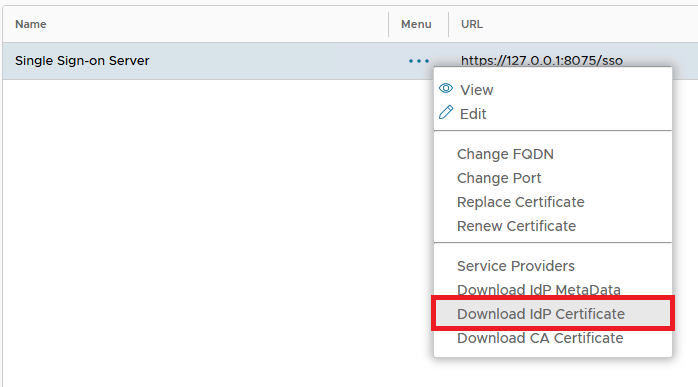
Select the context "..." menu of 'Single Sign-on Server' then select, "Download IdP Certificate". A CRT file will be saved to the local machine:
![DualShield MFA Platform > Download DualShield Certificate [MS-SP] > image-2024-11-29_12-21-30.png](/download/attachments/62391054/image-2024-11-29_12-21-30.png?version=1&modificationDate=1732882890379&api=v2)
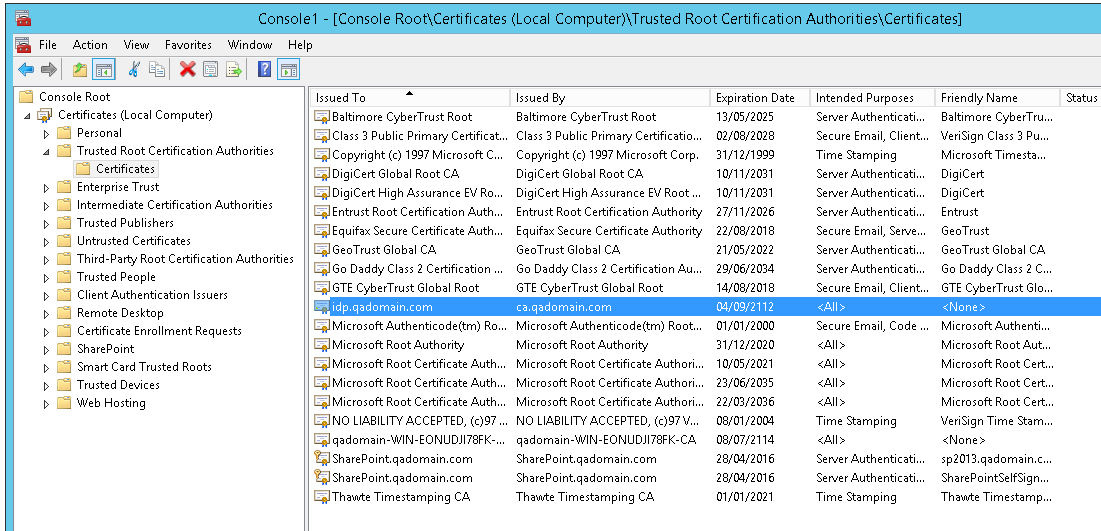
Note: If the IdP Certificate is a Self-Signed certificate, then you need to import this Certificate in to the SharePoint machine account.
![DualShield MFA Platform > Download DualShield Certificate [MS-SP] > image2015-8-4 16:52:42.png](/download/attachments/62391054/image2015-8-4%2016%3A52%3A42.png?version=1&modificationDate=1638404692000&api=v2)