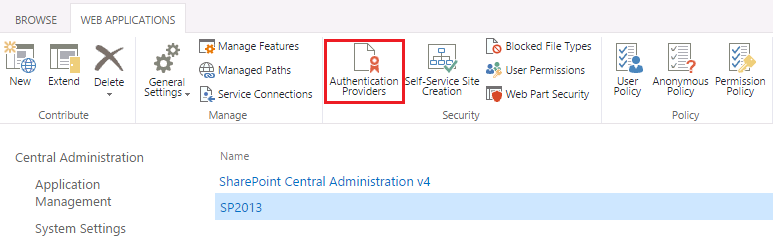
Log into the SharePoint Administrative web console, select a web application, e.g. "SP2013" and click "Authentication Providers" on the top.
![DualShield MFA Platform > Create DualShield Identity Provider [MS-SP] > image2015-8-4 17:34:49.png](/download/attachments/62391061/image2015-8-4%2017%3A34%3A49.png?version=1&modificationDate=1638404692000&api=v2)
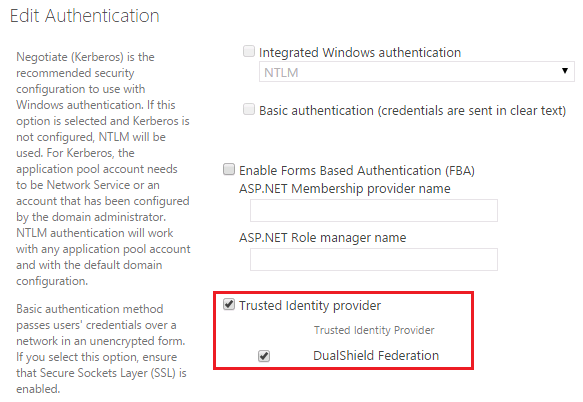
Scroll down and navigate to "Trusted Identity Provider", and enable the newly create SSO federation, e.g. "DualShield Federation".
![DualShield MFA Platform > Enable Single Sign-On Service [MS-SP] > image2015-8-4 17:54:26.png](/download/attachments/62391066/image2015-8-4%2017%3A54%3A26.png?version=1&modificationDate=1638404692000&api=v2)