The “Administer Configuration SAML” role permission is required to use SAML to access Secret Server. To grant a user this permission from an administrator account:
Go toAdmin > Roles. The Roles page appears.
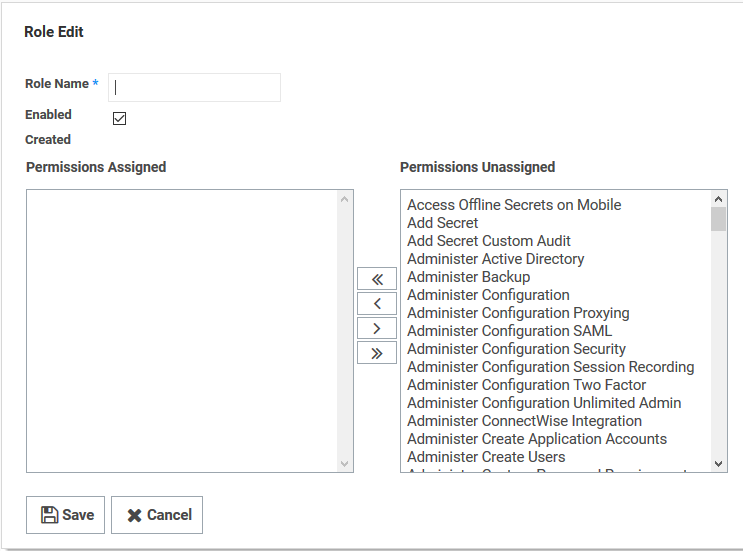
Click theCreate Newbutton. The Role Edit page appears:
Type the name, such asSAML, in theRole Nametext box.
Click to select theEnabledcheck box.
ClickAdminister Configuration SAMLin the right sidePermissions Unassignedlist box.
Click the<button to move the permission to the other side.
Click theSavebutton.
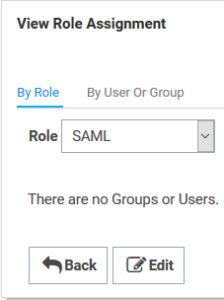
Click the Assign Roles link of the newly created role. The View Role Assignment page appears
Click theRoledropdown list to select the role you just created.
Click the Edit button.
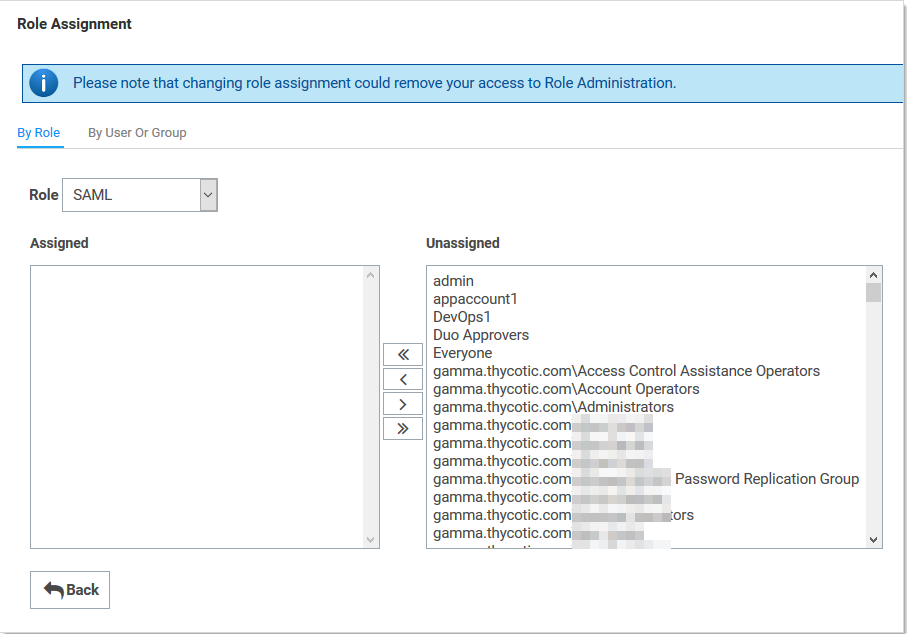
On the Role Assignment page move the desired users to theAssignedlist using the same method as before
Click theSave Changesbutton.
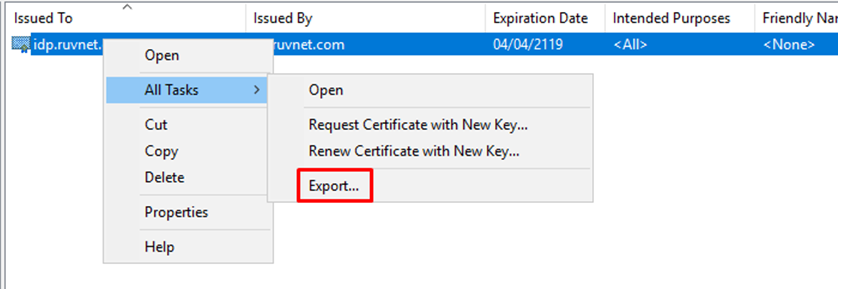
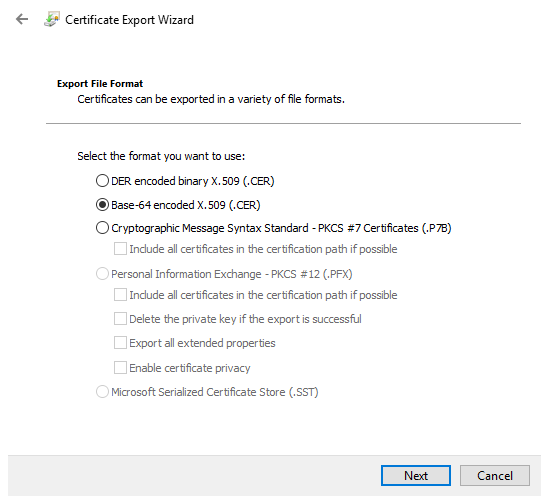
Once installed the Certificate needs to be exported
Export it as a Base-64 encoded X.509 (.CER)
You will also need to download the IdP Certificate