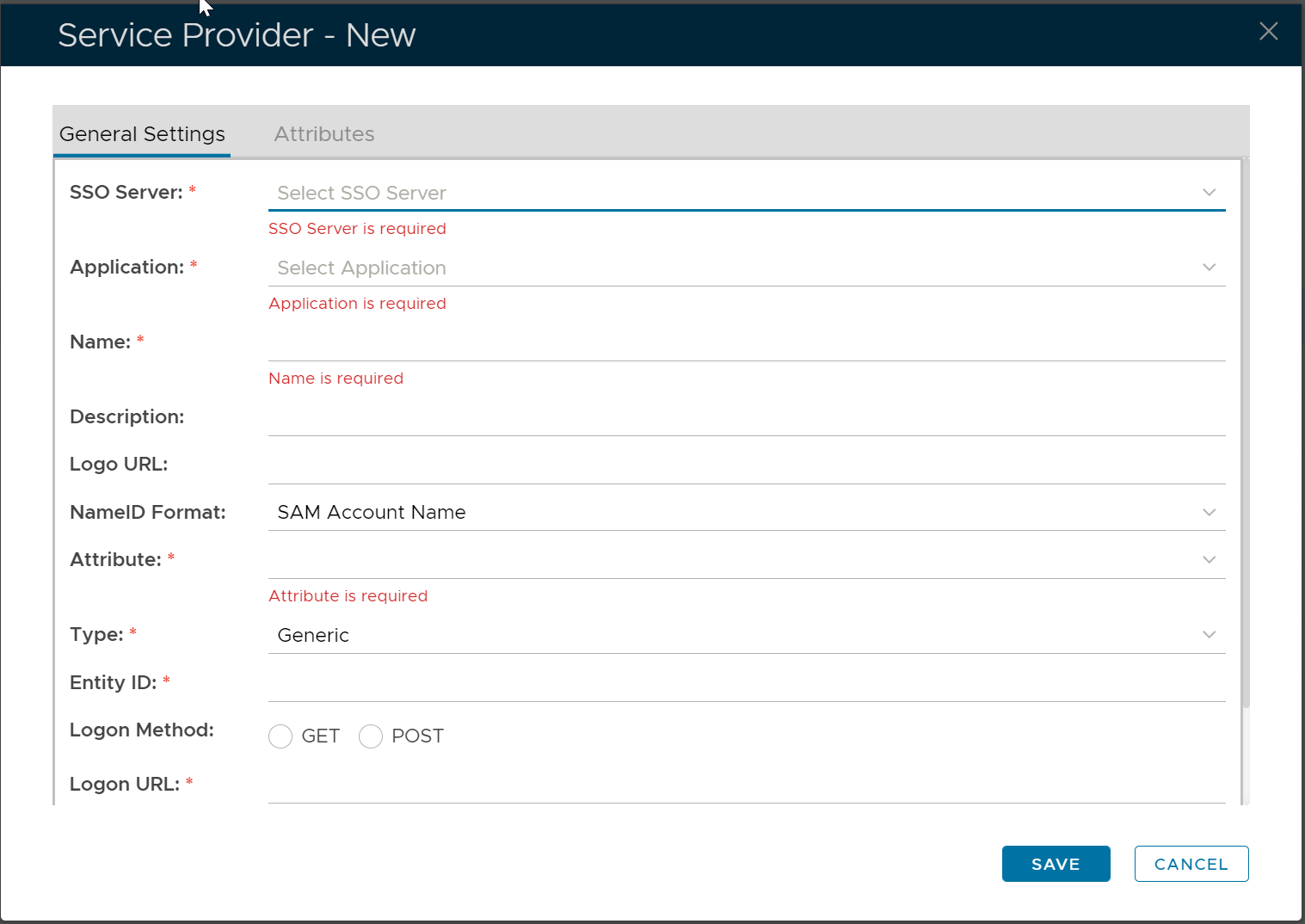
In the DualShield Admin Console, navigate to "SSO | Service Providers"
On the toolbar, click the "Create" button
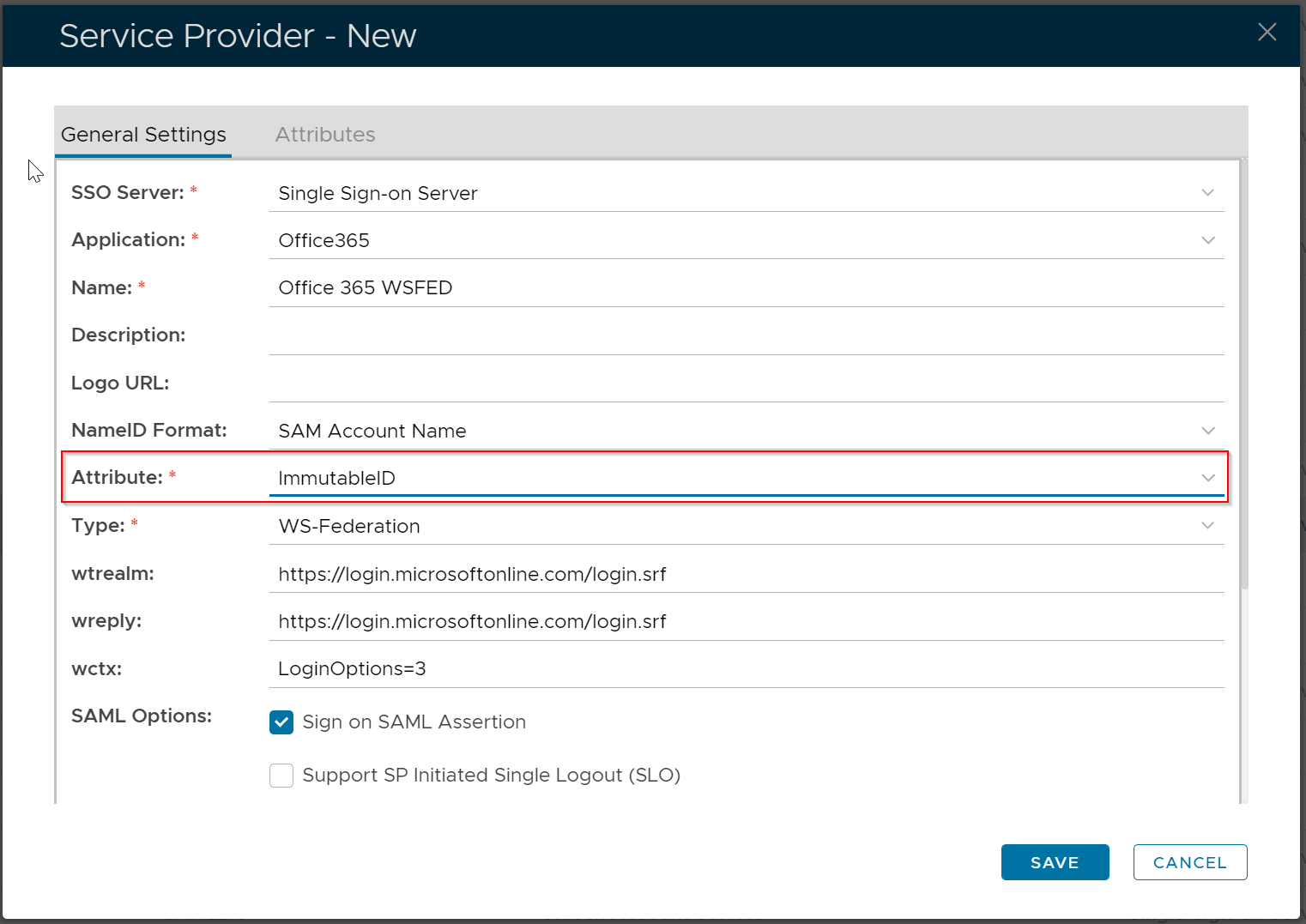
Fill in the form as below:
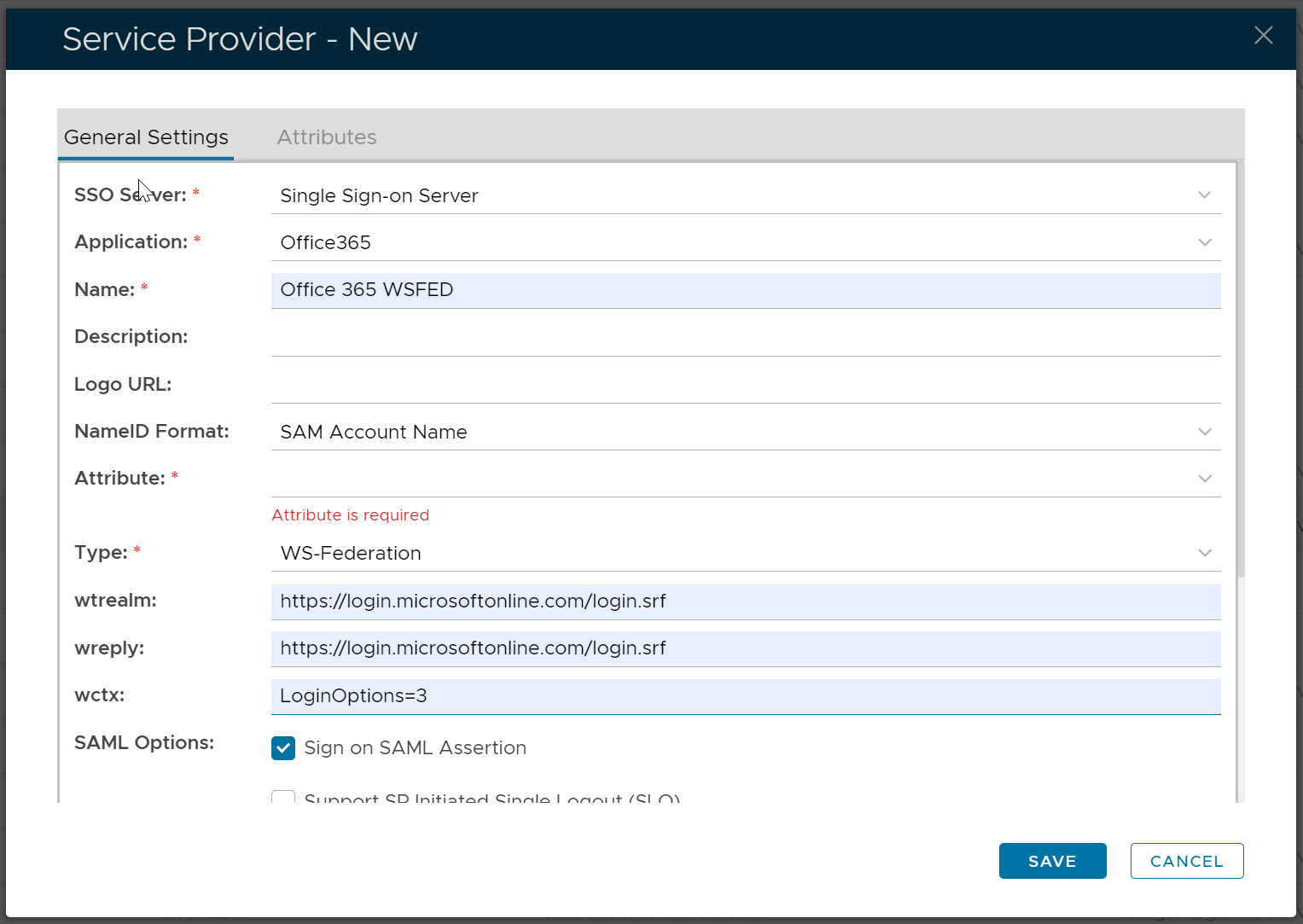
Now, click the "Attributes" tab
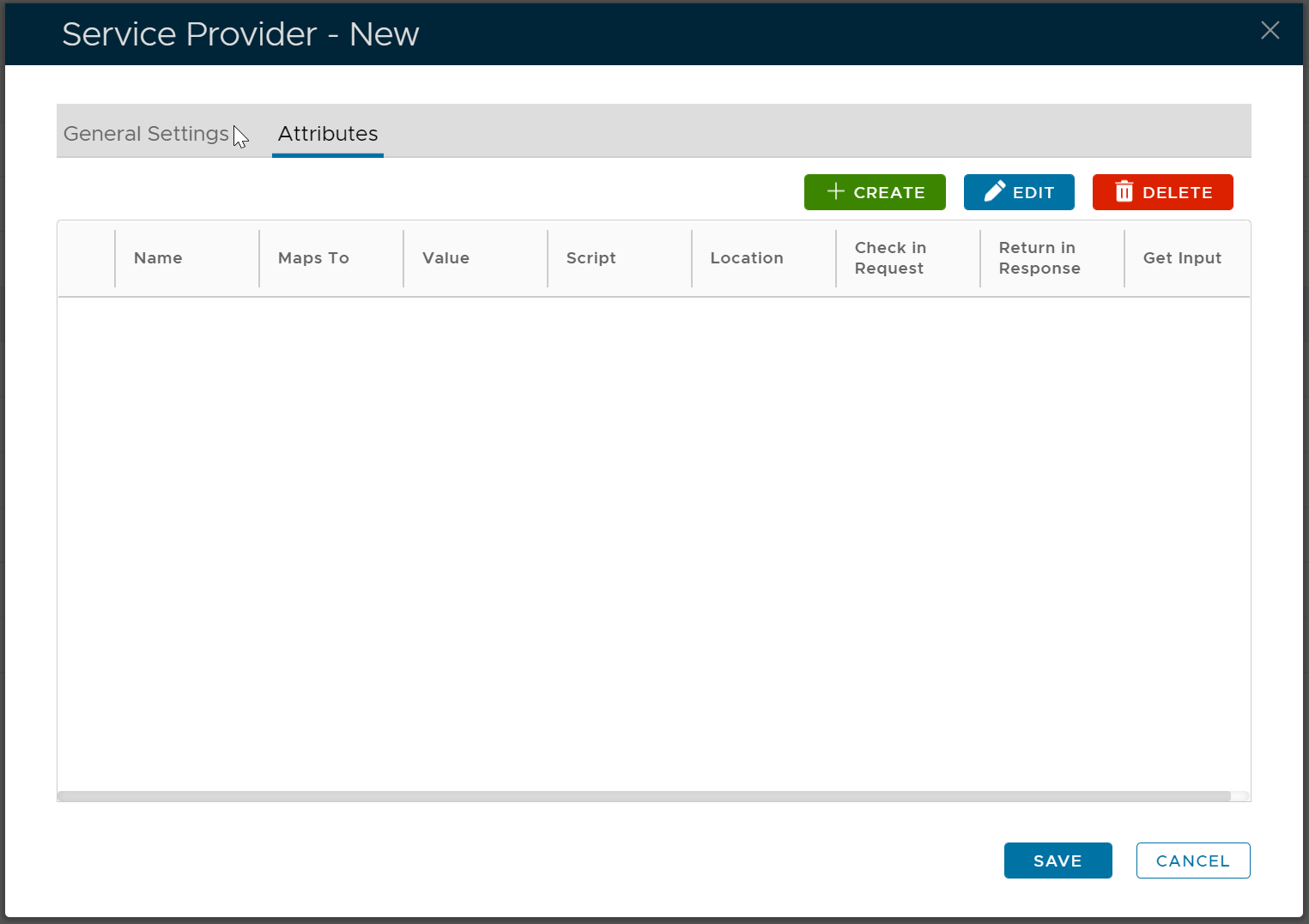
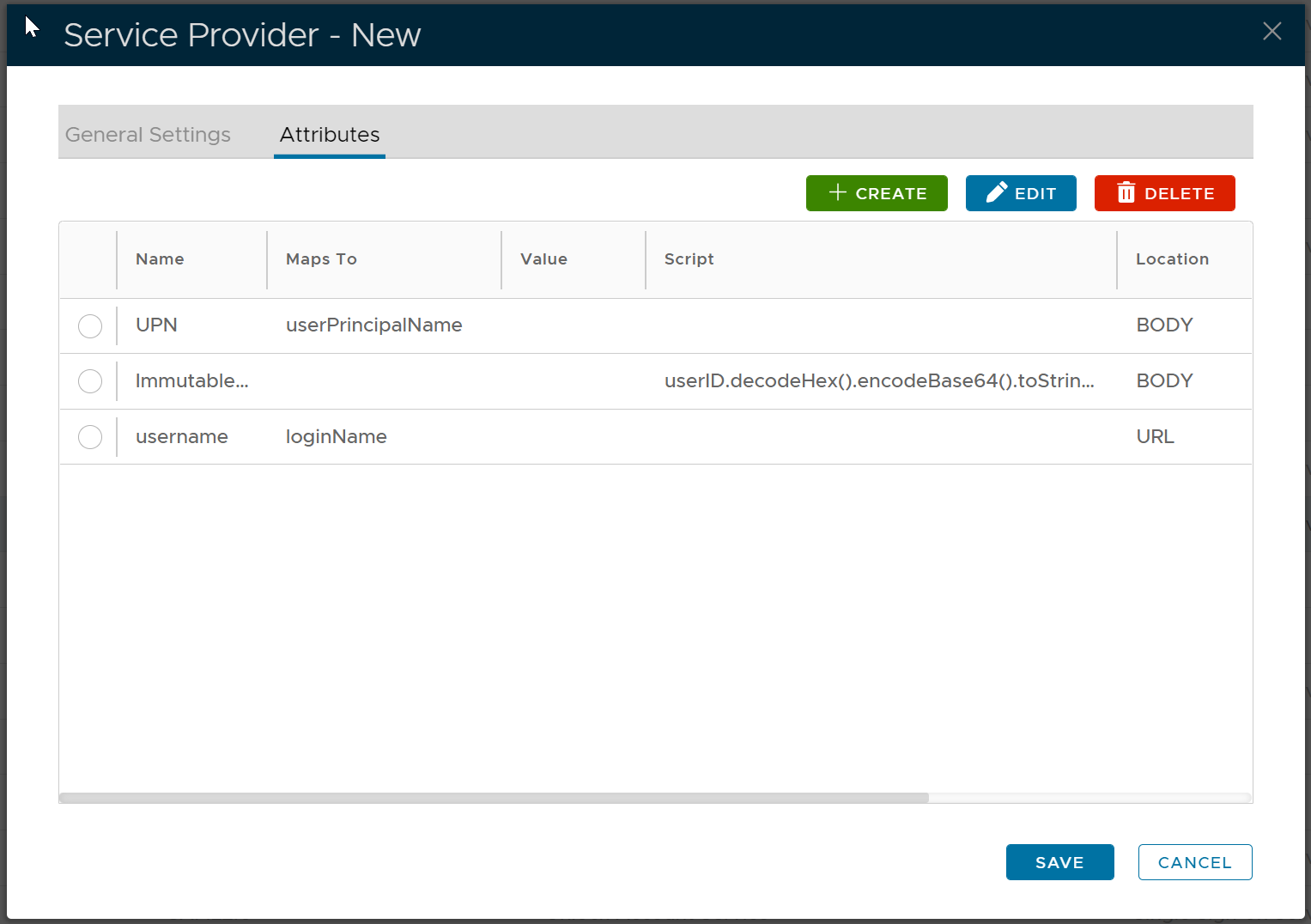
We are going to add 3 SAML attributes
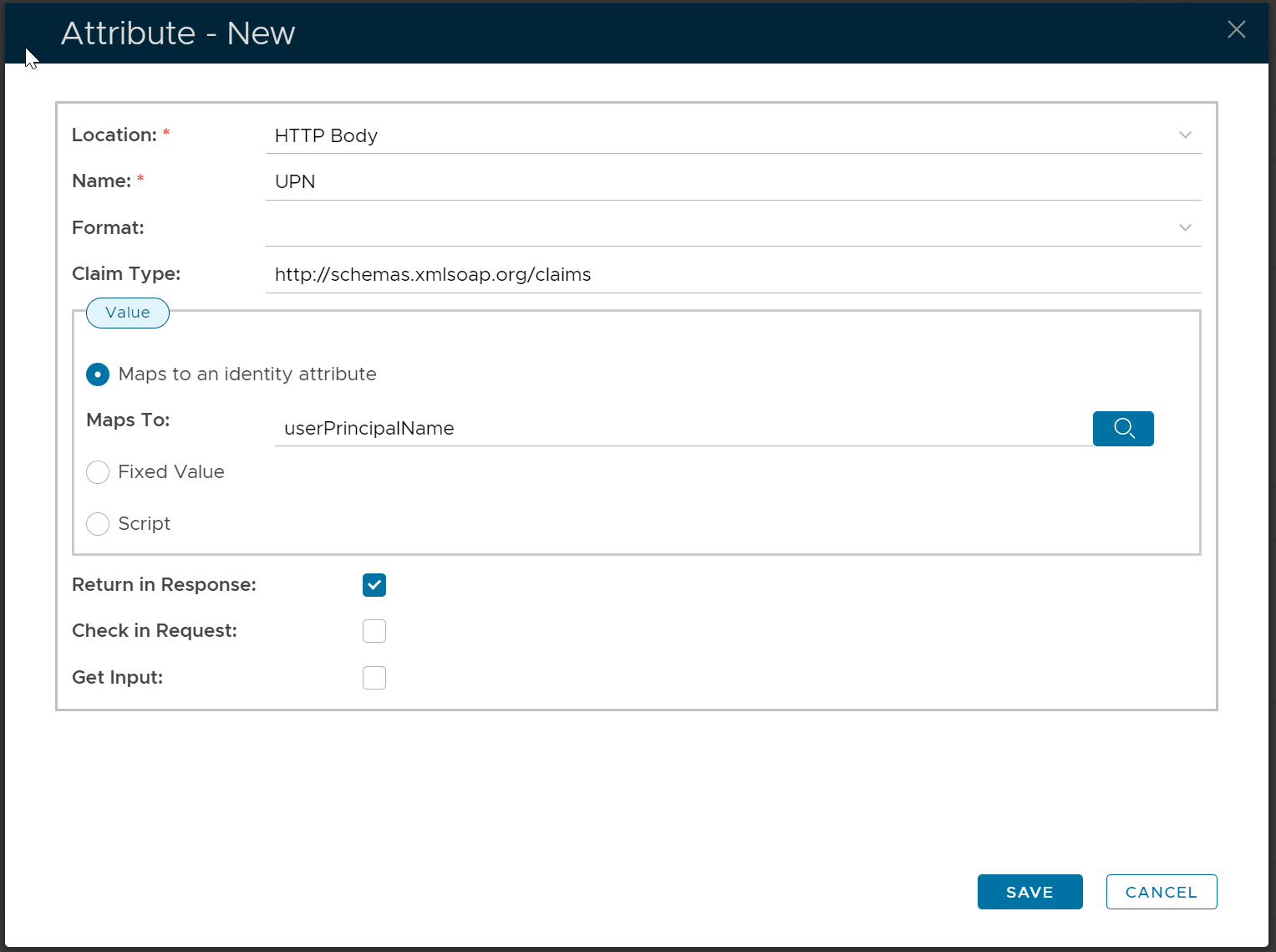
The first attribute is "UPN"
Map it to userPrincipalName.
Set its Claim Type to http://schemas.xmlsoap.org/claims
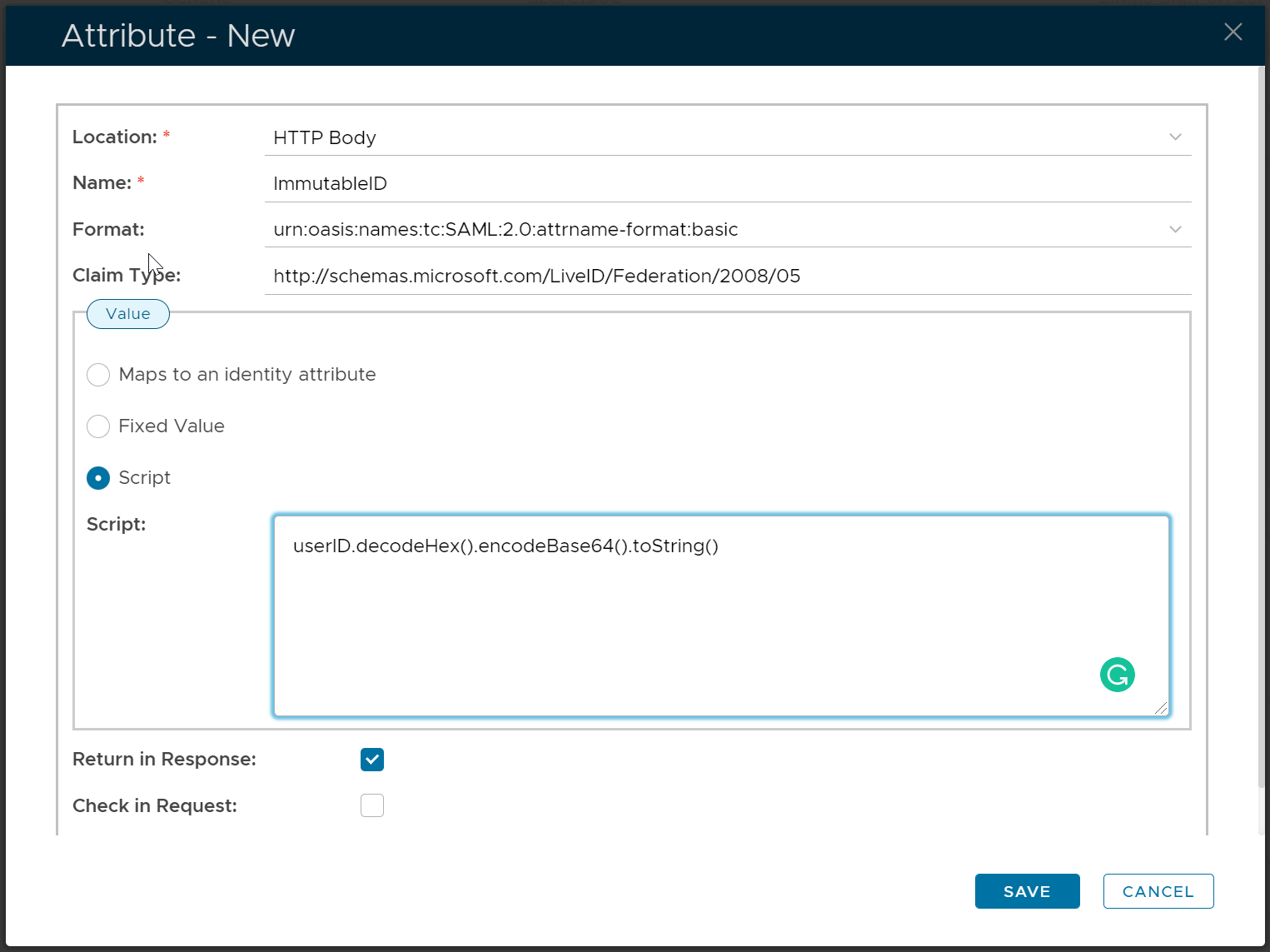
The second attribute is "ImmutableID",
use script to map it to: userID.decodeHex().encodeBase64().toString()
Set its claim type to http://schemas.microsoft.com/LiveID/Federation/2008/05
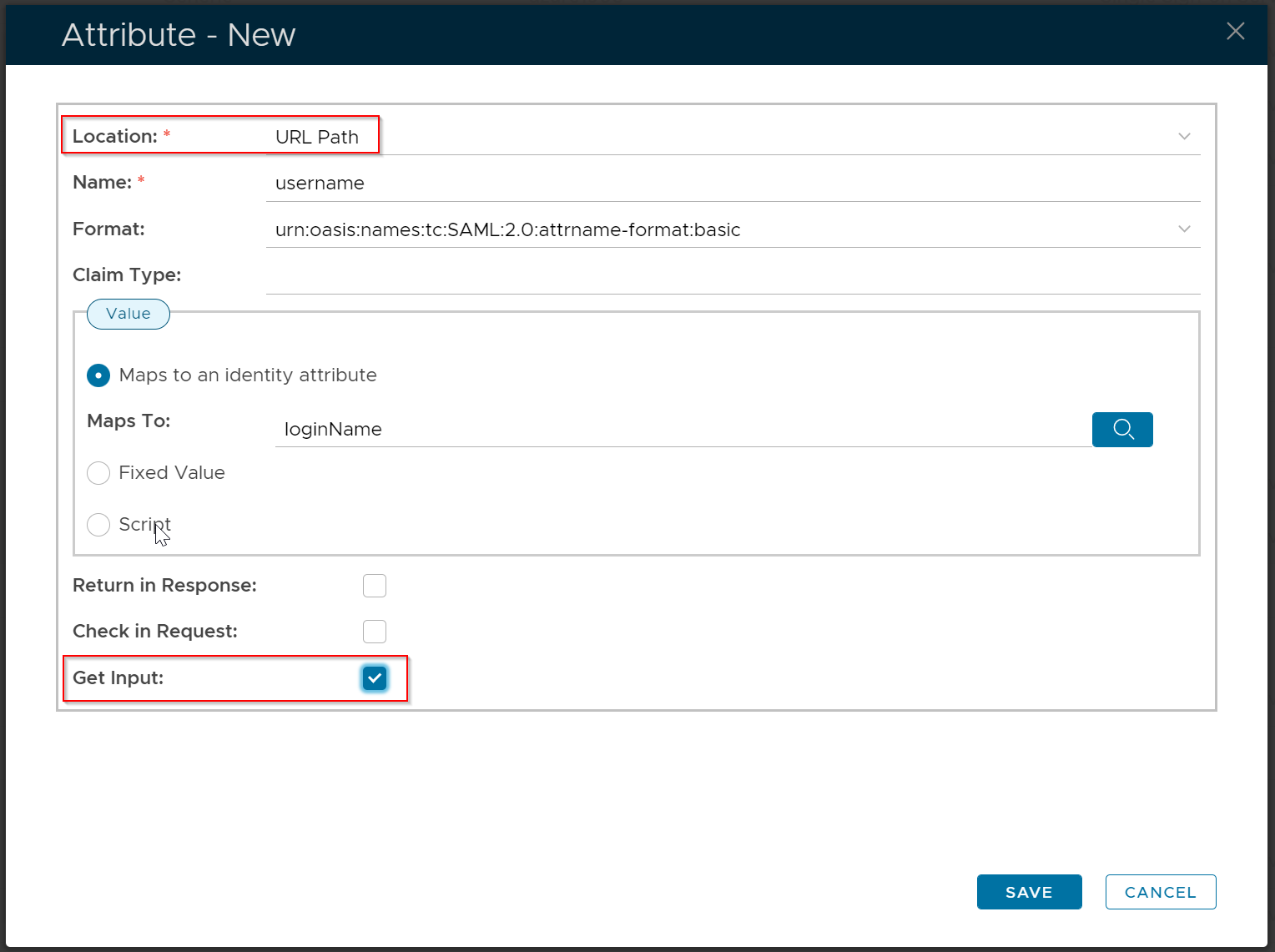
The third attribute is "username"
Map it to: loginName.
For this attribute, select "URL Path" as the location and enable the "Get Input" option
Now, click the "General Settings" tab
change NameIDFormat to "Map to the following attribute", and Attribute to "ImmutableID".
Finally, click "Save"