Log in to the DualShield Administration Console. Select "Authentication | Logon Procedures", then add "Keystroke Biometrics" to the Logon Procedure of the Windows logon Application.

To use Keystroke recognition, the System Administrator must add "Keystroke Biometrics" authenticator to the Logon Step of the created Application.
Log in to the DualShield Administration Console. Select "Authentication | Logon Procedures", then add "Keystroke Biometrics" to the Logon Procedure of the Windows logon Application.
You will also need to customise the TypeSense Policy according to your requirements. Select "Administration | Policies" then select "TypeSense/Password" from the Category list

Select the context "..." menu of the Policy, then "EDIT" from the menu. A Policy window will appear, as follows:
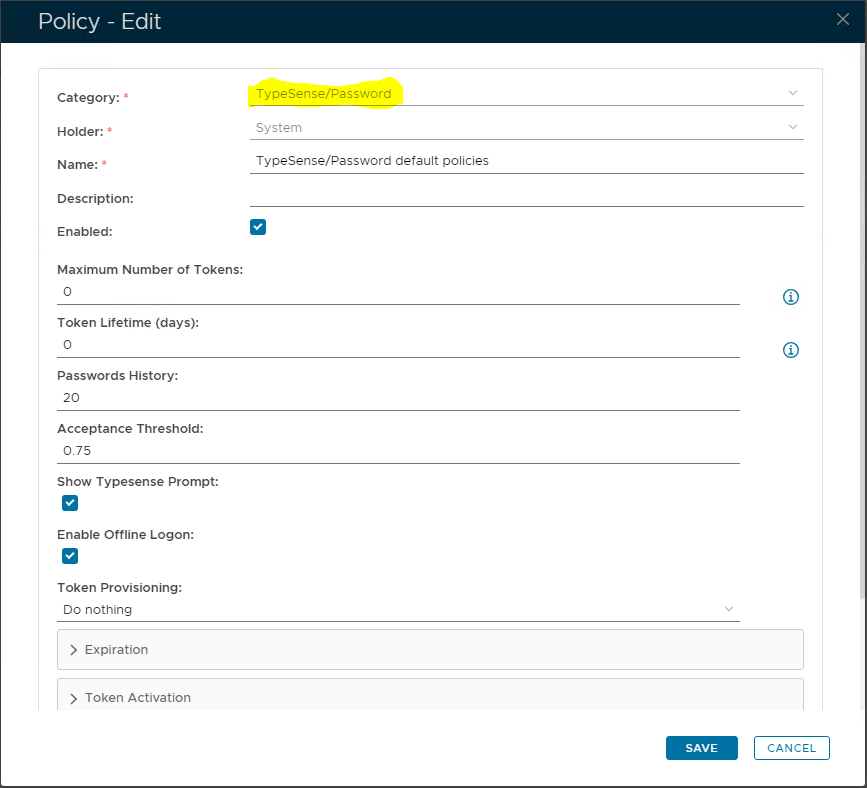
Edit the Policy settings here as necessary. With the primary options as follows:
Token Provisioning
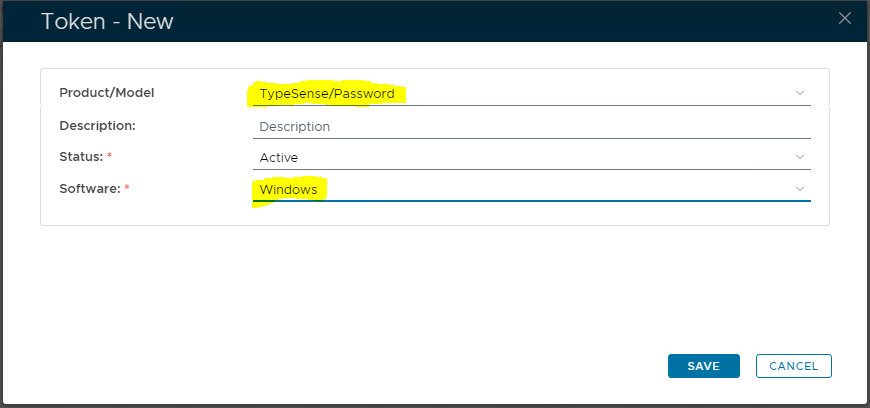
A TypeSense token can be manually provisioned for a user by the System Administrator, alternatively automatically provisioned by the DualShield Server.
If you want Tokens to be created automatically by DualShield Server, then set the Token Provisioning setting, as "Provision token automatically".

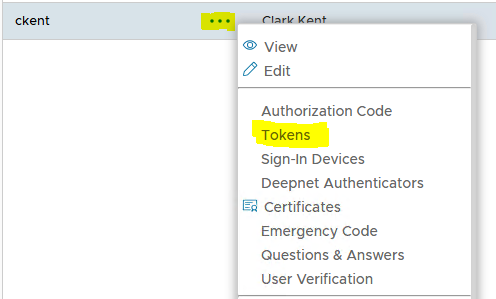
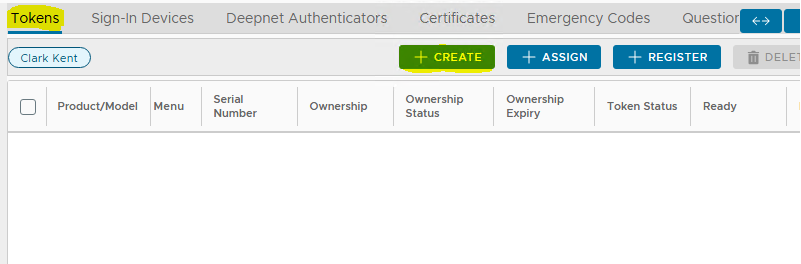
To manually provision a TypeSense token to a user, navigate to the user directory "Directory | Users" and locate the user. Click the context "..." menu of the user account, then "Tokens" in the context menu:
|
Training Mode
There are two types of training modes:
In the Intensive Training mode, the user will be asked to intensively train the token in a single session until it is ready to be used for authentication.
In the Adaptive Learning mode, however, there is no training session. Instead, at the beginning the user will be allowed to logon without having to be verified by keystroke.
Meanwhile, the system will attempt to train the user's TypeSense token by learning from the user's typing at each logon until the user's TypeSense token is fully trained and ready.
Set Training Mode to "Intensive Training"
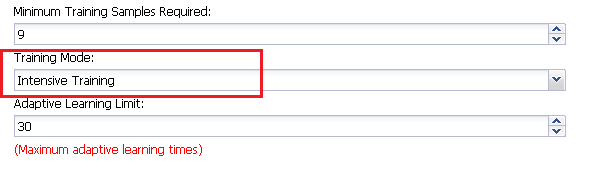
Minimum Training Samples Required
Technically, a TypeSense token effectively represents a user's typing pattern. In order to establish a pattern,the system need a collection of training samples from the user. The "Minimum Training Samples Required" sets the minimum number of valid samples to be collected from the user before a pattern can be established.
Lastly, you also need to enable the TypeSense feature in the DualShield Windows Logon Manager:
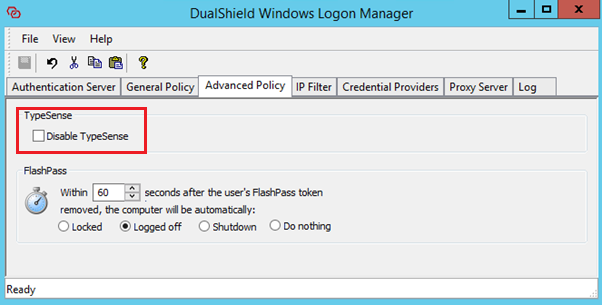
Untick the option "Disable TypeSense"