This wiki guide assumes you have Routing and Remote Access setup already installed and running for VPN access. If not please follow https://www.youtube.com/watch?v=eTzHH8CQX_8&t=190s
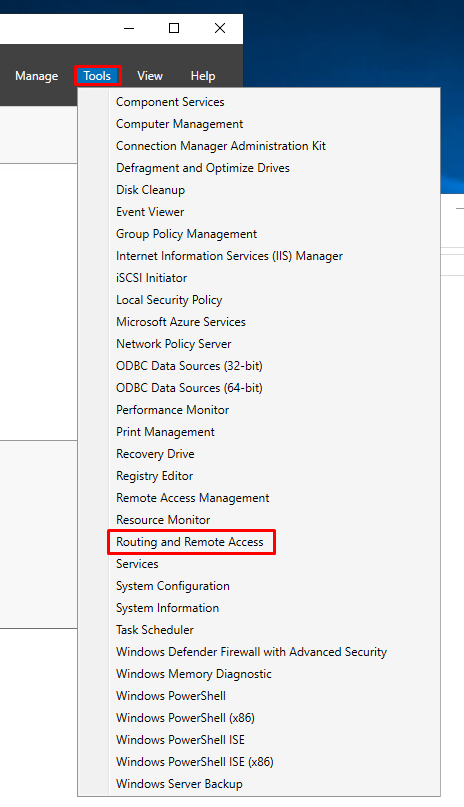
2. Select Routing and Remote Access
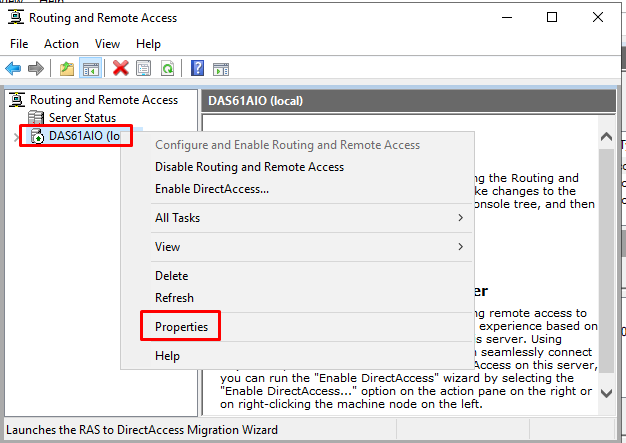
3. Right Click on the server and select "Properties"
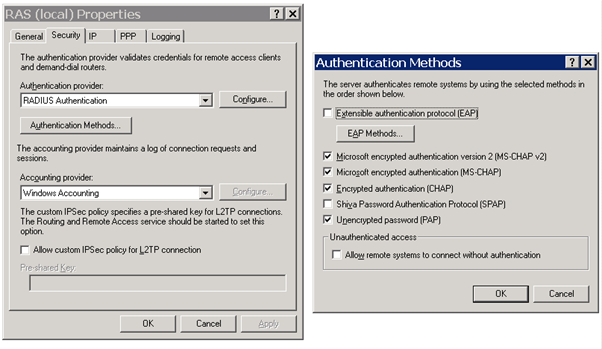
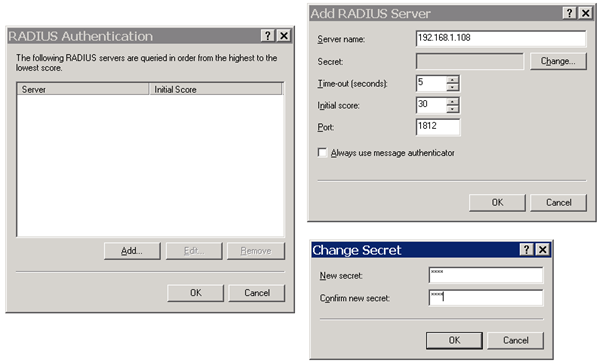
4a Select the "Security" tab and click "Authentication methods", select the authentication methods and click "OK"