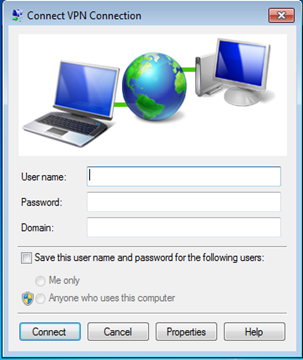
Launch the Remote Access Client
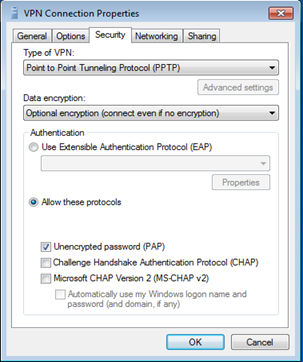
Click the "Properties", and select the "Security" tab
Select the "Data Encryption" option from the dropdown list
Check the "PAP" option