On the Management Console, navigate to "SSO | Service Providers", then click  ;
;
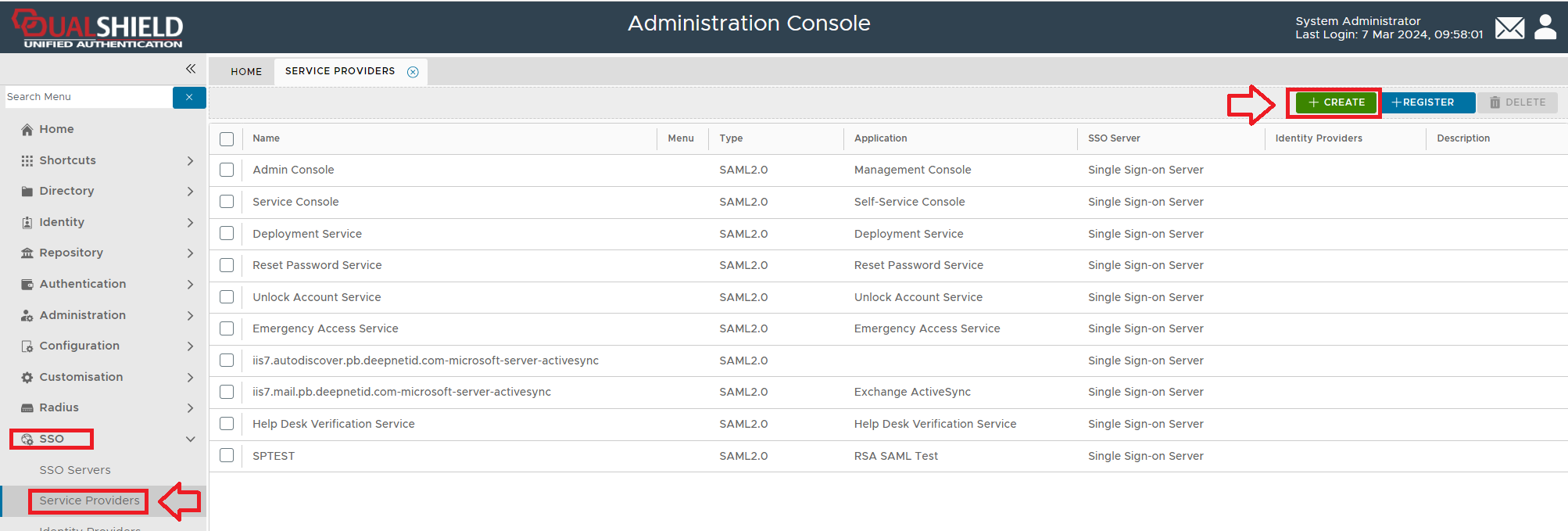
A new window titled "Service Provider - New" will now open;
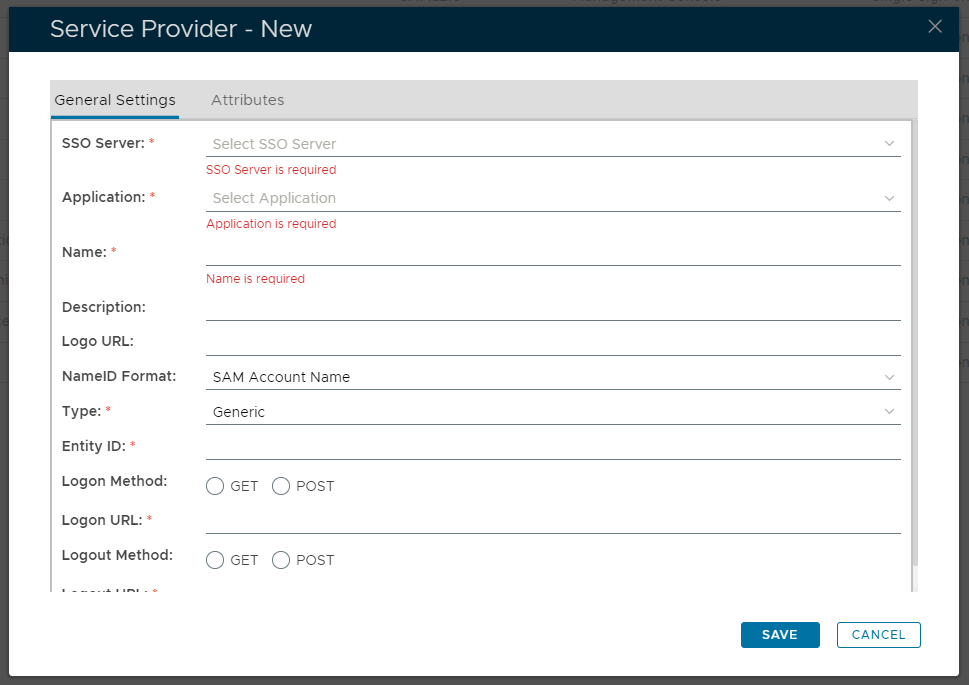
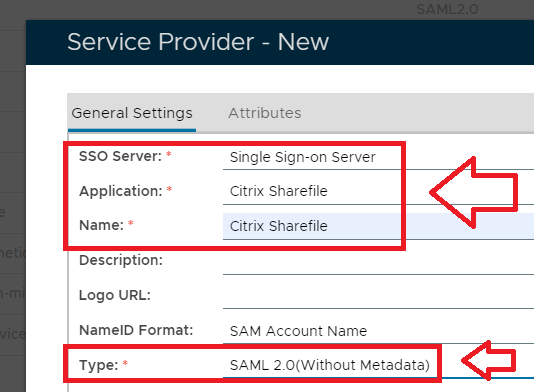
Fill in the details as below and make sure you select SAML 2.0(Without Metadata) as Type;
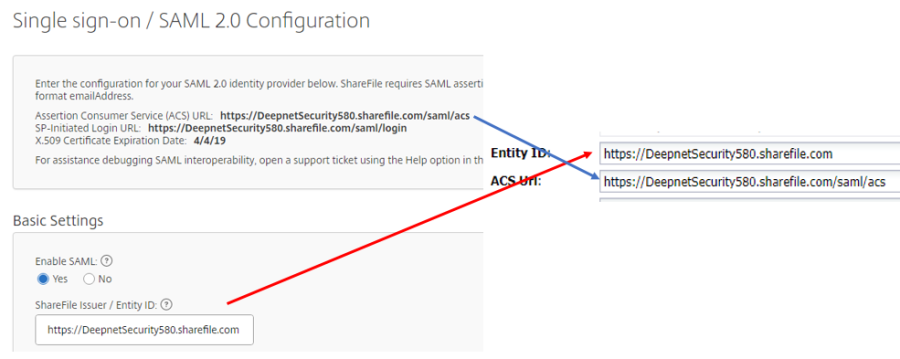
Now fill out Entity ID and ACS URL. This can be copied from the ShareFile SAML Configuration screen
The completed Service Provider dialogue box will look like this:
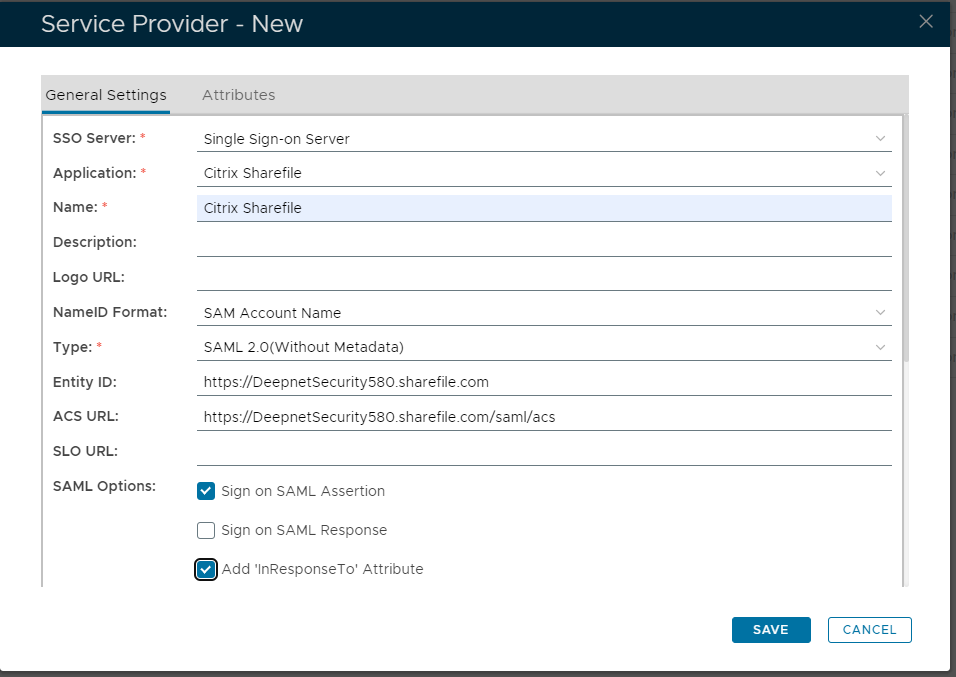
…..but do not hit Save just yet.
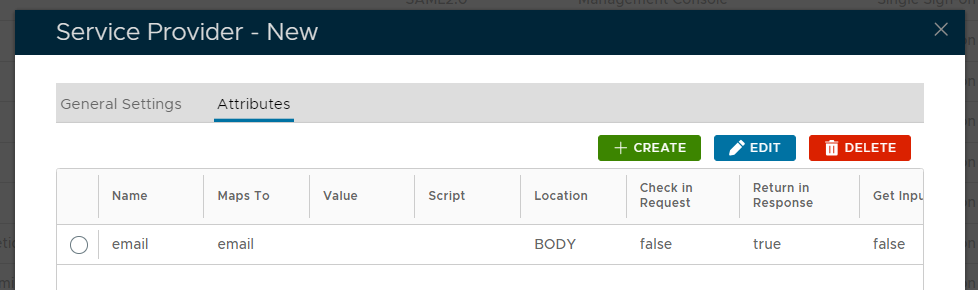
Click the Attributes Edit tab
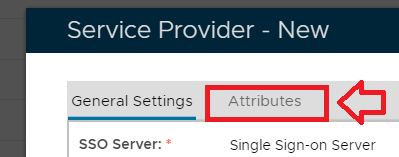
The window will now show service provider attribute details, click on the  button;

A new window titled "Attribute - New" will now open;
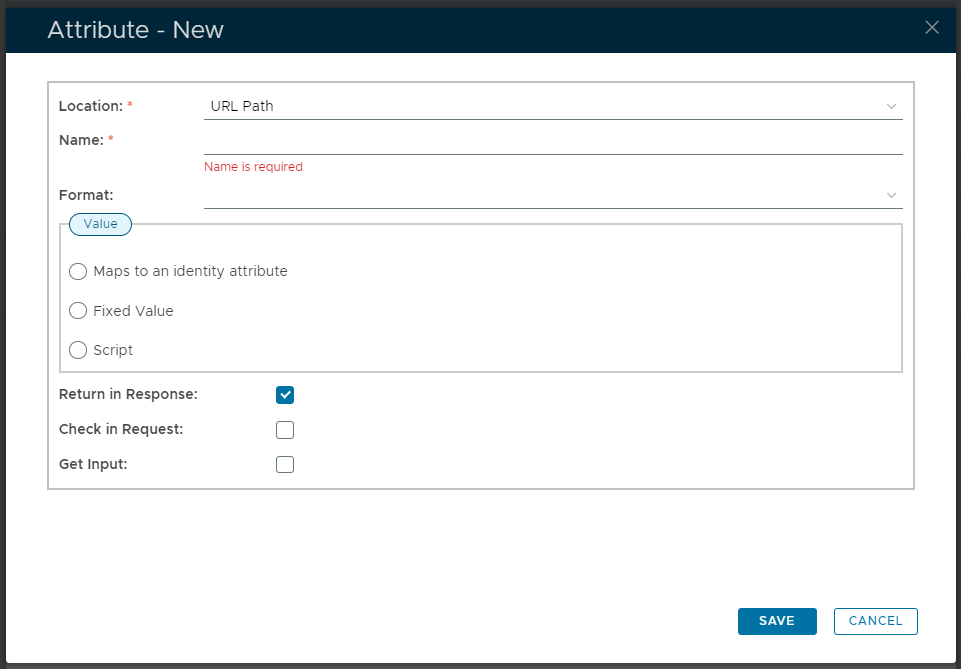
Fill in the parameters as follows;
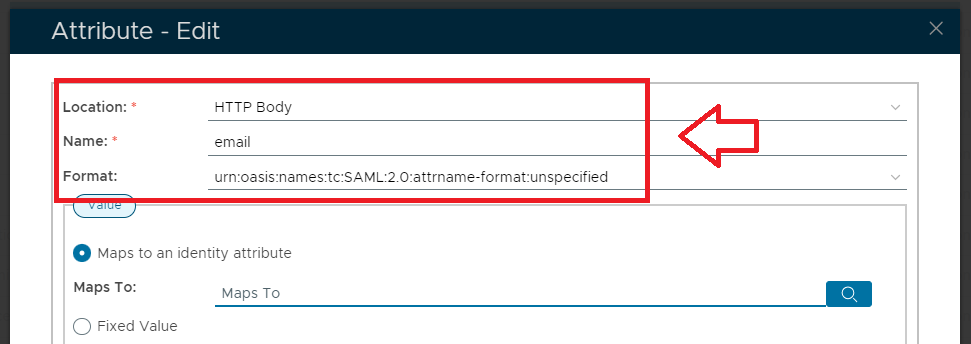
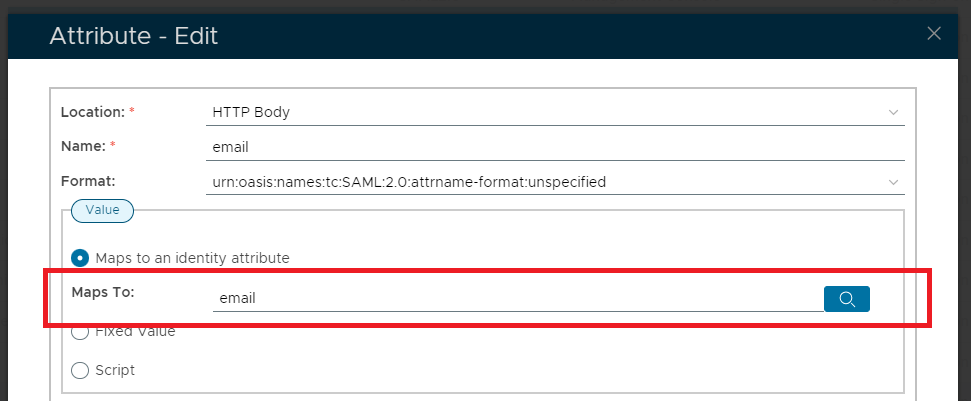
At the "Maps To:" prompt, do not enter the parameter manually, instead click on the  icon, and a new window titled "Maps To" will open;
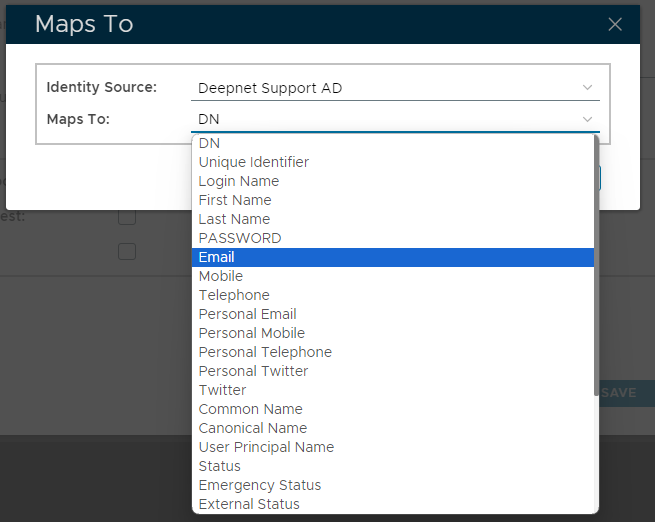
Specify the Identity Source, then at the "Maps To:" prompt, use the dropdown to select "Email", then click  ;
;
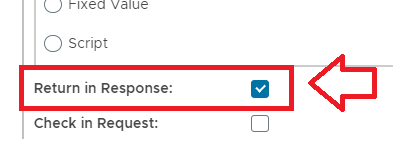
Make sure the option "Return in Response" is selected,
Then click ;
Click , and the new service provided will be added to the list;
