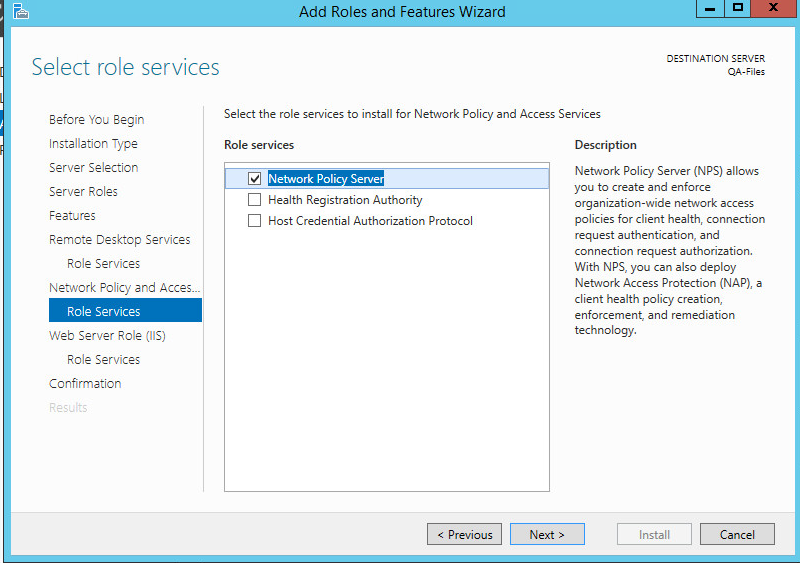
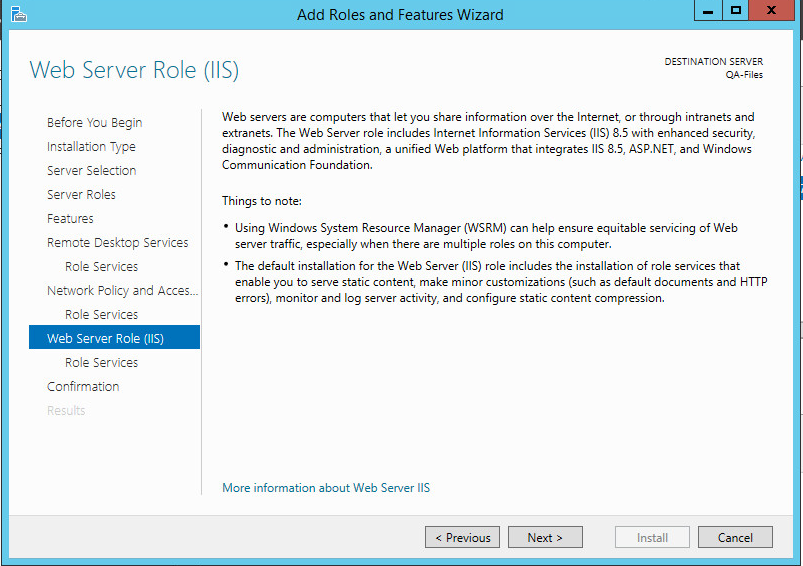
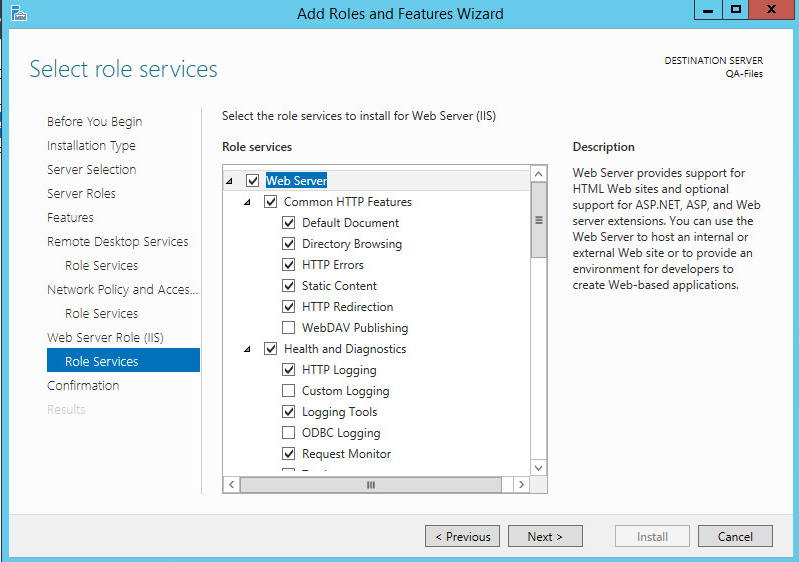
You need to have "Remote Desktop Service" - "Remote Desktop Gateway" server role installed.
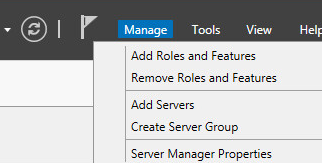
- Launch the "Server Manager"
![DualShield MFA Platform > Add roles and features [RDG] > image2018-2-13_18-13-20.png](/download/attachments/85558301/image2018-2-13_18-13-20.png?version=1&modificationDate=1668187294000&api=v2)
- Select "Manage", then "Add Roles and Features".
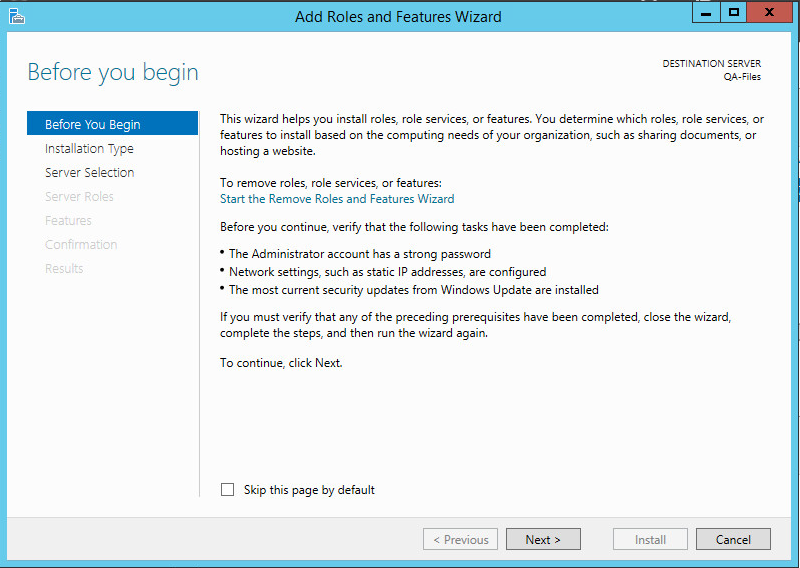
![DualShield MFA Platform > Add roles and features [RDG] > image2018-2-13_18-14-23.png](/download/attachments/85558301/image2018-2-13_18-14-23.png?version=1&modificationDate=1668187294000&api=v2)
- Click "Next"
![DualShield MFA Platform > Add roles and features [RDG] > image2018-2-13_18-15-39.png](/download/attachments/85558301/image2018-2-13_18-15-39.png?version=1&modificationDate=1668187294000&api=v2)
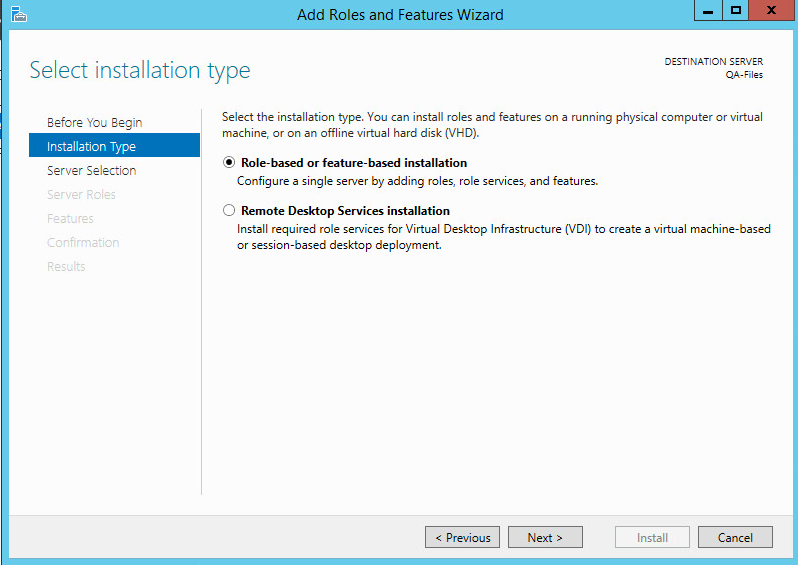
- Select "Role-based or feature-based installation", then click "Next".
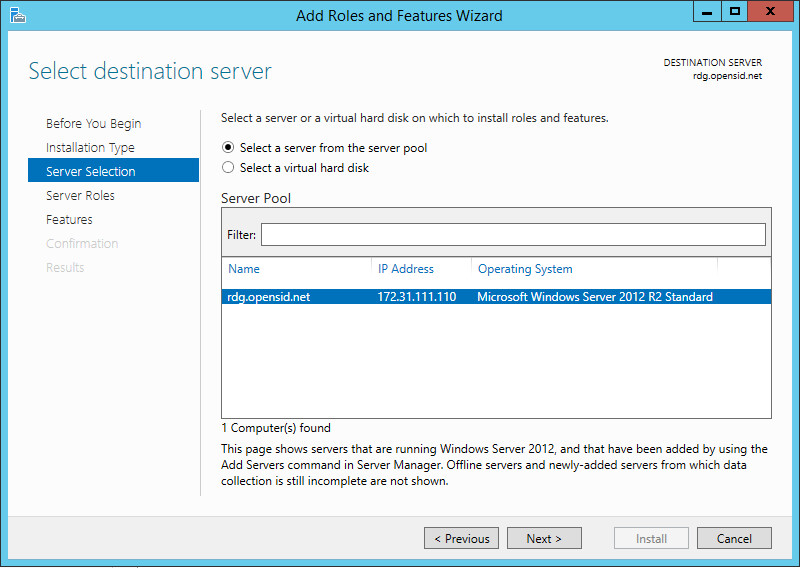
![DualShield MFA Platform > Add roles and features [RDG] > image2018-2-13_18-17-14.png](/download/attachments/85558301/image2018-2-13_18-17-14.png?version=1&modificationDate=1668187294000&api=v2)
- Select the server machine, then click "Next".
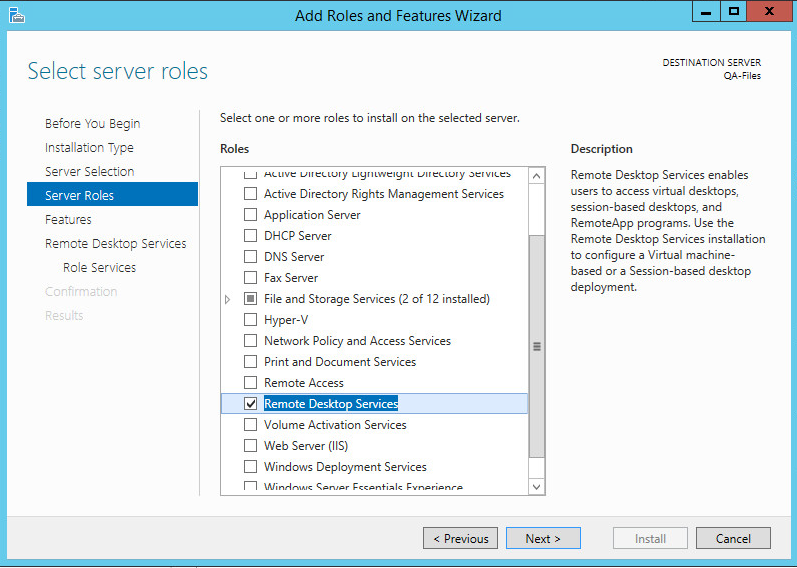
![DualShield MFA Platform > Add roles and features [RDG] > image2018-2-13_18-19-35.png](/download/attachments/85558301/image2018-2-13_18-19-35.png?version=1&modificationDate=1668187294000&api=v2)
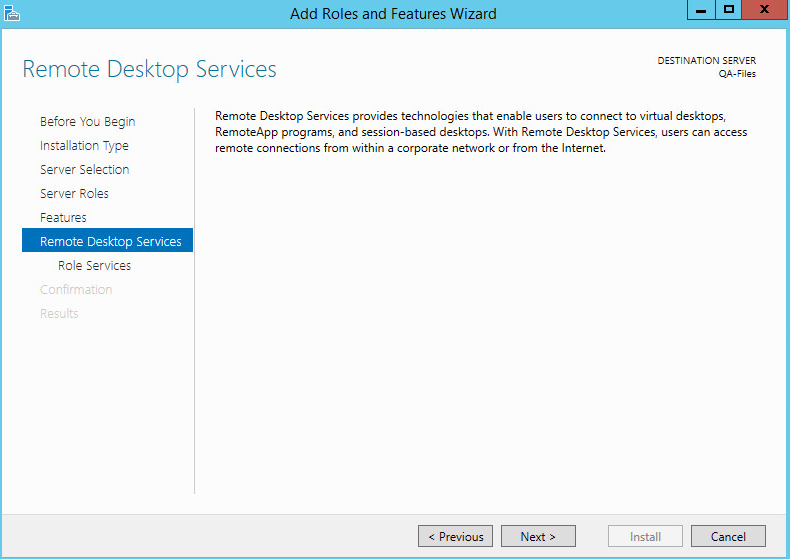
- In the Server Roles list, select "Remote Desktop Service" page. Click "Next".
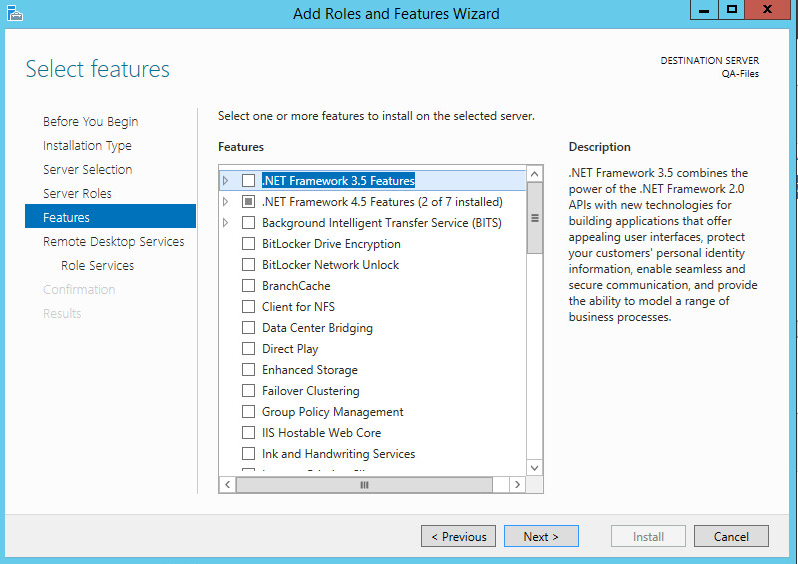
![DualShield MFA Platform > Add roles and features [RDG] > image2018-2-13_18-20-47.png](/download/attachments/85558301/image2018-2-13_18-20-47.png?version=1&modificationDate=1668187294000&api=v2)
- Click "Next".
![DualShield MFA Platform > Add roles and features [RDG] > image2018-2-13_18-22-4.png](/download/attachments/85558301/image2018-2-13_18-22-4.png?version=1&modificationDate=1668187294000&api=v2)
- Click "Next"
![DualShield MFA Platform > Add roles and features [RDG] > image2018-2-13_18-24-6.png](/download/attachments/85558301/image2018-2-13_18-24-6.png?version=1&modificationDate=1668187294000&api=v2)
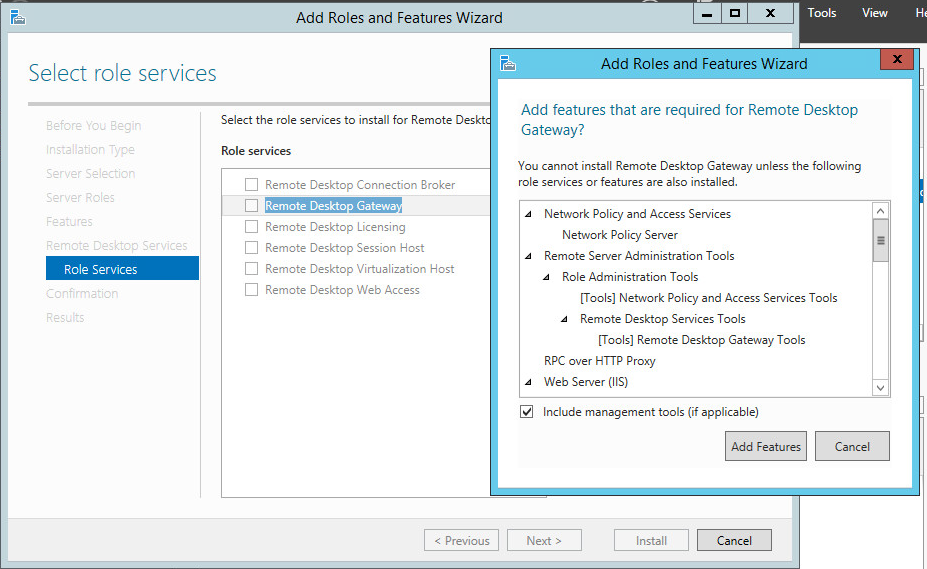
- In the Role Services list, select "Remote Desktop Gateway". Click "Add Features" to install the required features for Remote Desktop Gateway.
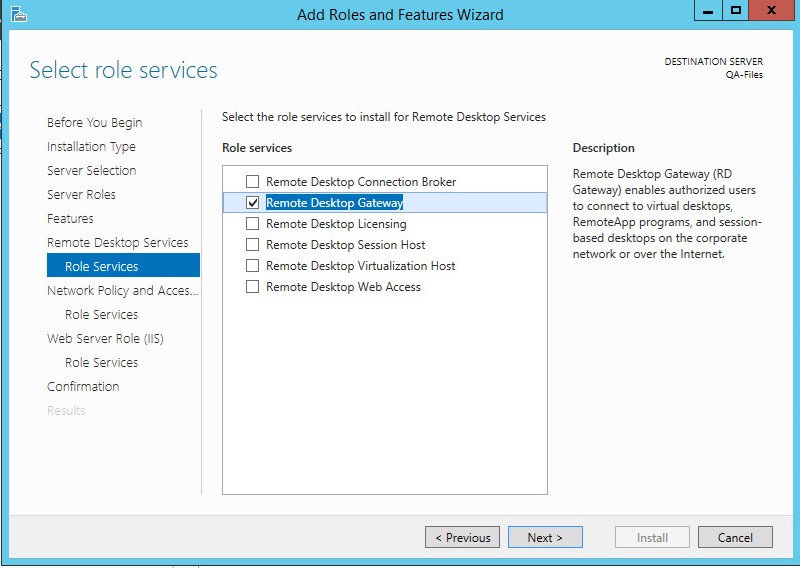
![DualShield MFA Platform > Add roles and features [RDG] > image2018-2-13_18-24-55.png](/download/attachments/85558301/image2018-2-13_18-24-55.png?version=1&modificationDate=1668187294000&api=v2)
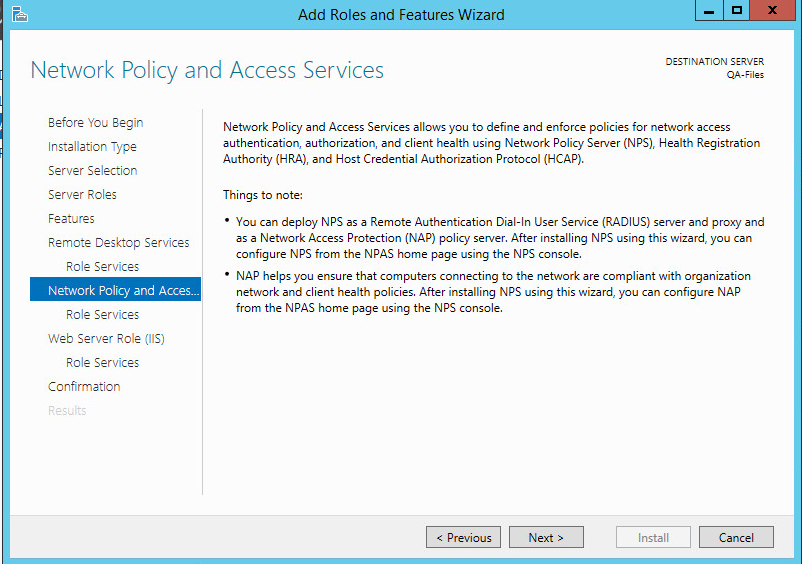
- Click "Next"
![DualShield MFA Platform > Add roles and features [RDG] > image2018-2-13_18-26-37.png](/download/attachments/85558301/image2018-2-13_18-26-37.png?version=1&modificationDate=1668187294000&api=v2)
- Click "Next"
![DualShield MFA Platform > Add roles and features [RDG] > image2018-2-13_18-27-30.png](/download/attachments/85558301/image2018-2-13_18-27-30.png?version=1&modificationDate=1668187294000&api=v2)
- Click "Next"
![DualShield MFA Platform > Add roles and features [RDG] > image2018-2-13_18-28-32.png](/download/attachments/85558301/image2018-2-13_18-28-32.png?version=1&modificationDate=1668187294000&api=v2)
- Click "Next"
![DualShield MFA Platform > Add roles and features [RDG] > image2018-2-13_18-29-11.png](/download/attachments/85558301/image2018-2-13_18-29-11.png?version=1&modificationDate=1668187294000&api=v2)
- Click "Install" to install the role services.