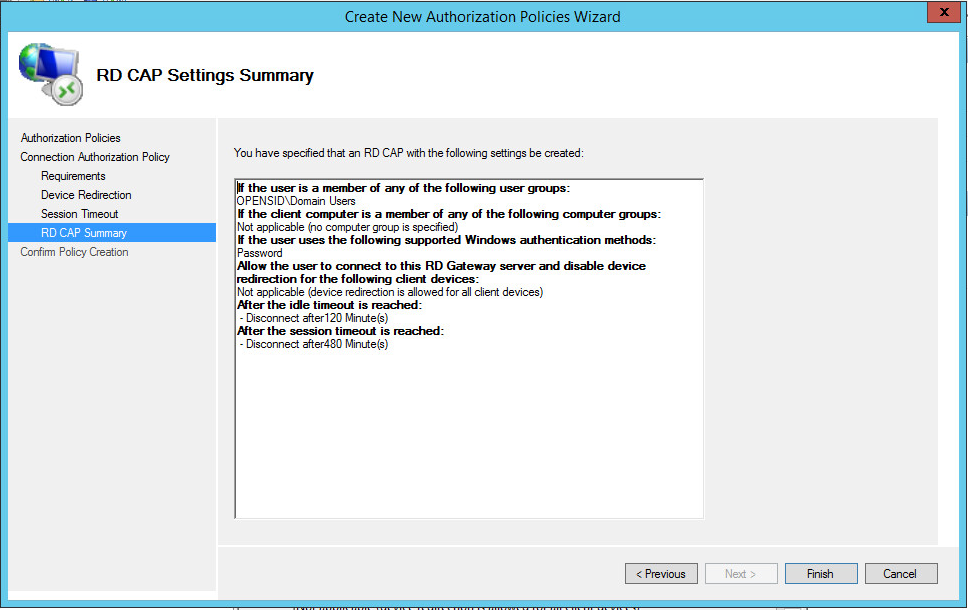
Connection Authorization Policy defines the user groups who are authorized to connect to this RD gateway.
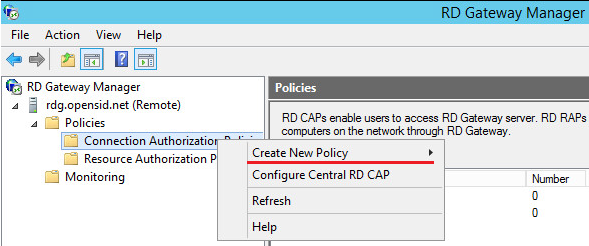
- Right click "Connection Authorization Policies" - "Create New Policy".
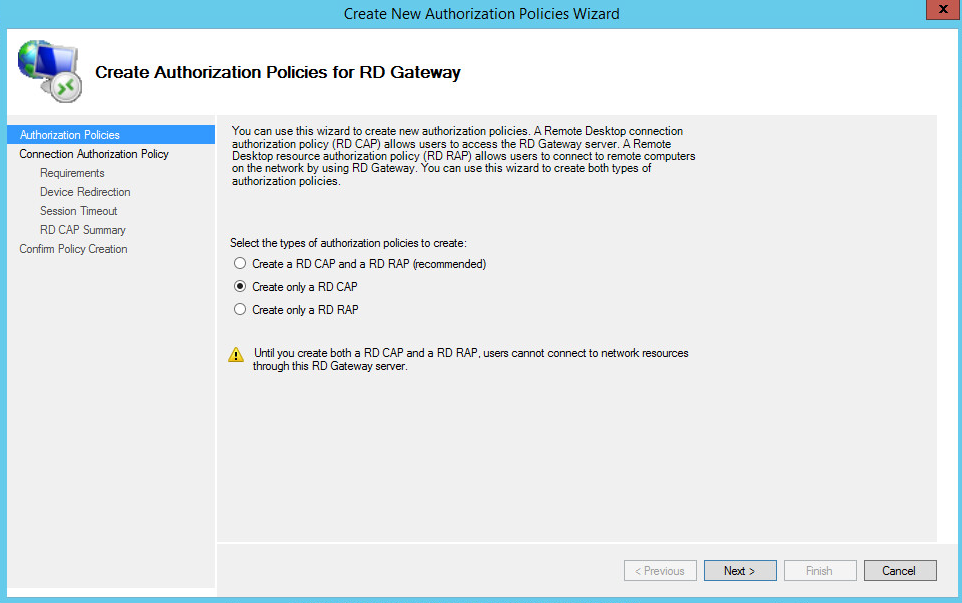
- Select "Create only a RD CAP", and click "Next".
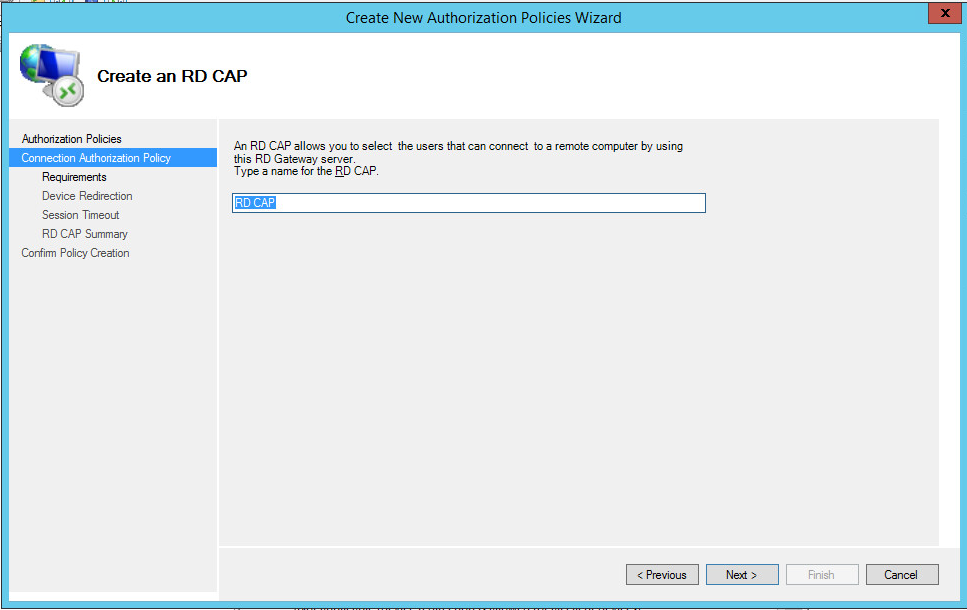
- Enter a name, e.g. "RD CAP" and click "Next".
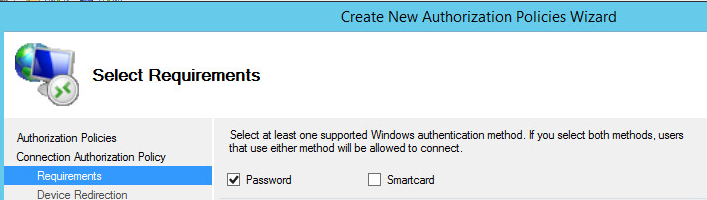
- Select the "Password" option.
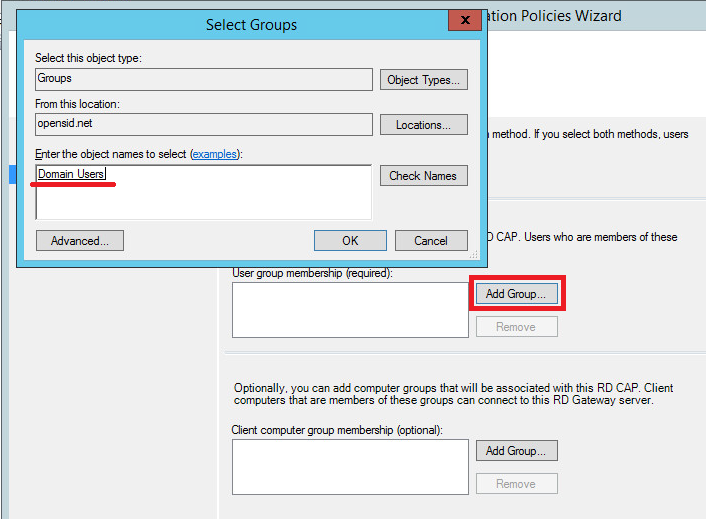
- Click "Add Group" to add user groups who are authorized to connect to this RD gateway, e.g. "Domain Users".
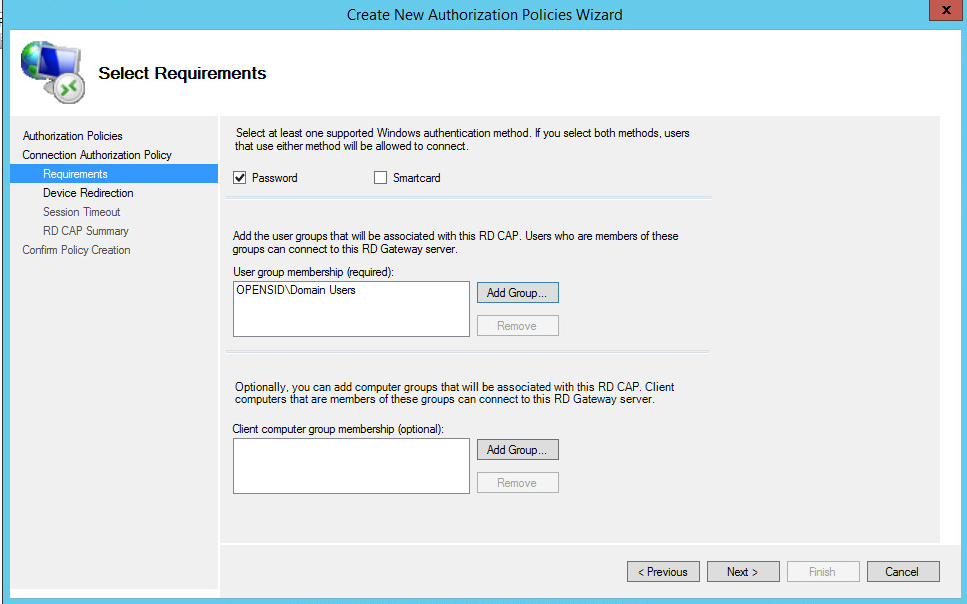
- Click "OK" to save, and click "Next".
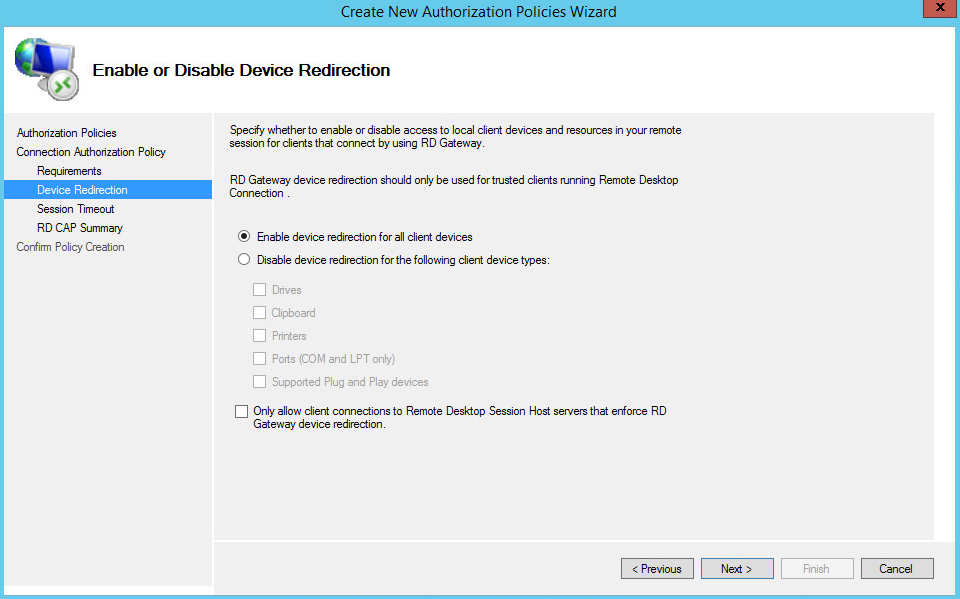
- Select "Enable device redirection for all client devices", and click "Next".
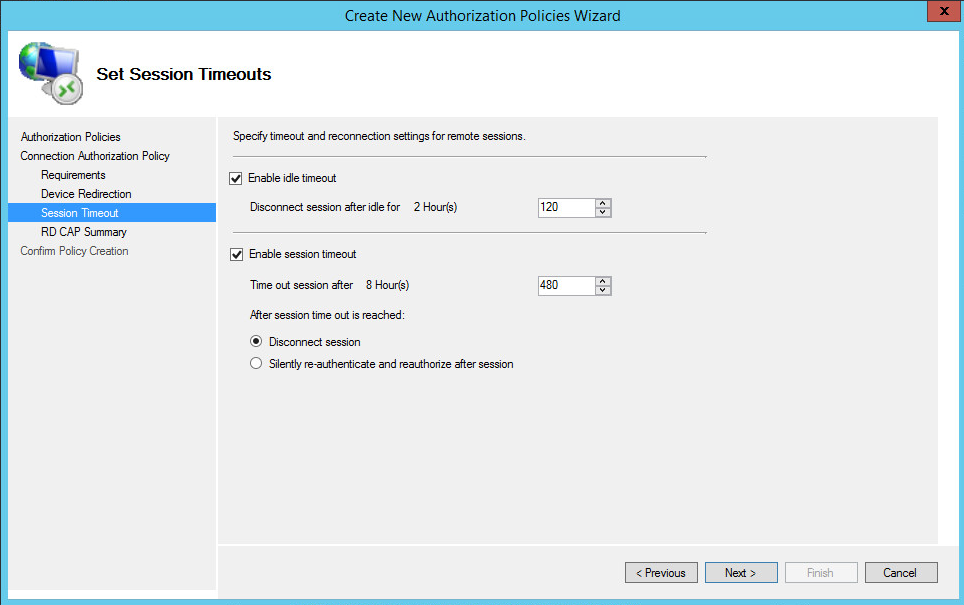
- Configure Session Timeout, and click "Next".
- Click "Next", and "Finish" to set up the "RD Connection Authorization Policies".