To install Glowroot on a Linux OS to work with DualShield, follow steps below:
1- Change directory to where DualShield is installed, i.e. /opt/dualshield
cd /opt/dualshield |
2- Use wget to download Glowroot
sudo wget https://github.com/glowroot/glowroot/releases/download/v0.13.6/glowroot-0.13.6-dist.zip |
3- Unzip Glowroot
sudo unzip glowroot-0.13.6-dist.zip |
Glowroot files will be unzipped into a sub-directory called "glowroot"
4- Change the ownship of "glowroot"
sudo chown -R dualshield:dualshield glowroot |
5- Edit DualShield configuration file
sudo vi /etc/init.d/dualshield |
6- Locate the text below
Insert "-javaagent:/opt/dualshield/glowroot/glowroot.jar", change it to:

Save and exit
7- Restart DualShield service
sudo /etc/init.d/dualshield restart |
You can now acess the glowroot web console locally by "http://127.0.0.1:4000"
If you want to access Glowroot console remotely, then
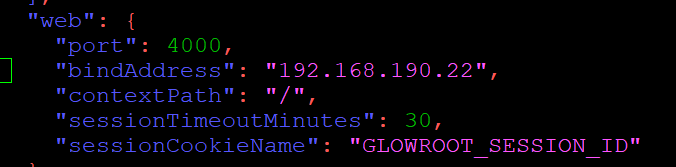
8- Edit "/opt/dualshield/glowroot/admin.json"
sudo vi /opt/dualshield/glowroot/admin.json |
locate the text below:
"BinAddress": "127.0.0.1"
Replace "127.0.0.1" with the real IP of the machine, eg. "192.168.190.22"
Save and Exit
9- Restart DualShield service
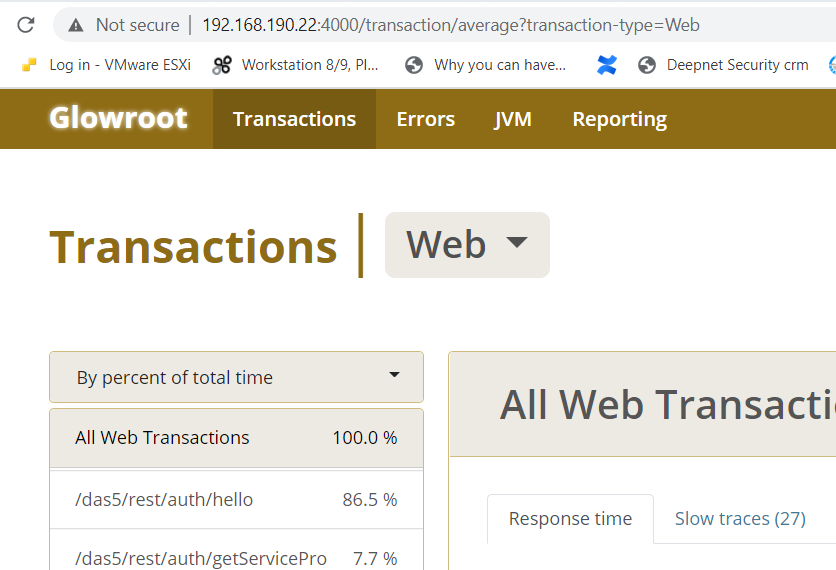
You can now acess the glowroot web console remotely by "http://192.168.190.22:4000"