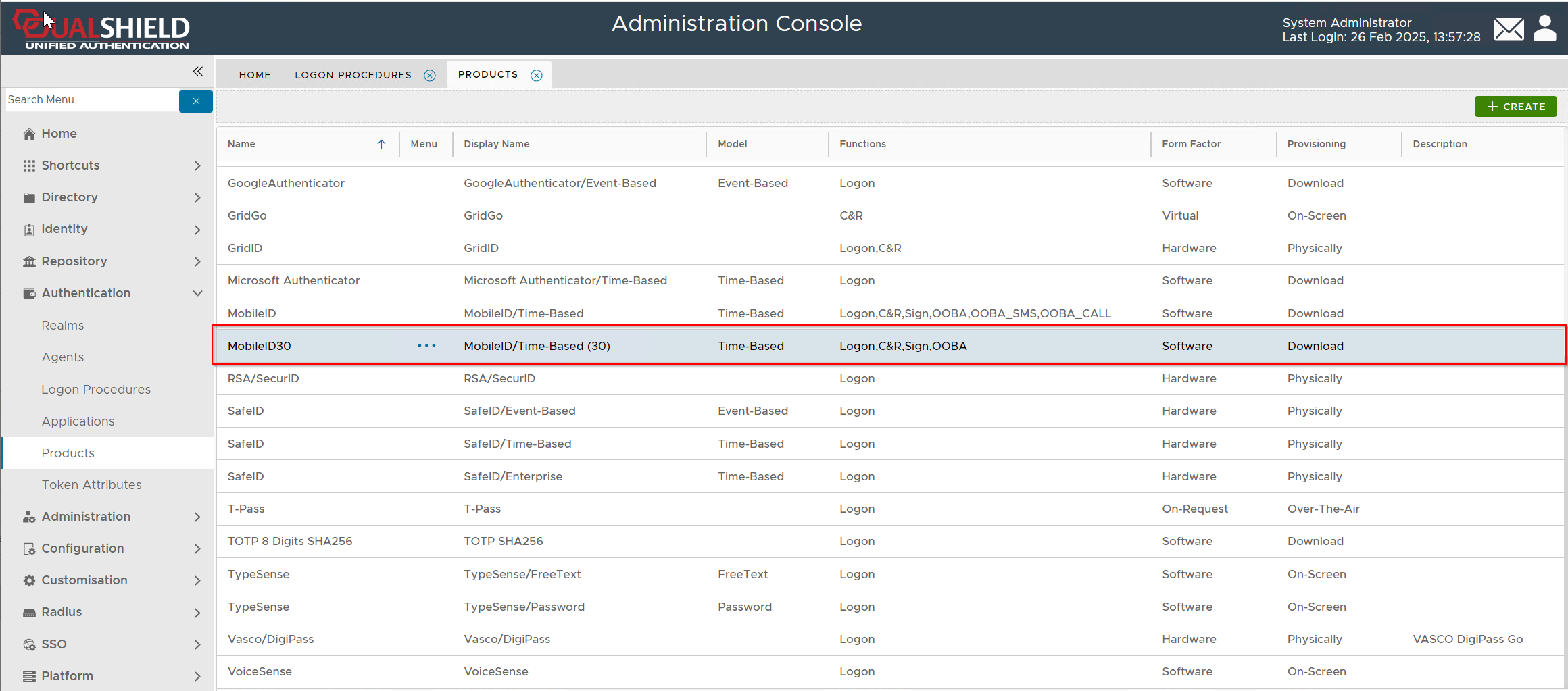
The default MobileID authentication product created in the DualShield MFA server is an OATH/TOTP authenticator with a time interval of 60 seconds.
This guide describes the process of creating a MobileID authentication product with a time interval of 30 seconds.
In the Admin Console, navigate to Authentication \ Products

In the authentication products panel, click the CREATE button on the toolbar

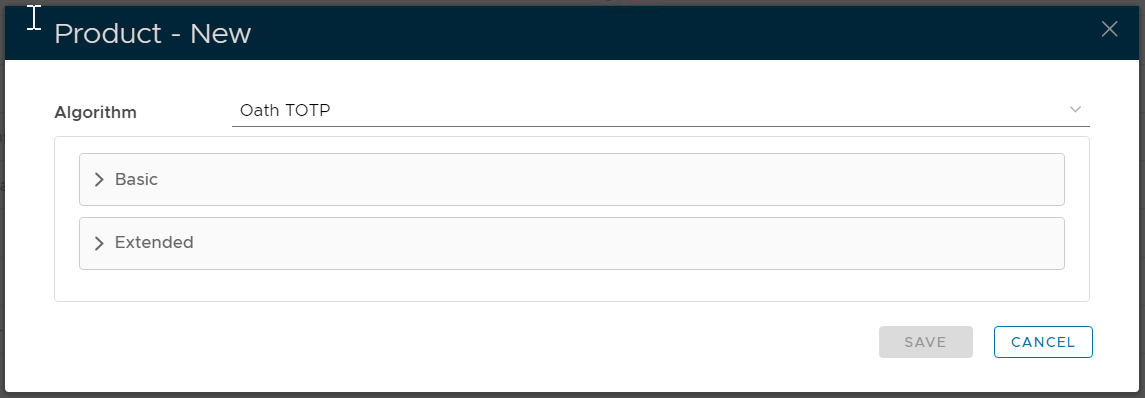
In the Algorithm selection box, select the algorithm that the product uses.
As we want to create a MobileID authentication product that inplements OATH/TOTP , we need to select "OATH TOTP"
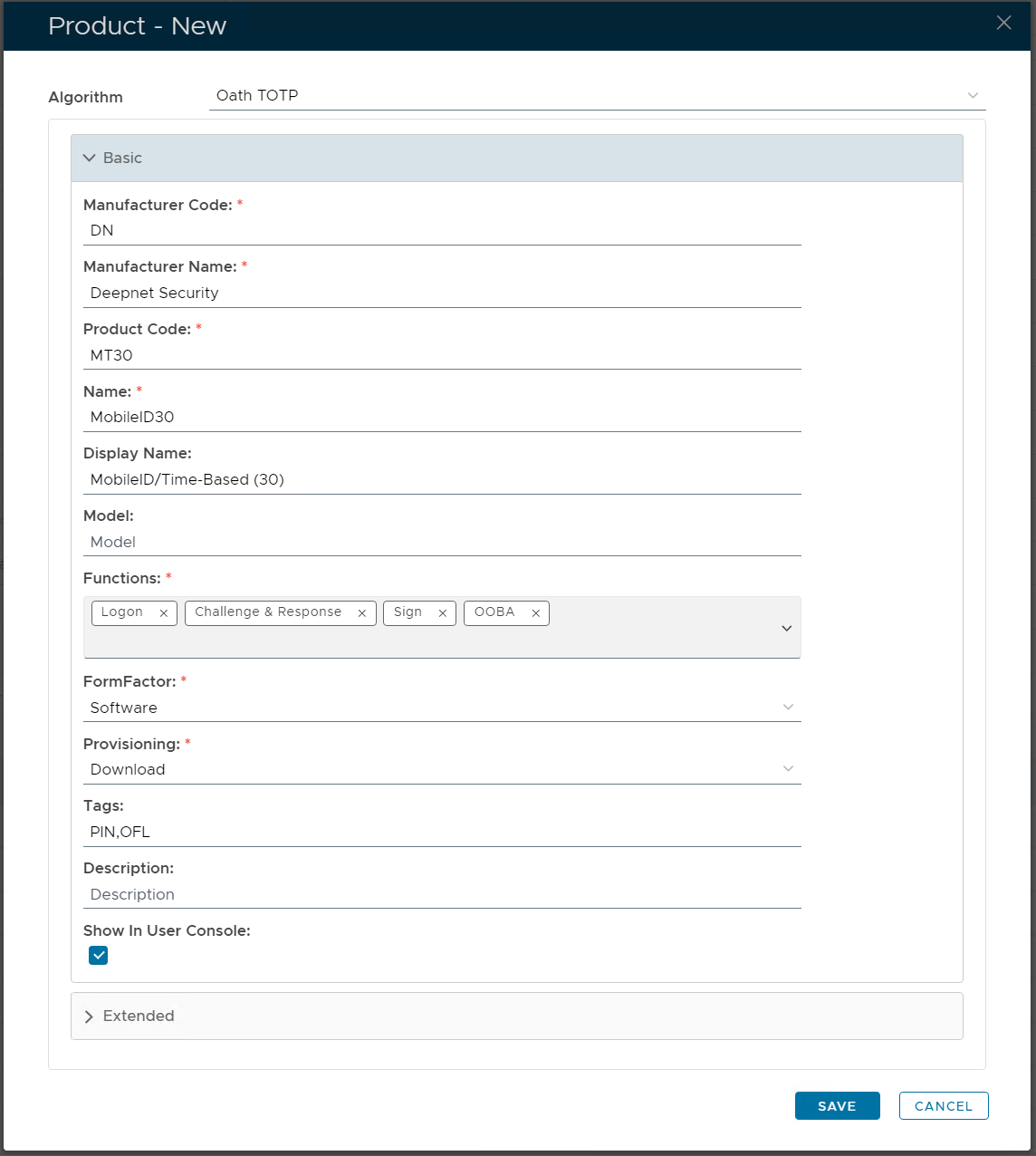
Expand the "Basic" section, and fill in the following details:
Next, expand the section "Extended", and fill in the following details:
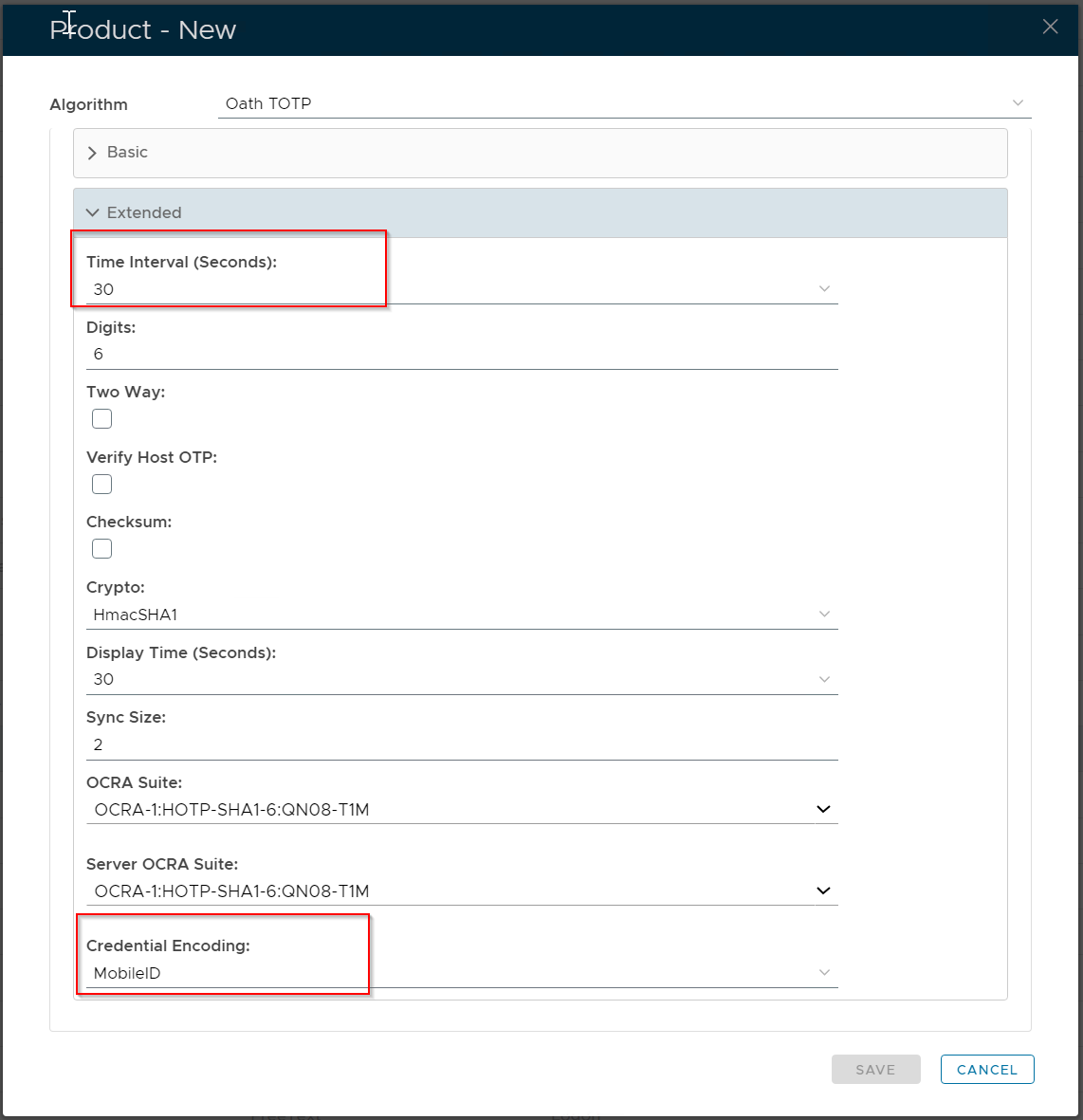
The key entries are:
- Time Interval (Seconds): 30
- Credential Encoding: MobileID
Finally, click the SAVE button.