...
- In RD Gateway Manager, right-click the server name and select Properties.Go
- to the Select the "RD CAP Store" tab

- Select " tab and select Central server running NPS.
- Add one or more DualShield Radius Servers as RADIUS servers by entering the name or IP address of each server.
- "
- Enter the name of IP address of your DualShield RADIUS server (not the IP address of the NPS server)
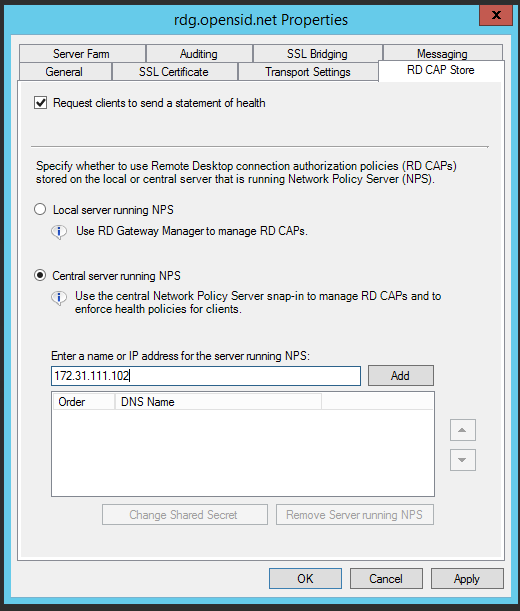
- Click "Add"
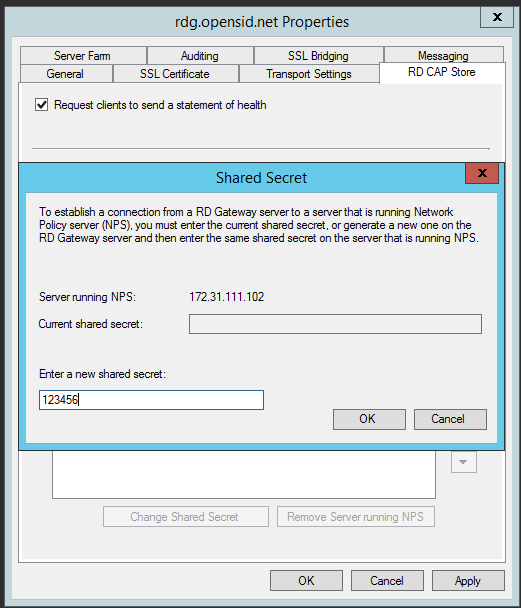
- Enter the same shared scret that was set in the RADIUS settings, then click "OK"
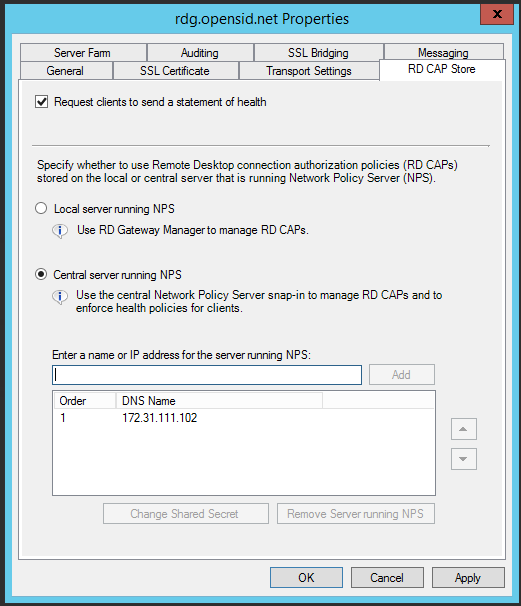
- Click "Apply" to save changesCreate a shared secret for each server.