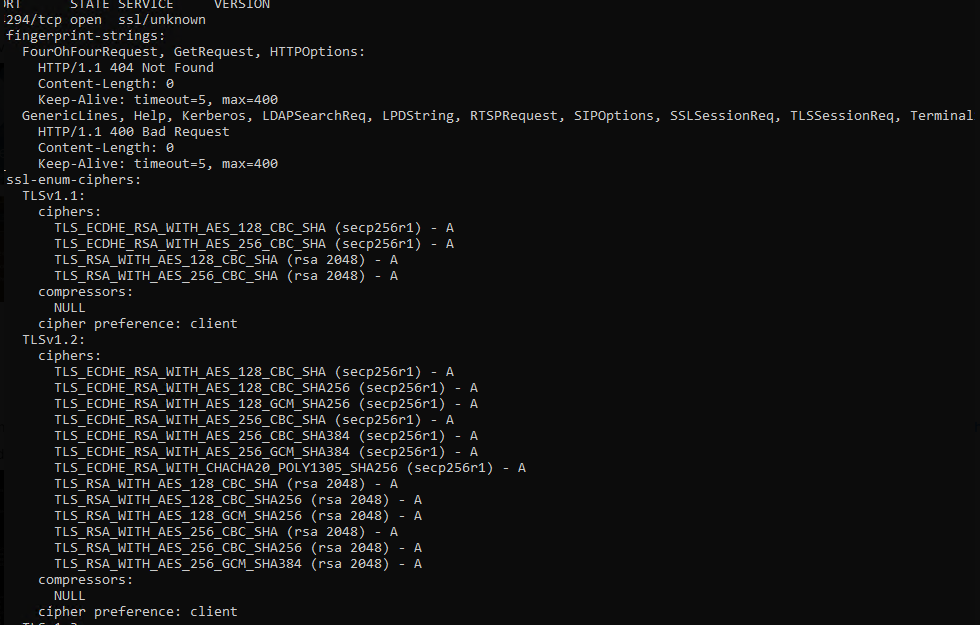
Windows Logon Agent supports TLS1.2 for earlier versions and TLS 1.2 & 1.3 for the latest. The administrator may want to configure safer cipher suites for SSL connections.
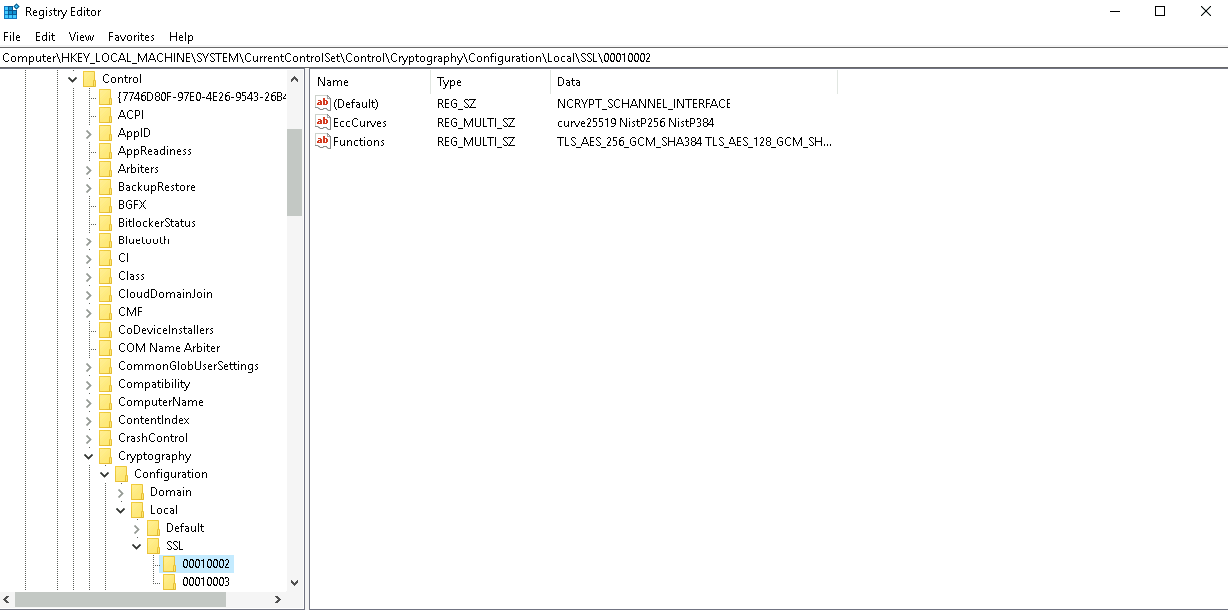
The general way for an administrator to configure is to add or remove cipher suites in the registry editor. The path to do this is "HKEY_LOCAL_MACHINE\SYSTEM\CurrentControlSet\Control\Cryptography\Configuration\Local\SSL\00010002" and configure ciphers for the multi-string value "Functions".
The general way for an administrator to configure is to add or remove cipher suites in the registry editor. The path to do this is "HKEY_LOCAL_MACHINE\SOFTWARE\Deepnet Security\DUAP\WIN" and configure ciphers for the REG_SZ values "TLS12Ciphers and TLS13Ciphers".
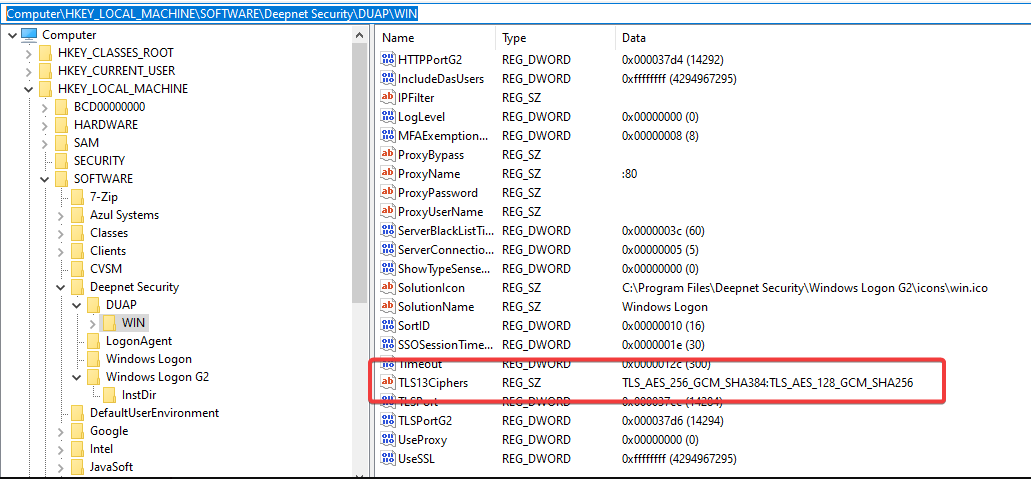
The supported OpenSSL ciphers can be seen in https://docs.openssl.org/1.1.1/man1/ciphers/#tls-v12-cipher-suites
After changing the settings, the agent service needs to be restarted.
As the string definition of OpenSSL ciphers (we are using OpenSSL in our code) is different with the counterpart of RFC ciphers, we provide a mapper file "sslciphermap" under the installation folder for the program to check.
You can also useNMap tool (download from https://nmap.org/download.html) to check if the configuration takes effect on port 14284 (or port 14294 if using Windows Logon G2).
Use Command line: "nmap -sV --script ssl-enum-ciphers -p 14284 <host>"
an example result will be as follows...