Open the config.json in a text editor, such as Notepad
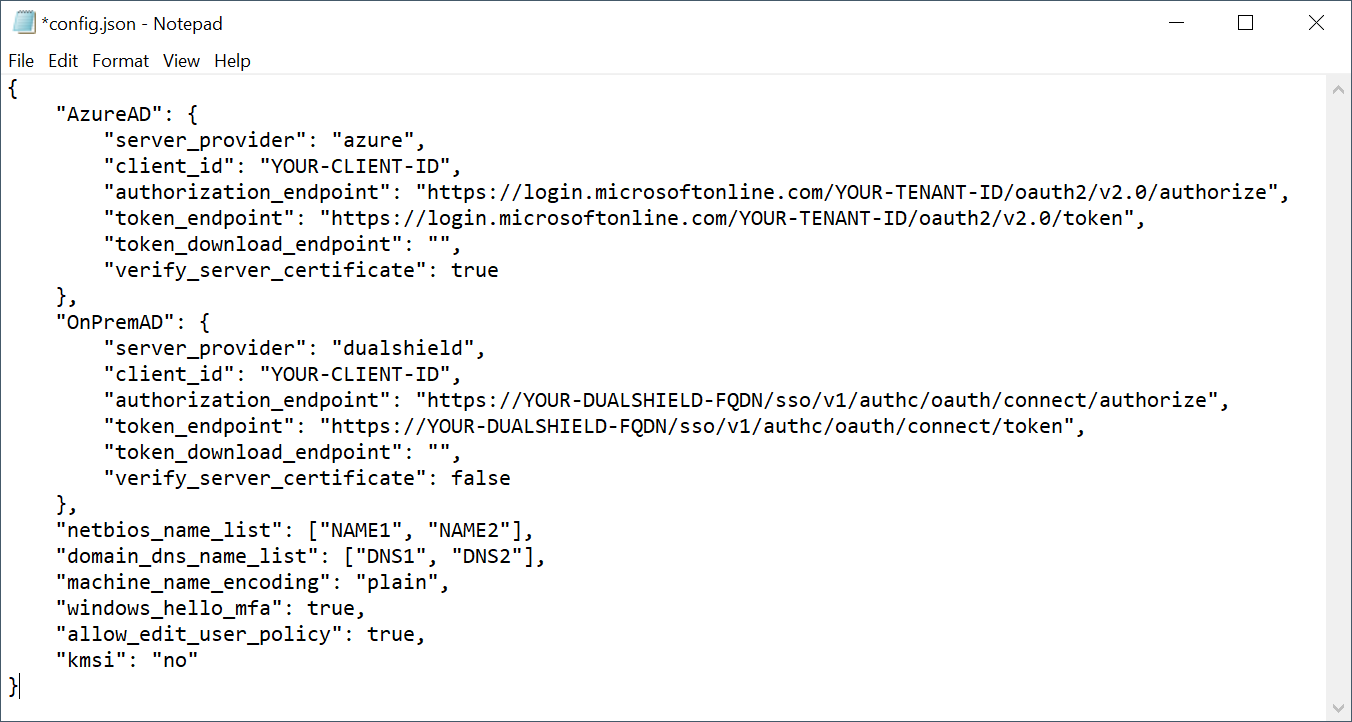
The Deepnet Computer Logon Modern Authentication supports both Azure AD (Entra ID) joined PCs and On-Prem AD joined PCs. For Entra ID (Azure AD) joined PCs, you must configure the following settings
- MFA server settings in the "AzureAD" data block
- domain_dns_name_list