After a successful installation of the DualShield Server, you want to login to the admin console and import the license key.
Login to the Admin Console from the Server
The installer created a shortcut named “DualShield Admin Console” and placed it on the desktop of the server machine.
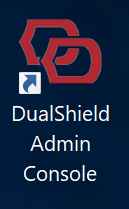
Click the icon to launch the admin console.
Login to the Admin Console from a PC
If you want to access the DualShield Admin Console from other PCs in you network, then you need to make following changes in your DNS and firewall:
To access your DualShield's admin console from other PCs in your network, enter the URL below:
https://your-dualshield-fqdn:8073/dac
Login to the Admin Console first time
Unable to render {include} The included page could not be found.
Import License Key
Unable to render {include} The included page could not be found.