Create a Logon Procedure
- Login to the DualShield Administration Console
- In the main menu, navigate to “Authentication | Logon Procedures”
- Click the “+ CREATE” button on the toolbar
- Enter an appropriate “Name” and select “Web SSO” as the type.
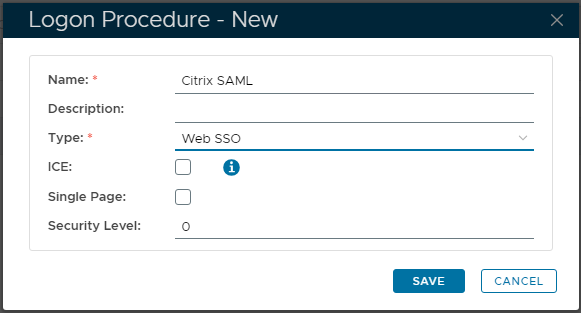
- Click “SAVE” to create.
- Click the context "..." menu icon of the newly created Logon Procedure, then select “Logon Steps”
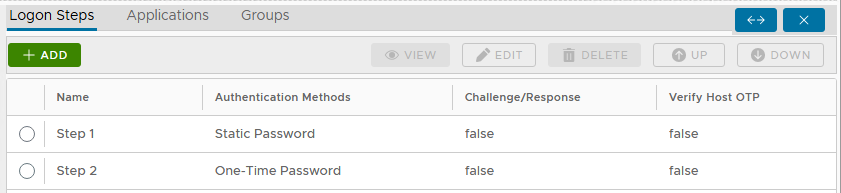
- Click "+ ADD" to select and add each authentication method in turn.
- Select the first desired authentication method. Such as “Static Password” (AD Password)
- Click "SAVE" to confirm.
- Repeat Step 7-9 to add more logon steps if desired...
Create a new Web Application
- In the main menu, navigate to “Authentication | Applications”
- Click the “+ CREATE” button on the toolbar
- Enter an appropriate friendly “Name”
- Select the internal AD “Realm”
- Select the Logon Procedure created in the previous step
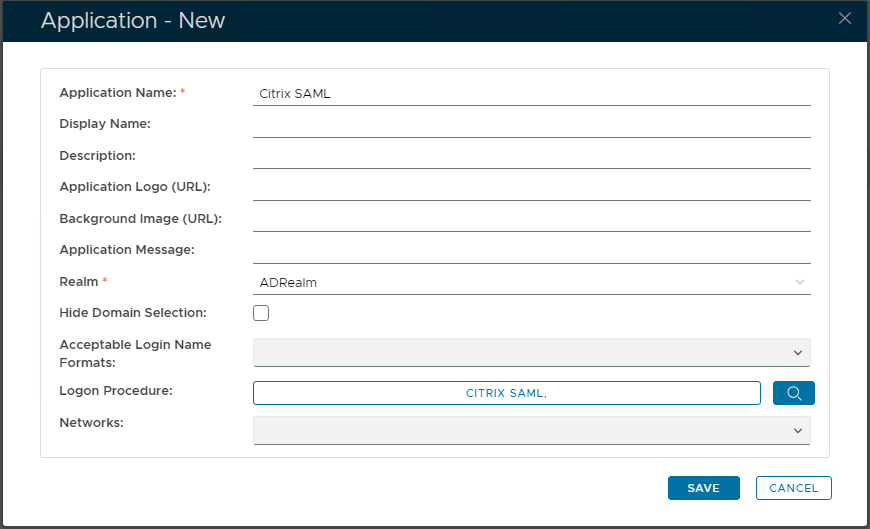
- Click "SAVE" to create.
- Click the context "..." menu of the newly created Application, then "Agents" to associate SSO Server.
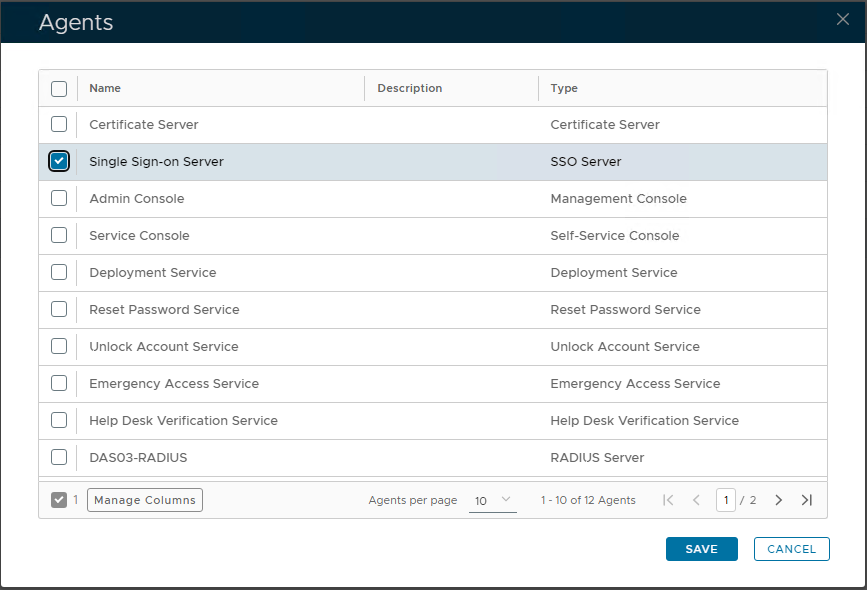
- Select the "Single Sign-on Server / SSO Server"
- Click "SAVE" to update.
- Click the context "..." menu of the newly created application, select "Self Test"
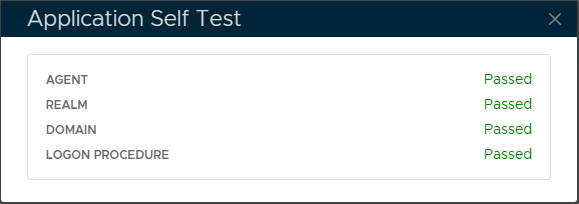
Create a web application Service Provider
- In the main menu, navigate to “SSO | Service Providers”
- Click the “+ CREATE” button on the toolbar
- In the “SSO Server” field, select your "Single Sign-On Server" from the list
- At the "Application" drop-down, select the Citrix SAML Application created previously.
- In the "Name" field, enter an appropriate friendly name for this Service Provider.
- In the "Type" field, select “SAML 2.0”
Select the "CREATE METADATA" button.
In the box that appears, paste the Metadata of the Service Provider to be created.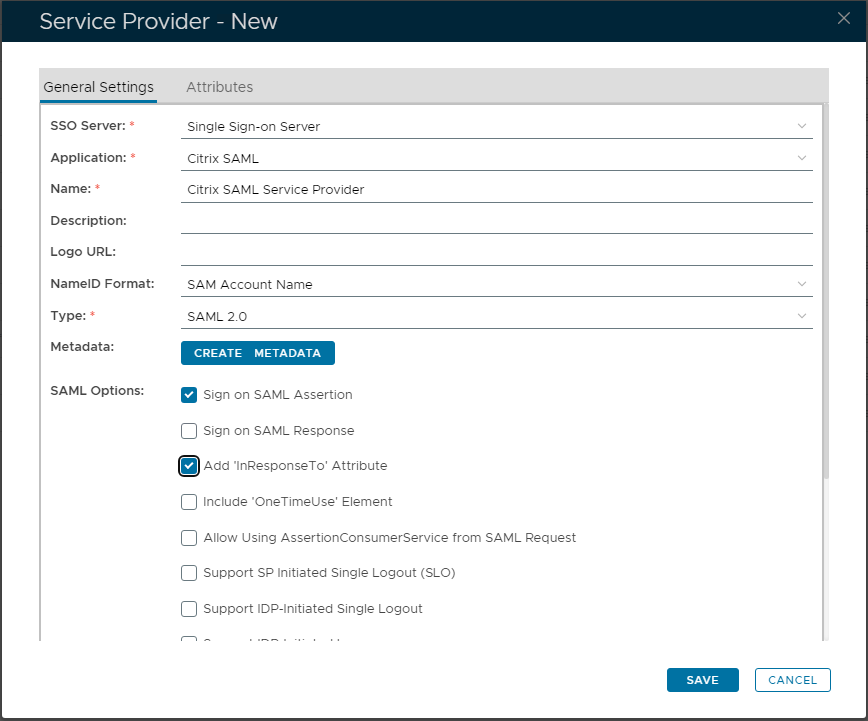
Use the template below to create the Metadata. Change the value of the "entityID" and "Location" attributes (highlighted in red) to the FQDN of your NetScaler Gateway Virtual Server.<?xml version="1.0" encoding="UTF-8" ?>
<EntityDescriptor xmlns="urn:oasis:names:tc:SAML:2.0:metadata" xmlns:saml="urn:oasis:names:tc:SAML:2.0:assertion" xmlns:ds="http://www.w3.org/2000/09/xmldsig#" entityID="https://ageesaml.deepnetqa.com">
<SPSSODescriptor WantAssertionsSigned="true" protocolSupportEnumeration="urn:oasis:names:tc:SAML:2.0:protocol">
<NameIDFormat>urn:oasis:names:tc:SAML:1.1:nameid-format:unspecified</NameIDFormat>
<AssertionConsumerService Binding="urn:oasis:names:tc:SAML:2.0:bindings:HTTP-POST" Location="https://ageesaml.deepnetqa.com/cgi/samlauth" index="0" isDefault="true">
</AssertionConsumerService>
</SPSSODescriptor>
</EntityDescriptor>
Related Articles