- Login into DualShield Administration Console
- In the main menu, select “SSO | SSO Servers”
- Click the context "..." menu of the the SSO Server
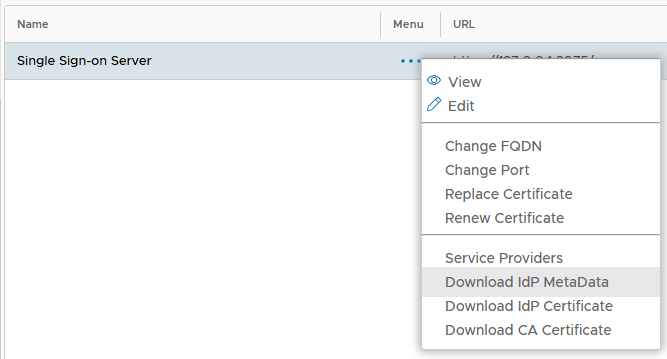
- Select “Download IdP Metadata”
The IdP Metadata is saved by the browser to a local file, as "Single Sign-On Server metadata.XML"
Overview
Content Tools