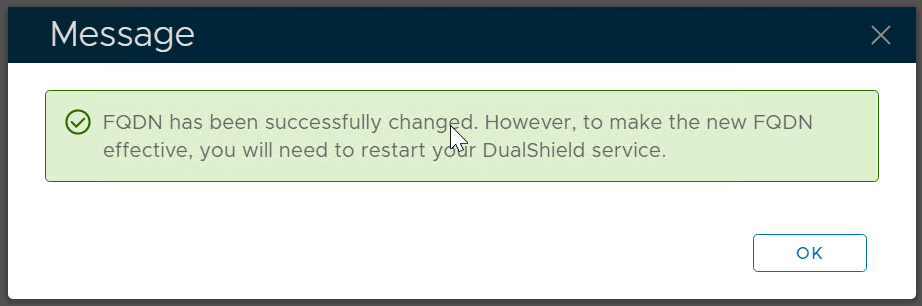
Follow the steps below to change the FQDN of a DualShield server
Navigate to SSO | SSO Servers
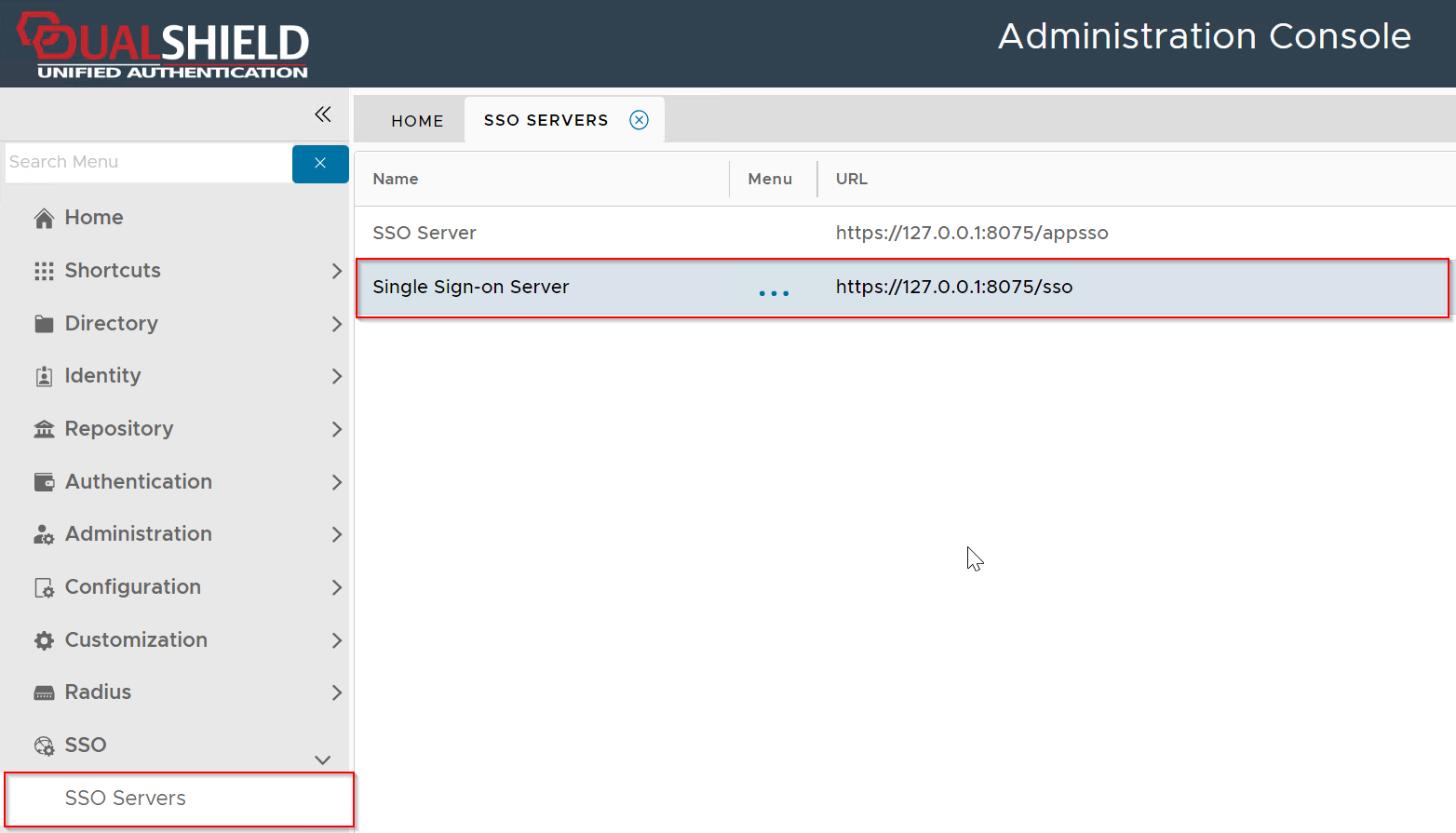
Click the context menu of Single Sign-on Server
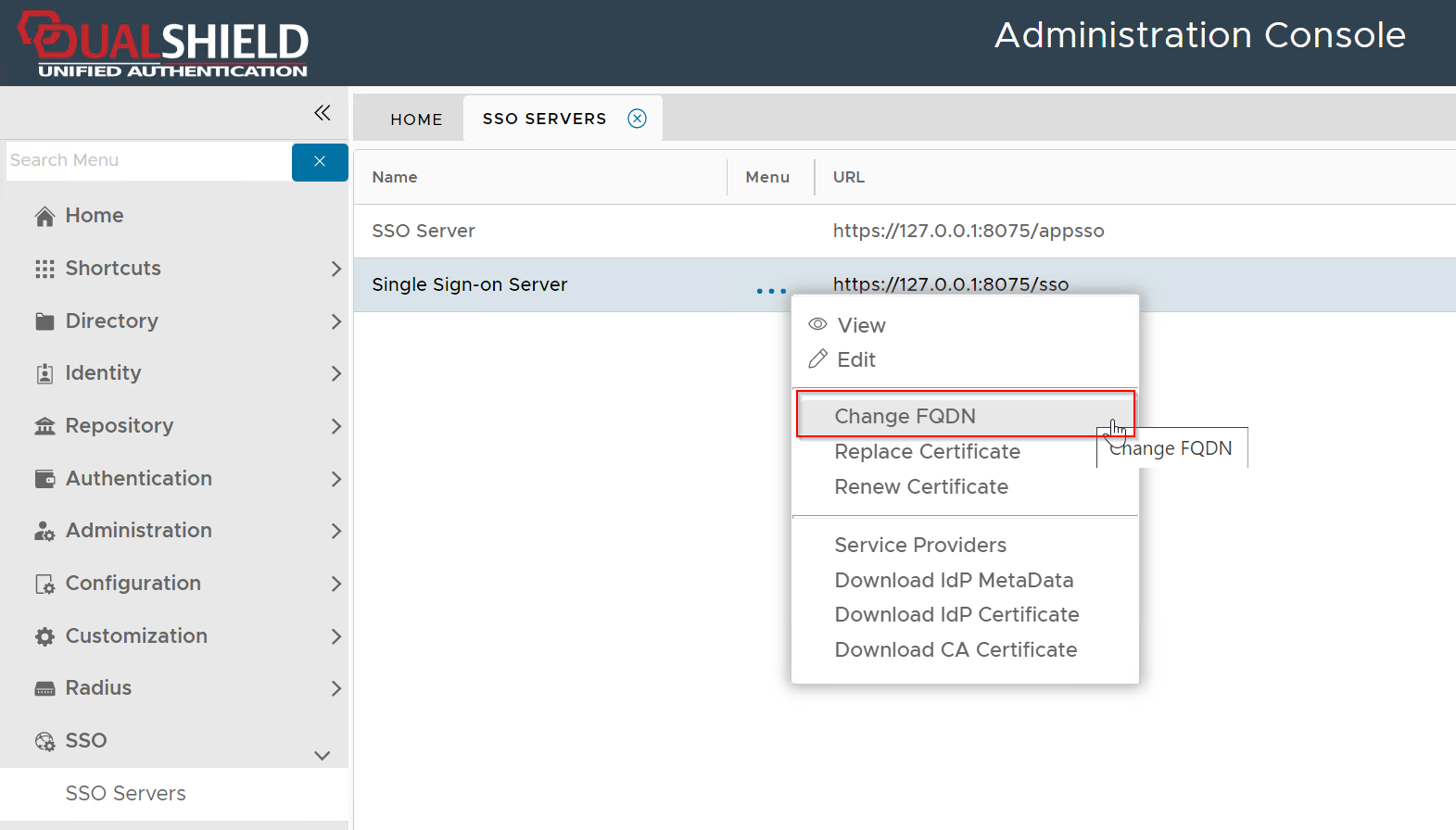
Select Change FQDN
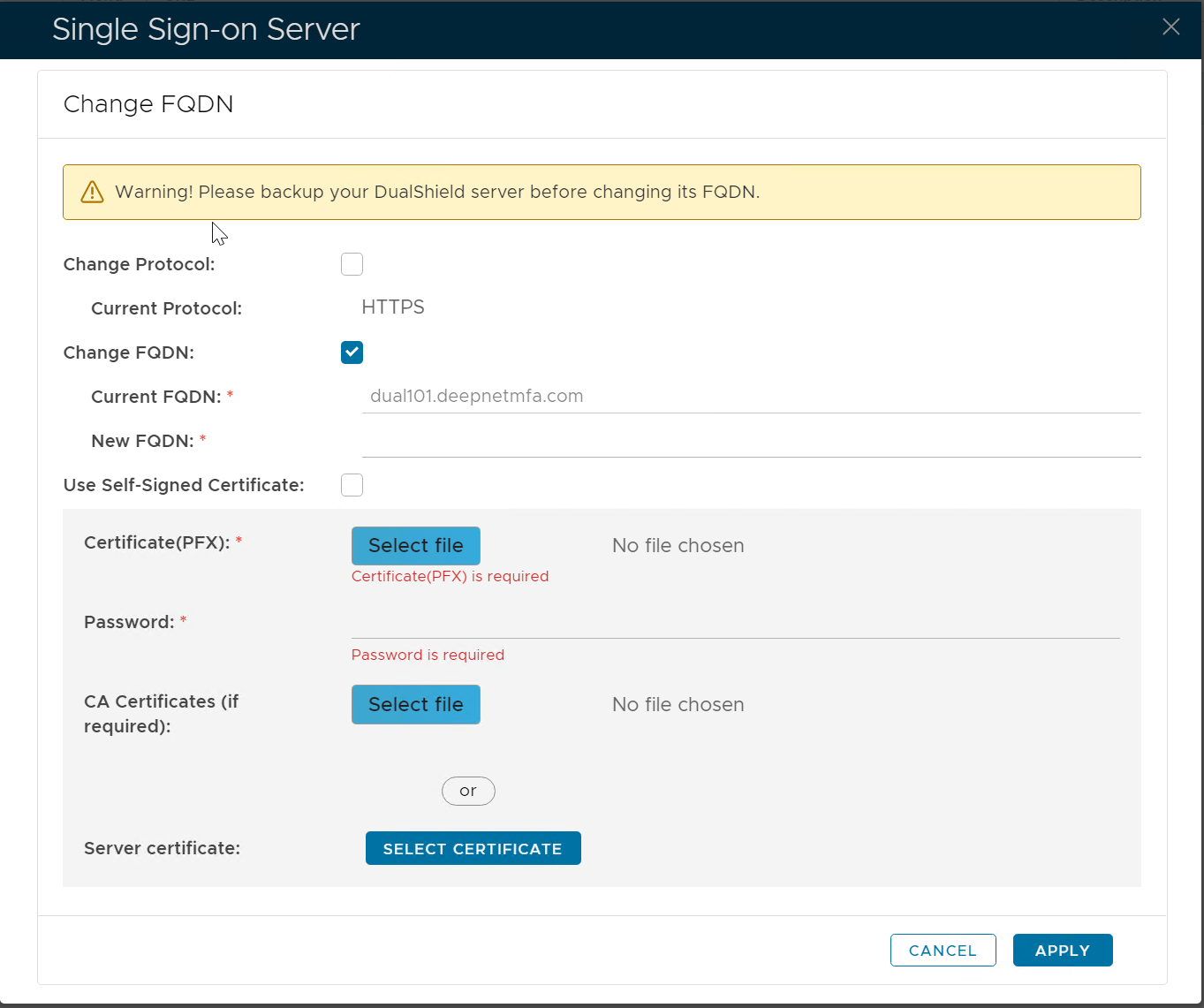
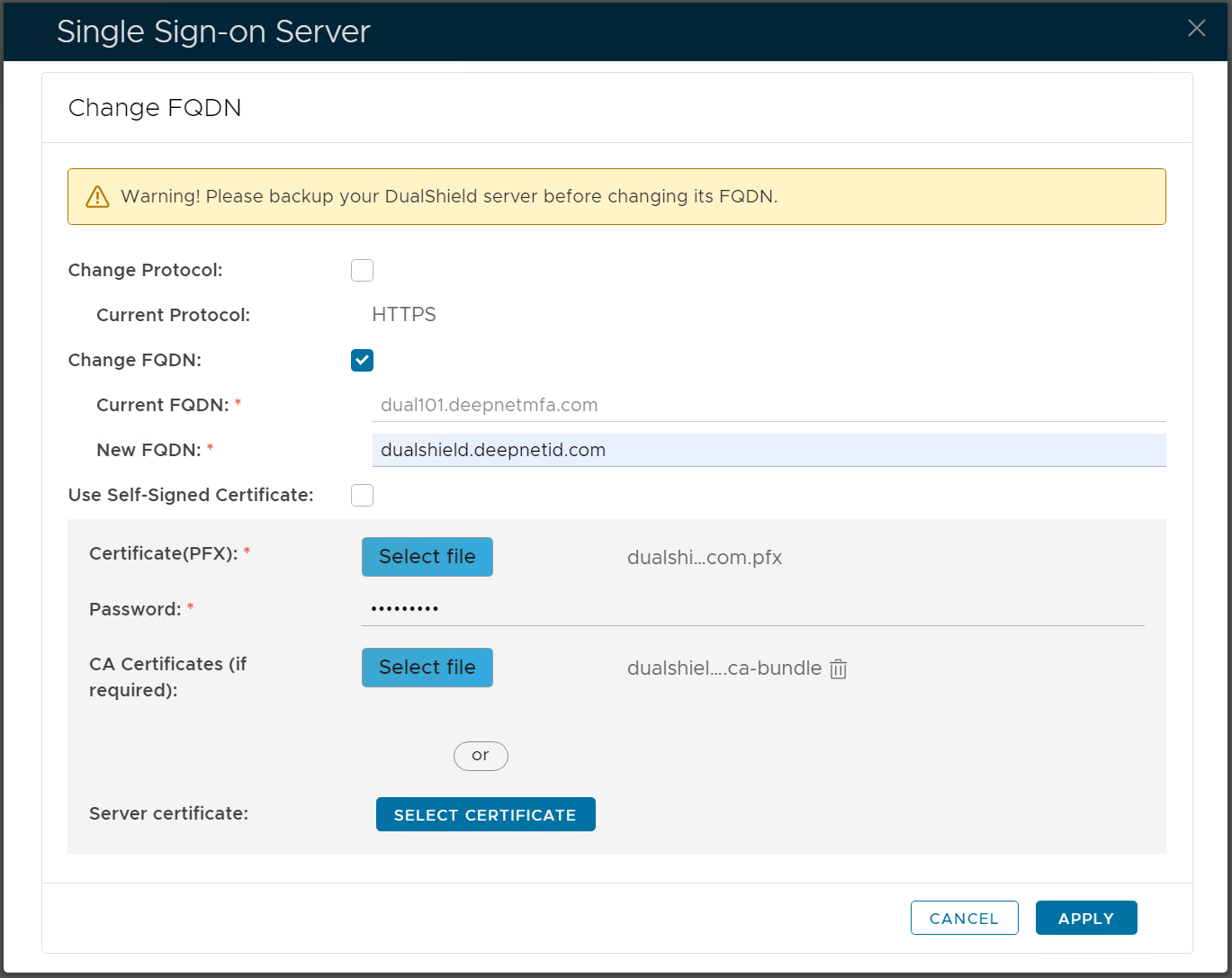
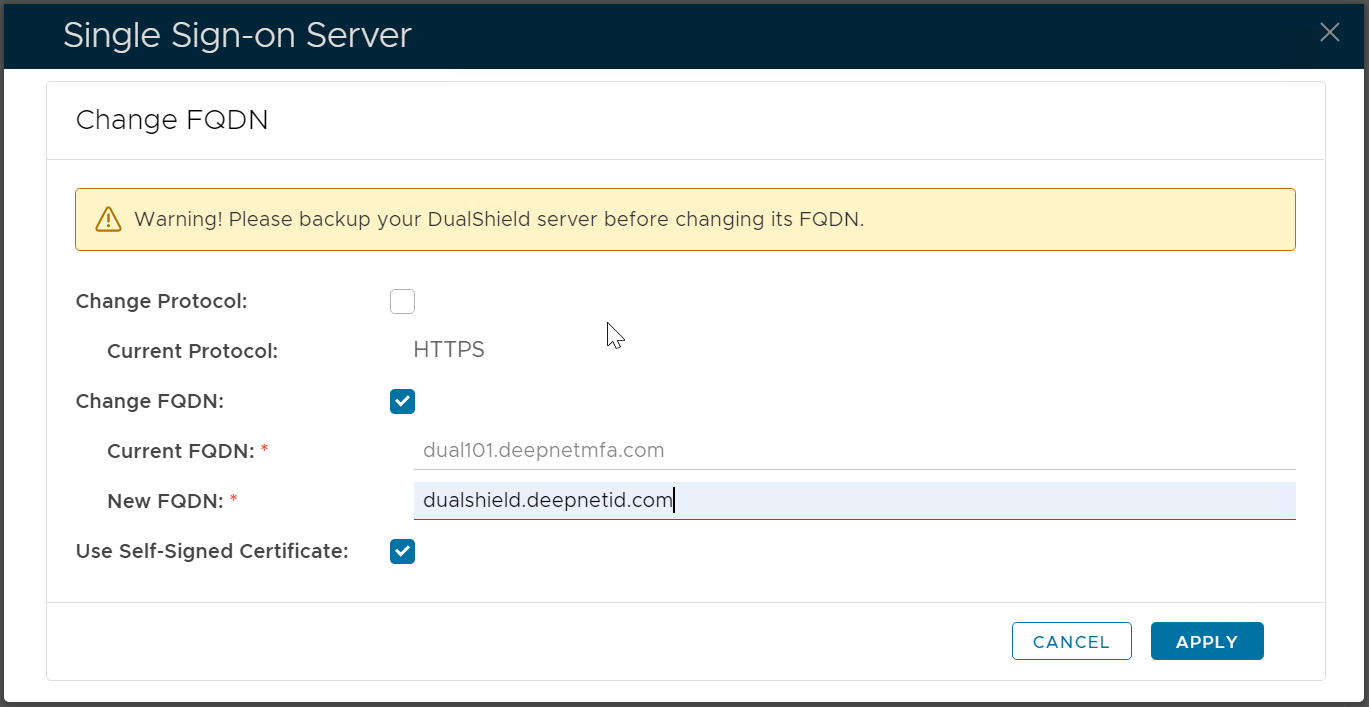
Make sure the option "Change FQDN" is enabled
Enter the New FQDN
Select a new SSL certificate for the new FQDN, or use a self-sign certificate
| Commercial Certificate | Self-Signed Certificate |
|---|---|
|
|
Click APPLY