You are viewing an old version of this page. View the current version.

Compare with Current View Page History

Version 1 Next »
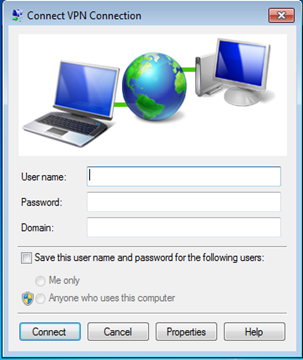
  1. Launch the Remote Access Client


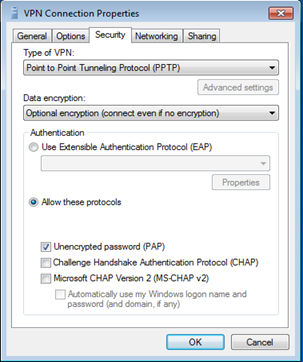
  2. Click the "Properties", and select the "Security" tab


  3. Select the "Data Encryption" option from the dropdown list
  4. Check the "PAP" option
  • No labels